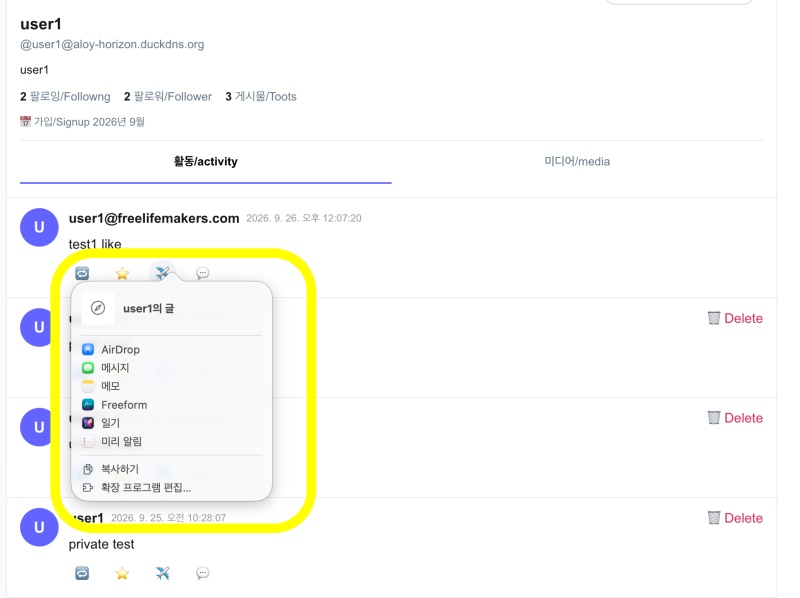
👉🏻 이번에는 부스트의 구조에 대해서 살펴봅니다.
This time, we will take a look at the structure of Boost.
👉🏻 이전의 좋아요 부분의 로직과 매우 유사하고 코드의 사용위치도 거의 동일합니다.
The logic is very similar to that of the previous ‘like’ feature, and the code is used in almost the same place.
📁 ClientPage.tsx
✔️ app/usersui/[username]/ClientPage.tsx
✔️ 부스트 부분은 좋아요 부분의 기능과 매우 유사합니다.
The “Boost” feature is very similar in functionality to the “Like” feature.
... ...
  const handleBoost = async (post: any) => {
    const latest = timelineRef.current.find((p: any) => p.id === post.id) || post;
    let target = latest.original_id || latest.id;

    if (!target.startsWith('http')) {
      if (latest.actor && latest.actor.startsWith('http')) {
        try {
          const actorUrl = new URL(latest.actor);
          const parts = actorUrl.pathname.split('/');
          const usersIdx = parts.indexOf('users');
          const actorUsername = usersIdx!== -1? parts[usersIdx + 1] : latest.username;
          target = `${actorUrl.origin}/users/${actorUsername}/statuses/${target}`;
        } catch {
          target = `https://${process.env.NEXT_PUBLIC_DOMAIN || 'aloy-horizon.duckdns.org'}/users/${latest.username}/statuses/${target}`;
        }
      } else {
        target = `https://${process.env.NEXT_PUBLIC_DOMAIN || 'aloy-horizon.duckdns.org'}/users/${latest.username}/statuses/${target}`;
      }
    }

    const currentlyBoosted = latest.isMyBoost;
    console.log('🔁 boost click', { target, isMyBoost: currentlyBoosted });

    // Optimistic
    setTimeline(prev => prev.map((p: any) =>
      p.id === latest.id
      ? {...p, isMyBoost:!currentlyBoosted, boostCount: (p.boostCount || 0) + (currentlyBoosted? -1 : 1) }
        : p
    ));

    try {
      const res = await fetch(`/api/announce`, {
        method: currentlyBoosted? 'DELETE' : 'POST',
        headers: { 'Content-Type': 'application/json' },
        body: JSON.stringify({ username, target }),
        cache: 'no-store'
      });
      const data = await res.json();
      console.log('✅ announce res', data);

      // ✅ 서버 진실값으로 덮어쓰기
      // Overwrite with server truth values
      setTimeline(prev => prev.map((p: any) =>
        p.id === latest.id
        ? {...p, isMyBoost: data.isMyBoost, boostCount: data.boostCount }
          : p
      ));

      if (data.alreadyBoosted || data.alreadyUnboosted) {
        await refreshTimeline();
      }

    } catch (e) {
      console.error('❌ boost 실패/boost failed', e);
      await refreshTimeline();
    }
  };
... ...
1)이 handleboost함수가 TimelineList.tsx에 전달되고 TimelineList.tsx에서 부스트 버튼을 누르면 이 handleboost함수가 실행됩니다.
The handleboost function is passed to TimelineList.tsx, and when the boost button is pressed within TimelineList.tsx, this handleboost function is executed.
2)target은 API에 요청할 전체 URL을 만듭니다.
‘target’ constructs the full URL for the API request.
3)코드아래에 보면 다음과 같은 방식으로 target과 username을 API에 전송합니다.
Below the code, you can see how the target and username are sent to the API.
      const res = await fetch(`/api/announce`, {
        method: currentlyBoosted? 'DELETE' : 'POST',
        headers: { 'Content-Type': 'application/json' },
        body: JSON.stringify({ username, target }),
        cache: 'no-store'
      });
4)actorUrl은 다음과 같은 과정을 거칩니다.
actorUrl goes through the following process:
1.actorURL에서 pathname만 선택합니다.
Select only the pathname from actorURL.
const actorUrl = new URL(latest.actor);
// actorUrl.origin = "https://mastodon.social"
// actorUrl.pathname = "/users/bob"
2.그래서 아래처럼 / 기준으로 값을 분리하고
So, as shown below, split the values based on the / character.
const parts = actorUrl.pathname.split('/');
// parts = ["", "users", "bob"]
// 0 1 2
3.배열에서 users라는 문자가 포함된 인덱스를 뽑고
Extract the indices from the array that contain the string "users"
const usersIdx = parts.indexOf('users');
// usersIdx = 1
4. 배열이 -1이 아니면 actorUsername에 배열값중[usersIdx + 1]를 대입합니다.
If the array is not -1, assign the value at index `usersIdx + 1` from the array to `actorUsername`.
const actorUsername = usersIdx !== -1 ? parts[usersIdx + 1]
// parts[1 + 1] = parts[2] = "bob"
// actorUsername = "bob"
5.URL객체 정보 / URL object information
actorUrl.href = "https://mastodon.social/users/bob" // 전체 / entire
actorUrl.protocol = "https:" // https: 만 따로 / 'https:' only
actorUrl.host = "mastodon.social" // 도메인만 따로 / Domain only
actorUrl.origin = "https://mastodon.social" // https + 도메인 / https + domain
actorUrl.pathname = "/users/bob" // 경로만 따로 / The path only, separately5) 위의 과정으로 아래와 같은 fullURL을 만듭니다.
Through the process above, a fullURL like the one below is created.
target = `${actorUrl.origin}/users/${actorUsername}/statuses/${target}`;6) timeline데이터에서 해당 글의 isMyBoost값과 boostCount값을 바꿔서 TimelineList.tsx에서 보여주는 값들을 먼저 바꿉니니다. 이 부분은 데이터베이스 값이 바뀌기 전에 UI를 먼저 바꿔주는 부분입니다.
이것을 낙관적 업데이트라고합니다. prev는 기존의 timeline에 데이터입니다.
First, update the isMyBoost and boostCount values for the relevant post within the timeline data, which will in turn update the values displayed in TimelineList.tsx.
In this part, the UI is updated before the database value changes.
This is called an optimistic update.
‘prev’ represents the data from the existing timeline.
    setTimeline(prev => prev.map((p: any) =>
      p.id === latest.id
      ? {...p, isMyBoost:!currentlyBoosted, boostCount: (p.boostCount || 0) + (currentlyBoosted? -1 : 1) }
        : p
    ));
7)이 부분에서 실제로 API와 통신해서 데이터베이스 값을 바꿉니다 그리고 한번더 setTimeline()으로 타임라인 데이터를 업데이트합니다. 낙관적 업데이트 후 한번더 데이터베이스의 진짜 데이터로 업데이트 합니다.
At this stage, the application communicates with the API to modify values in the database, and then calls setTimeline() once more to update the timeline data. In other words, following an “optimistic update,” the data is refreshed again using the actual, authoritative data from the database.
      const res = await fetch(`/api/announce`, {
        method: currentlyBoosted? 'DELETE' : 'POST',
        headers: { 'Content-Type': 'application/json' },
        body: JSON.stringify({ username, target }),
        cache: 'no-store'
      });
      const data = await res.json();
      console.log('✅ announce res', data);

      // ✅ 서버 진실값으로 덮어쓰기
      // Overwrite with server truth values
      setTimeline(prev => prev.map((p: any) =>
        p.id === latest.id
        ? {...p, isMyBoost: data.isMyBoost, boostCount: data.boostCount }
          : p
      ));
8)위의 부스트 과정이 끝났으면 타임라인 전체를 한번 업데이트합니다.
Once the boost process described above is complete, update the entire timeline.
      if (data.alreadyBoosted || data.alreadyUnboosted) {
        await refreshTimeline();
      }
9)TimelineList.tsx의 부스트 부분 코드는 아래와 같습니다.
The code for the ‘boost’ section in TimelineList.tsx is as follows:
              <div className="flex gap-4 mt-2">
                <button onClick={() => onBoost(p)} className={`bg-none border-none cursor-pointer text-[#999] px-2 py-1 rounded-xl text-sm hover:bg-[#f3f4f6] hover:text-[#333] ${p.isMyBoost? '!text-[#1b9c59] font-bold bg-[#dcfce7]' : ''}`}>🔁 {p.boostCount || ''}</button>
... ...
              </div>
📁 API
✔️ POST
— 부스트 할 글이 내 서버 글이 아닌 경우
When the post you want to boost is not from your own server
... ...
   if (!isOwnPost) {
      try {
        const pr = await signedFetch(target, username);
        if (pr.ok) {
          const d = await pr.json();
          apObjectId = (d.id || target).replace('/posts/', '/statuses/');
          const info = await getActorData((d.attributedTo || d.actor) as any, username);
          inbox = info.inbox;
        }
      } catch {}
    }
... ...
1)내 글이 아니면 target 위치의 상대방 글의 존재확인(await signedFetch(target, username);)
If it is not my own post, verify the existence of the other person’s post at the target location (await signedFetch(target, username);)
2)글이 존재하면(pr.ok)getActorData로 상대방 inbox정보 가져오기
If the post exists (pr.ok), retrieve the other party’s inbox information using getActorData.
— 이전에 부스트 한 적이 있는지 데이터베이스에서 검색
Search the database to see if there has been a previous boost
    const existing = db.prepare(
      `SELECT id FROM announces WHERE username =? AND object LIKE '%' ||? || '%'`
    ).get(username, shortId) as any;
1)shortId가 포함된 글과 username과 일치하는 id 검색
Search for a post containing a shortId and an ID that matches the username.
2)LIKE ‘%’ ||? || ‘%’`
'%' = SQL 와일드카드. "아무거나"
|| = 문자열 붙이기
? = shortId

'%' + shortId + '%' 는 shortId가 포함된 글이라는 의미
— 부스트한 글이 존재하면 json값 리턴
If a boosted post exists, return a JSON value.
    if (existing) {
      const boostCount = (db.prepare(
        `SELECT COUNT(*) as c FROM announces WHERE object LIKE '%' ||? || '%'`
      ).get(shortId) as any).c;
      return NextResponse.json({ ok: true, alreadyBoosted: true, isMyBoost: true, boostCount });
    }
1) 이전에 부스트 한적이 있다면 다시 부스트하지 못하게 함.
Prevent a user from boosting again if they have already boosted previously.
— 부스트 배달 / Boost Delivery
    let announceDoc;
    if (isOwnPost) {
      announceDoc = { id: `${myActor}/announces/${crypto.randomUUID()}`, actor: myActor, object: apObjectId };
    } else {
      if (!inbox) return NextResponse.json({ ok: false, error: 'no inbox' }, { status: 400 });
      const r = await sendAnnounce(inbox, apObjectId, username);
      announceDoc = r.announceDoc;
    }

// const myActor = `https://${DOMAIN}/users/${username}`;
// let apObjectId = target.replace('/posts/', '/statuses/');
1)내 서버 글이 아니면 sendAnnounce함수로 부스트 배달
If the post is not from my own server, deliver a boost using the sendAnnounce function.
2)announceDoc = {id: … }에서 id 부분의 경로는 실제로 존재하지 않음 그냥 부스트 식별용 id임.
In announceDoc = {id: ... }, the path represented by the id part does not actually exist; it serves merely as an identifier for the boost.
3)지금은 전혀 문제 없으나 실제로 제대로 활용하려면 라우트 있어야함.
There are no issues at the moment, but to make proper use of it, you will need a router.
    db.prepare('INSERT OR IGNORE INTO announces (id, actor, object, username) VALUES (?,?,?,?)')
     .run(announceDoc.id, myActor, announceDoc.object.replace('/posts/', '/statuses/'), username);

    const boostCount = (db.prepare(
      `SELECT COUNT(*) as c FROM announces WHERE object LIKE '%' ||? || '%'`
    ).get(shortId) as any).c;

    return NextResponse.json({ ok: true, isMyBoost: true, boostCount });
1) 데이터베이스에 부스트 저장 부스트 카운터 검색
Retrieve boost count from the database
2)결과값 json데이터 리턴
Return the result as JSON data
{ ok: true, isMyBoost: true, boostCount }✔️ DELETE
— 부스트 검색 / Boost Search
    const myActor = `https://${DOMAIN}/users/${username}`;
    const shortId = target.replace('/posts/', '/statuses/').split('?')[0].split('#')[0].split('/').filter(Boolean).pop() || target;

    const row = db.prepare(
      `SELECT id, object, actor FROM announces WHERE username =? AND object LIKE '%' ||? || '%'`
    ).get(username, shortId) as any;

    if (!row) {
      const boostCount = (db.prepare(
        `SELECT COUNT(*) as c FROM announces WHERE object LIKE '%' ||? || '%'`
      ).get(shortId) as any).c;
      return NextResponse.json({ ok: true, alreadyUnboosted: true, isMyBoost: false, boostCount });
    }
1)username과 shortId가 일치하는 부스트가 존재하는지 검색
Search for the existence of a boost that matches both the username and shortId.
2)존재하지않으면 다음과 같은 json데이터 리턴
If it does not exist, return the following JSON data.
{ ok: true, alreadyUnboosted: true, isMyBoost: false, boostCount }— 부스트 취소 배달 / Boost-cancelled delivery
    // 부스트 취소 배달 / Undo Boost Delivery
    const objectForCheck = row.object || target;
    const isOwnPost = objectForCheck.includes(`${DOMAIN}/users/${username}/`);

    if (!isOwnPost) {
      try {
        const u = new URL(objectForCheck);
        const parts = u.pathname.split('/').filter(Boolean);
        const idx = parts.indexOf('users');
        const inbox = idx!== -1? `${u.origin}/users/${parts[idx+1]}/inbox` : null;
        if (inbox) {
          await sendUndoAnnounce(inbox, row.id, objectForCheck, username);
        }
      } catch (e) {
        console.error('Undo Announce 배달 실패', e);
      }
    }
1)내용은 POST부분과 같고 !isOwnPost인경우 sendUndoAnnounce가 실행되어 부스트 취소 배달됨
The content is the same as in the POST section; if !isOwnPost is true, sendUndoAnnounce is executed, and a boost cancellation is delivered.
— 부스트 삭제 / Delete Boost
    db.prepare('DELETE FROM announces WHERE id =?').run(row.id);

    const boostCount = (db.prepare(
      `SELECT COUNT(*) as c FROM announces WHERE object LIKE '%' ||? || '%'`
    ).get(shortId) as any).c;

    return NextResponse.json({ ok: true, isMyBoost: false, boostCount });
1)글의 id와 일치하는 부스트 삭제
Delete the boost that matches the post ID
2)부스트 갯수 검색 후 json데이터 리턴
Return JSON data after retrieving the boost count
{ ok: true, isMyBoost: false, boostCount }마태복음 21장 22절 / Matthew 21: 22
“너희가 기도할 때에 무엇이든지 믿고 구하는 것은 다 받으리라 하시니라”
“And everything you ask in prayer, believing, you will receive.”