👉🏻 아래의 코드는 QT6의 CmakeLists를 사용합니다.
The code below uses CmakeLists from QT6.
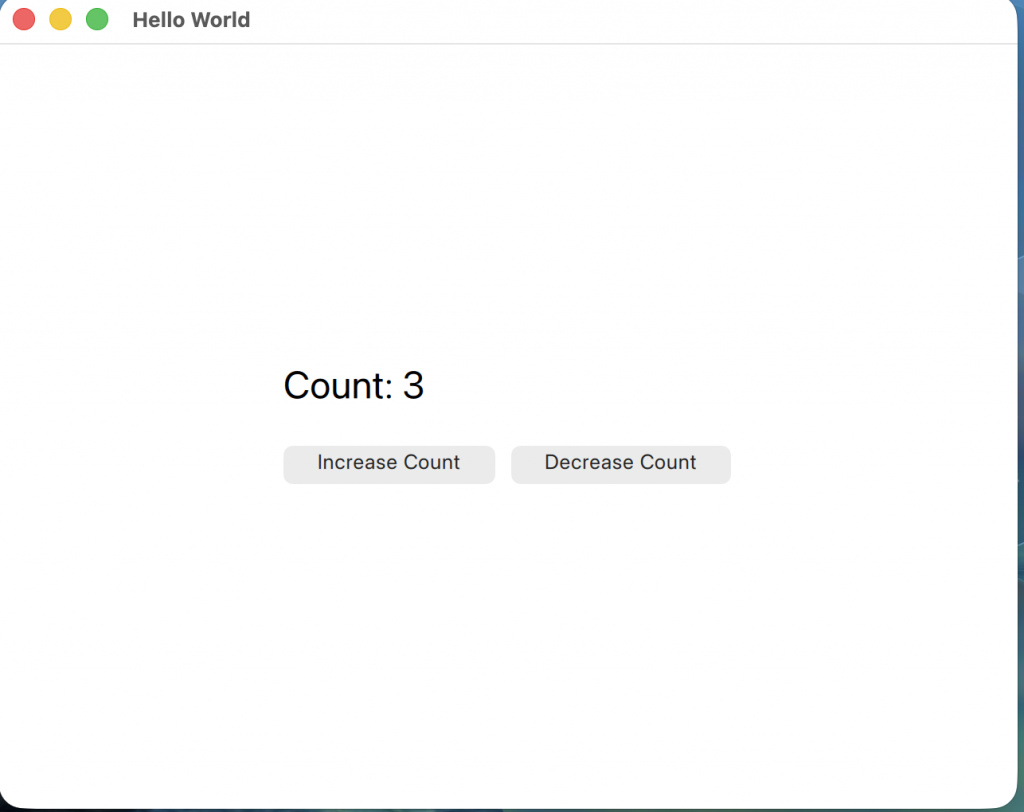
👉🏻 Qt QML에서 시그널과 슬롯을 통해서 카운터를 증가시키거나 감소시키는 코드 입니다.
This is code to increment or decrement a counter through signals and slots in Qt QML.
👉🏻시그널과 슬롯(Signal & Slot)은 원래 Qt 프레임워크의 뿌리인 C++에서 객체 간의 통신을 위해 탄생한 핵심 개념입니다.
Signals and slots are core concepts that were originally born in C++, the root of the Qt framework, for communication between objects.
👉🏻QML은 이 C++ 엔진 위에서 돌아가는 언어이기 때문에, QML과 C++을 연결하는 다리 역할을 시그널이 수행하게 됩니다.
Since QML is a language that runs on top of this C++ engine, signals serve as a bridge between QML and C++.
👉🏻 시그널 / Signal
시그널은 “어떤 일이 일어났다”는 것을 알리는 이벤트” 입니다.
A signal is an event that signals that “something has happened.”
👉🏻 슬롯 / Slot
슬롯은 시그널이 발생했을 때 실행되는 함수(동작) 입니다.
A slot is a function (action) that is executed when a signal is generated.
✔️시그널을 만들면 슬롯은 아래의 형식으로 만들면 됩니다.
When you create a signal, you can create a slot in the format below.
on + 시그널이름 / Signal Name (첫 글자 대문자 / First letter is capitalized)👉🏻 아래의 코드에서 시그널은 다음과 같습니다.
In the code below, the signals are
signal incrementRequested()
signal decrementRequested()
👉🏻 아래의 코드에서 위의 시그널과 연결되는 슬롯은 다음과 같습니다.
In the code below, the slots connected to the signals above are
        onIncrementRequested: {
            root.count++
            console.log("Count updated:", root.count)
        }
        onDecrementRequested: {
            if (root.count > 0)  root.count--
            console.log("Count updated:", root.count)
        }
👉🏻코드 / Code
✔️Main.qml
import QtQuick
import QtQuick.Controls

Window {
    width: 640
    height: 480
    visible: true
    title: qsTr("Hello World")

    Rectangle {
        id: root
        //width: 300
        //height: 200
        anchors.fill: parent
        color: "white"

        // signal
        signal incrementRequested()
        signal decrementRequested()
        property int count: 0

        Column {
            anchors.centerIn: parent
            spacing: 20

            Text {
                font.pixelSize: 24
                text: "Count: " + root.count
            }
            Row{
                spacing:10
                Button {
                    text: "Increase Count"
                    onClicked: { root.incrementRequested() }
                }
                Button {
                    text: "Decrease Count"
                    onClicked: { root.decrementRequested() }
                }

            }

        }
        // 자동 슬롯 / automatic slot
        onIncrementRequested: {
            root.count++
            console.log("Count updated:", root.count)
        }
        onDecrementRequested: {
            if (root.count > 0)  root.count--
            console.log("Count updated:", root.count)
        }
    }
}
👉🏻 스크린 샷 / ScreenShot