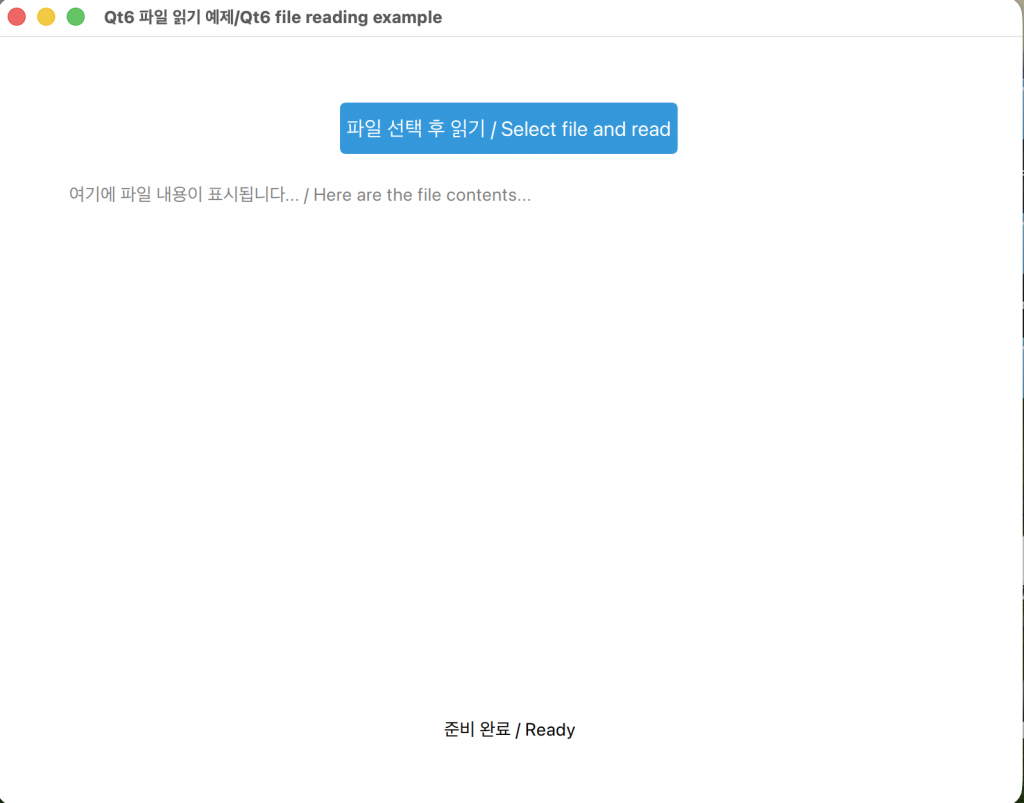
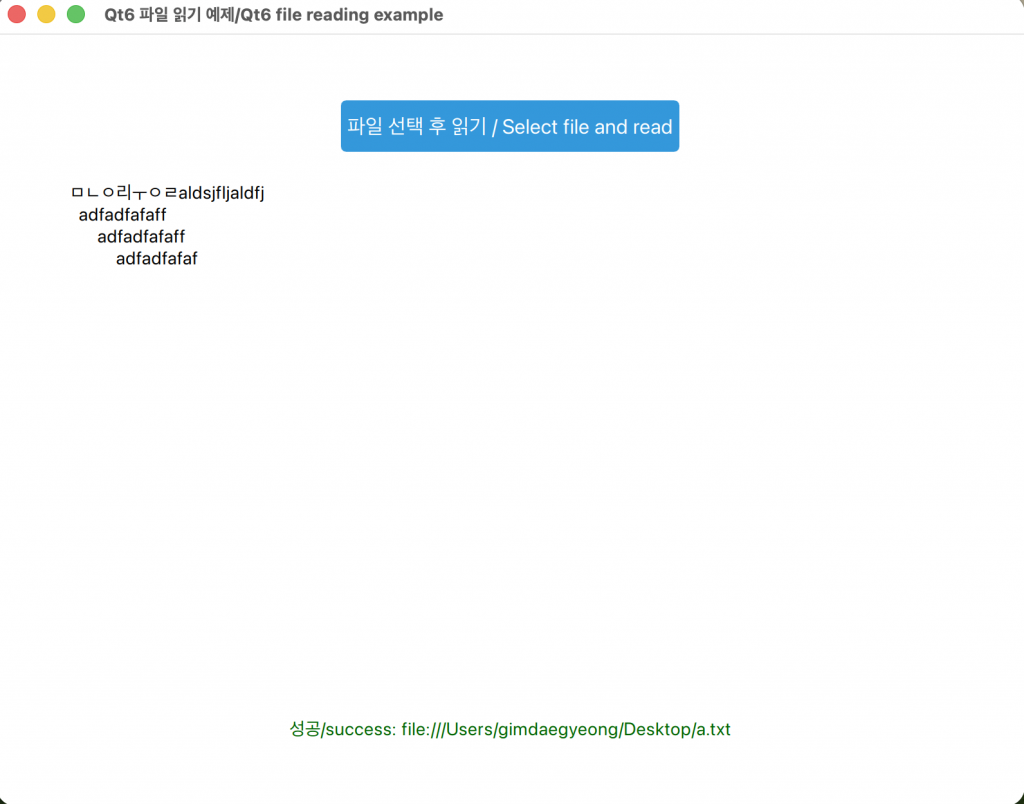
👉🏻 아래는 텍스트 파일을 읽어 오는 간단한 앱입니다.
Below is a simple app that reads a text file.
👉🏻 UI는 QML로 구성하고 파일을읽어 오는 부분은 C++입니다.
The UI is composed of QML and the part that reads files is in C++.
👉🏻 설명은 주석을 참고 하시길 바랍니다.
Please refer to the comments for explanation.
👉🏻코드 / Code
✔️ CMakeLists.txt
cmake_minimum_required(VERSION 3.16)

project(ReadFile VERSION 0.1 LANGUAGES CXX)

set(CMAKE_CXX_STANDARD_REQUIRED ON)

find_package(Qt6 REQUIRED COMPONENTS Quick)

qt_standard_project_setup(REQUIRES 6.8)

qt_add_executable(appReadFile
    main.cpp
)

qt_add_qml_module(appReadFile
    URI ReadFile
    QML_FILES
        Main.qml
        SOURCES filehelper.h filehelper.cpp
)

# Qt for iOS sets MACOSX_BUNDLE_GUI_IDENTIFIER automatically since Qt 6.1.
# If you are developing for iOS or macOS you should consider setting an
# explicit, fixed bundle identifier manually though.
set_target_properties(appReadFile PROPERTIES
#    MACOSX_BUNDLE_GUI_IDENTIFIER com.example.appReadFile
    MACOSX_BUNDLE_BUNDLE_VERSION ${PROJECT_VERSION}
    MACOSX_BUNDLE_SHORT_VERSION_STRING ${PROJECT_VERSION_MAJOR}.${PROJECT_VERSION_MINOR}
    MACOSX_BUNDLE TRUE
    WIN32_EXECUTABLE TRUE
)

target_link_libraries(appReadFile
    PRIVATE Qt6::Quick
)

include(GNUInstallDirs)
install(TARGETS appReadFile
    BUNDLE DESTINATION .
    LIBRARY DESTINATION ${CMAKE_INSTALL_LIBDIR}
    RUNTIME DESTINATION ${CMAKE_INSTALL_BINDIR}
)
✔️ filehelpher.h
#ifndef FILEHELPER_H
#define FILEHELPER_H

#include <QObject>
#include <QUrl>

class FileHelper : public QObject
{
    Q_OBJECT
public:
    explicit FileHelper(QObject *parent = nullptr);

    // ⭐️ Q_INVOKABLE Qt의 매크로로, 이 매크로가 붙은 멤버 함수는 QML에서 직접 호출(invoke)할 수 있게 만들어줍니다.
    //    이 매크로가 없으면 QML에서 해당 함수를 호출하려고 하면 "ReferenceError: readFile is not defined" 같은 오류가 발생합니다.

    // Q_INVOKABLE is a Qt macro that allows member functions marked with this macro to be directly invoked from QML.
    // Without this macro, attempting to call the function from QML would result in an error like "ReferenceError: readFile is not defined."

    // 파일 읽기 / read file
    Q_INVOKABLE QString readFile(const QUrl &fileUrl);

};

#endif
✔️ filehelper.cpp
#include "FileHelper.h"
#include <QFile>
#include <QTextStream>
#include <QDebug>

FileHelper::FileHelper(QObject *parent) : QObject(parent)
{
}

QString FileHelper::readFile(const QUrl &fileUrl)
{
    // QUrl을 로컬 경로 문자열로 변환
    // Convert QUrl to local path string
    QString path = fileUrl.toLocalFile();

    QFile file(path);
    if (!file.open(QIODevice::ReadOnly | QIODevice::Text)) {
        qWarning() << "파일 열기 실패/File open failed:" << path;
        return QString();
    }

    QTextStream in(&file);
    QString content = in.readAll();
    file.close();
    return content;
}
✔️ main.cpp
#include <QGuiApplication>
#include <QQmlApplicationEngine>
#include <QQmlContext>  // setContextProperty
#include "FileHelper.h"

int main(int argc, char *argv[])
{
    QGuiApplication app(argc, argv);

    // fileHelper 인스턴스 생성
    // Create a fileHelper instance
    FileHelper fileHelper;

    QQmlApplicationEngine engine;

    // QML 엔진에 C++ 객체 등록 (QML에서 'fileHelper'라는 이름으로 접근 가능)
    // engine.loadFromModule 호출 전에 등록해야 합니다.
    // Register a C++ object with the QML engine (accessible from QML as 'fileHelper')
    // Must be registered before calling engine.loadFromModule.
    engine.rootContext()->setContextProperty("fileHelper", &fileHelper);

    QObject::connect(
        &engine,
        &QQmlApplicationEngine::objectCreationFailed,
        &app,
        []() { QCoreApplication::exit(-1); },
        Qt::QueuedConnection);

    // 기본값:모듈 로드 (Qt6 방식)
    // "ReadFile"은 CMakeLists.txt의 qt_add_qml_module에 정의된 URI여야 합니다.
    // Default: Module loading (Qt6 style)
    // "ReadFile" must be a URI defined in qt_add_qml_module in CMakeLists.txt.
    engine.loadFromModule("ReadFile", "Main");

    return app.exec();
}
✔️ Main.qml
import QtQuick
import QtQuick.Window
import QtQuick.Controls
import QtQuick.Dialogs
import QtCore  // StandardPaths

Window {
    width: 800
    height: 600
    visible: true
    title: qsTr("Qt6 파일 읽기 예제/Qt6 file reading example")

    FileDialog {
        id: fileDialog
        title: "읽을 파일을 선택하세요/Select a file to read"


        currentFolder: StandardPaths.writableLocation(StandardPaths.HomeLocation)
        nameFilters: ["Text files (*.txt)", "All files (*)"]

        onAccepted: {
            // fileDialog.selectedFile은 QUrl 타입을 반환합니다.
            let content = fileHelper.readFile(fileDialog.selectedFile)

            if (content.length > 0) {
                textArea.text = content
                statusText.text = "성공/success: " + fileDialog.selectedFile
                statusText.color = "darkgreen"
            } else {
                statusText.text = "파일을 읽을 수 없거나 내용이 없습니다./The file is unreadable or contains no content."
                statusText.color = "red"
            }
        }
    }

    Column {
        anchors.centerIn: parent
        spacing: 20

        Button {
                    id: openButton
                    text: "파일 선택 후 읽기 / Select file and read"
                    anchors.horizontalCenter: parent.horizontalCenter

                    // 버튼이 안 보일 때를 대비해 배경색과 글자색 강제 지정 가능 (선택 사항)
                    // Optionally force background and text colors to be set when the button is not visible.
                    contentItem: Text {
                        text: openButton.text
                        font.pixelSize: 16
                        color: "white" // font color
                        horizontalAlignment: Text.AlignHCenter
                        verticalAlignment: Text.AlignVCenter
                    }

                    background: Rectangle {
                        implicitWidth: 150
                        implicitHeight: 40
                        color: openButton.down ? "#2980b9" : "#3498db" // 클릭 시 더 어두운 파란색
                        radius: 4
                    }

                    onClicked: fileDialog.open()
        }

        ScrollView {
            width: 700
            height: 400
            TextArea {
                id: textArea
                placeholderText: "여기에 파일 내용이 표시됩니다... / Here are the file contents..."
                wrapMode: TextArea.Wrap
                selectByMouse: true
                font.pixelSize: 14
            }
        }

        Text {
            id: statusText
            text: "준비 완료 / Ready"
            font.pixelSize: 14
            anchors.horizontalCenter: parent.horizontalCenter
        }
    }
}
👉🏻 스크린 샷 / ScreenShot