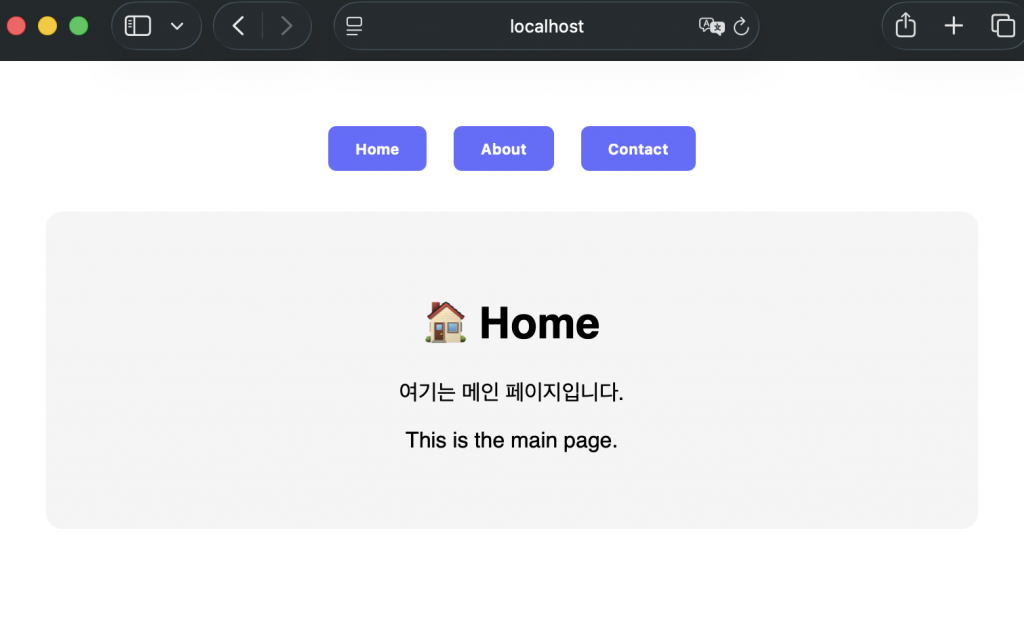
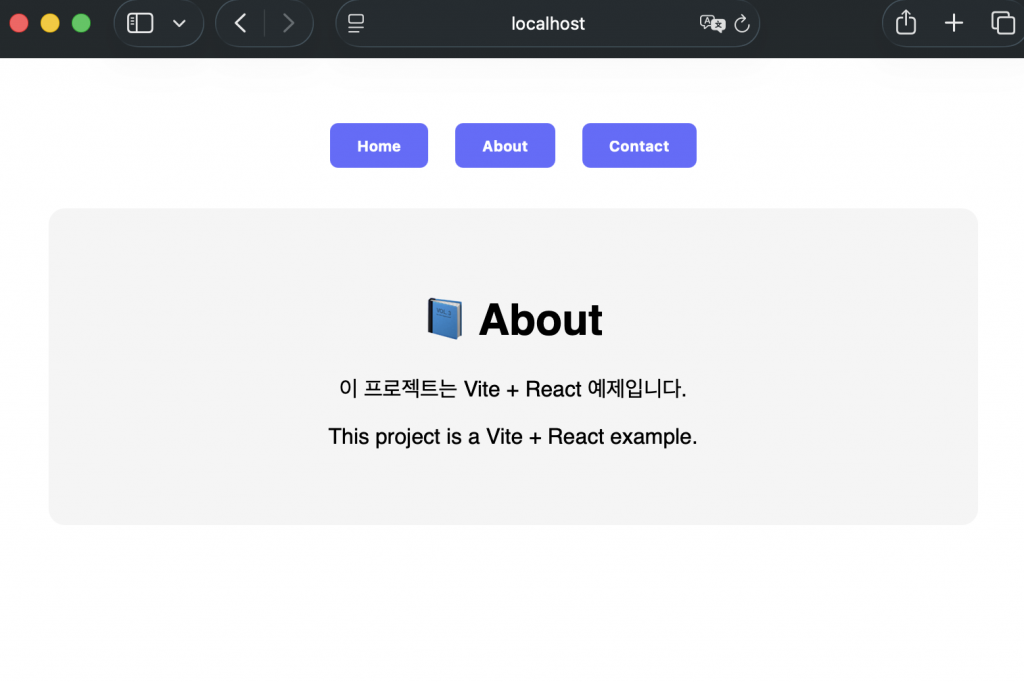
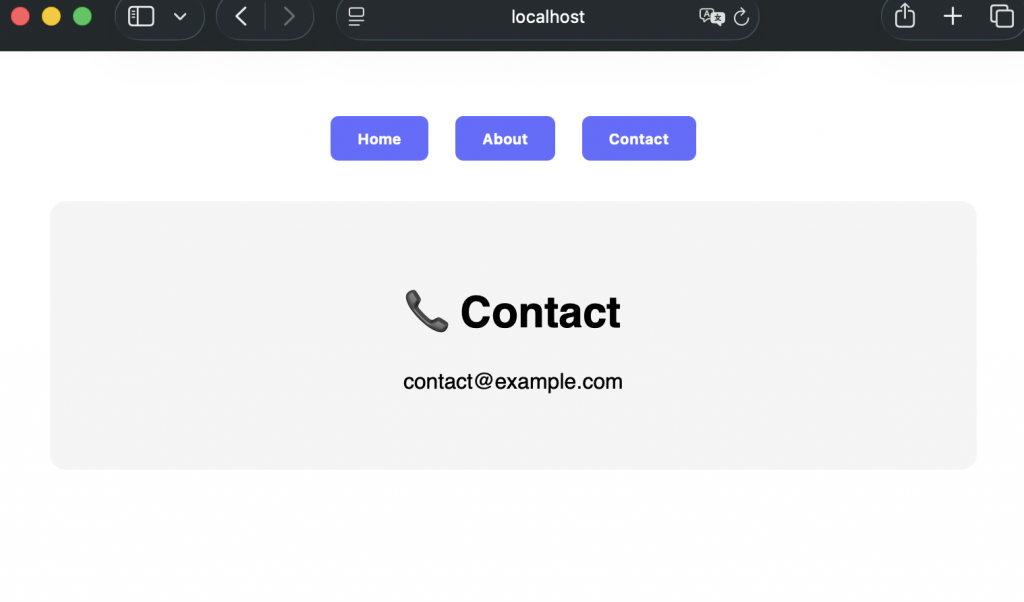
👉🏻 React의 기능을 표현하는 대표적인 예제입니다.
This is a representative example of React’s functionality.
👉🏻보통 웹사이트를 만들게 되면 여러개의 페이지를 만들고 링크를 통해서 페이지를 이동합니다.
Usually, when you create a website, you create multiple pages and move between them through links.
👉🏻리액트는 페이지는 하나만 있고 화면의 일부를 갈아끼우는 방식으로 작동합니다.
React works by having only one page and replacing parts of the screen.
👉🏻 먼저 리액트 프로젝트를 생성하고 의존성을 설치합니다.
First, create a React project and install dependencies.
% npm create vite@latest ReactExample2 --template react-ts
% cd ReactExample2
% npm install

# 서버 실행
% npm run dev
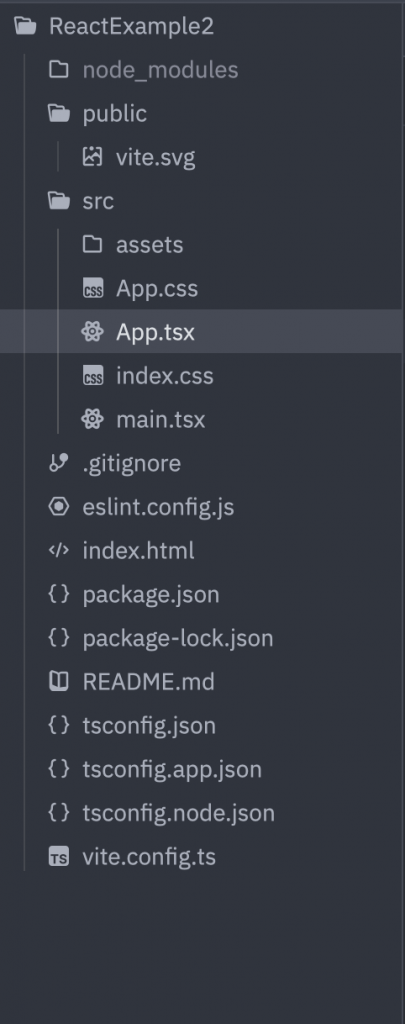
👉🏻 리액트 프로젝트를 설치하면 디렉토리 구조가 아래와 같습니다.
When you install a React project, the directory structure is as follows.
👉🏻 프로젝트 디렉토리 내의 main.tsx에서 index.css를 아래처럼 주석처리합니다.
Comment out index.css in main.tsx inside the project directory as shown below.
✔️ 처음 vite react가 실행될때 예제 페이지에 적용되는 css인데 이것때문에 화면 크기의 제한이생겨서 원하는대로 구현하기 힘든때가 있습니다.
This is the CSS applied to the example page when vite react is first run, but because of this, there are times when it is difficult to implement it as desired due to limitations in the screen size.
import { StrictMode } from "react";
import { createRoot } from "react-dom/client";
//import './index.css'
import App from "./App.tsx";

createRoot(document.getElementById("root")!).render(
  <StrictMode>
    <App />
  </StrictMode>,
);
✔️App.tsx의 내용을 아래의 코드로 대체합니다.
Replace the contents of App.tsx with the code below.
import { useState } from "react";
import "./App.css";

type Page = "home" | "about" | "contact";

function Home() {
  return (
    <div className="page">
      <h1>🏠 Home</h1>
      <p>여기는 메인 페이지입니다.</p>
    </div>
  );
}

function About() {
  return (
    <div className="page">
      <h1>📘 About</h1>
      <p>이 프로젝트는 Vite + React SPA 예제입니다.</p>
    </div>
  );
}

function Contact() {
  return (
    <div className="page">
      <h1>📞 Contact</h1>
      <p>contact@example.com</p>
    </div>
  );
}

function App() {
  const [page, setPage] = useState<Page>("home");

  const renderPage = () => {
    switch (page) {
      case "home":
        return <Home />;
      case "about":
        return <About />;
      case "contact":
        return <Contact />;
      default:
        return null;
    }
  };

  return (
    <div className="container">
      <nav className="nav">
        <button onClick={() => setPage("home")}>Home</button>
        <button onClick={() => setPage("about")}>About</button>
        <button onClick={() => setPage("contact")}>Contact</button>
      </nav>

      <div className="content">{renderPage()}</div>
    </div>
  );
}

export default App;
✔️ App.css파일을 백업하고 새로 만들거나 아래의 내용으로 대체합니다.
Back up your App.css file and create a new one or replace it with the content below.
.container {
    font-family: sans-serif;
    text-align: center;
    padding: 40px;
}

.nav {
    margin-bottom: 30px;
}

.nav button {
    margin: 0 10px;
    padding: 10px 20px;
    border: none;
    background: #646cff;
    color: white;
    border-radius: 6px;
    cursor: pointer;
    font-weight: bold;
    transition: 0.2s;
}

.nav button:hover {
    background: #4c53d1;
}

.page {
    padding: 40px;
    border-radius: 12px;
    background: #f5f5f5;
}
👉🏻 서버 실행 후 브라우저 접속
After running the server, access the browser
# 서버가 실행되지 않았으면 실행합니다.
# If the server is not running, start it.
% npm run dev

# 브라우저에서 접속
# Access from browser
http://localhost:5173/
👉🏻 스크린샷 / ScreenShot
✔️ 각 버튼을 누르면 다음과 같이 페이지이동하지 않고 화면만 바뀝니다.
When you press each button, the screen only changes without moving the page as follows.