⭐️ ReactExample6 – server + swift
👉🏻 이전에 포스트한 React 부분의 Active,inActiove버튼을 Swift앱으로 구현한 내용입니다.
This is the implementation of the Active, inActive buttons from the React section I posted previously into a Swift app.
👉🏻 서버 부분의 코드는 Vite+React의 Express서버 부분과 같습니다.
The code for the server part is the same as the Express server part of Vite+React.
👉🏻 Nodejs Express Server
✔️server.js
const express = require("express");
const { Pool } = require("pg");
const cors = require("cors");

const app = express();
app.use(cors());
app.use(express.json());

const pool = new Pool({
  user: "yourID", // 본인의 계정명 / your account name
  host: "localhost",
  database: "postgres", // 본인의 DB명 / Your DB name
  password: "", // 본인의 비밀번호 / your password
  port: 5432,
});

// 현재 상태 가져오기
// Get current state
app.get("/status", async (req, res) => {
  try {
    const result = await pool.query(
      "SELECT is_active FROM button_status WHERE id = 1",
    );
    res.json(result.rows[0]);
  } catch (err) {
    res.status(500).send(err.message);
  }
});

// 상태 업데이트하기
// update status
app.post("/toggle", async (req, res) => {
  const { isActive } = req.body;
  try {
    const result = await pool.query(
      "UPDATE button_status SET is_active = $1 WHERE id = 1 RETURNING *",
      [isActive],
    );
    res.json(result.rows[0]);
  } catch (err) {
    res.status(500).send(err.message);
  }
});

app.listen(3000, () => console.log("Server running on http://localhost:3000"));
👉🏻 swift
✔️ContentView
1) @MainActor :
–UI 변경은 반드시 메인 스레드에서 해야합니다.
UI changes must be made on the main thread.
–@MainActor가 있으면 이 함수는 반드시 메인 스레드에서 실행되어야 한다는 의미입니다.
The presence of @MainActor means that this function must be executed on the main thread.
2)Thread
–쓰레드는 하나의 프로그램 안에서 여러 작업을 동시에 실행하기 위한 실행 흐름을 의미합니다.
A thread is a flow of execution for executing multiple tasks simultaneously within a single program.
–즉 실행 흐름을 분리해서 동시에 진행할 수 있게 만드는 것을 의미합니다.
That means separating the execution flow so that it can proceed concurrently.
import SwiftUI

struct ContentView: View {

    @State private var isActive: Bool = false
    private let baseURL = "http://192.168.0.100:3000" // your ip address

    var body: some View {
        VStack(spacing: 20) {

            Text("현재 상태 / Current Status")
                .font(.headline)

            Text(isActive ? "🔵 활성 / Active" : "🔴 비활성 / Inactive")
                .font(.title)

            Button {
                Task {
                    await toggleStatus()
                }
            } label: {
                Text(isActive ? "비활성화하기 / InActivate"
                              : "활성화하기 / Activate")
                    .padding()
                    .frame(width: 220)
                    .background(isActive ? Color.green : Color.red)
                    .foregroundColor(.white)
                    .cornerRadius(10)
            }
        }
        .frame(maxWidth: .infinity, maxHeight: .infinity)
        .task {   // 비동기 시작 / asynchronous start
            await fetchStatus()
        }
    }
}

//
// MARK: - Networking
//

// extension : 기존 타입에 기능을 추가하거나,코드를 역할별로 나누기 위해 사용하는 문법( 코드 가독성을 위해서 사용함.)
// Extension: A grammar used to add functionality to existing types or to divide code by role (used for code readability)

extension ContentView {

    // GET 요청(조회) / GET Request(Search)
    @MainActor
    func fetchStatus() async {
        guard let url = URL(string: "\(baseURL)/status") else { return }

        do {
            let (data, _) = try await URLSession.shared.data(from: url)
            let decoded = try JSONDecoder().decode(StatusResponse.self, from: data)
            isActive = decoded.is_active
        } catch {
            print("상태 가져오기 실패/Failed to get status:", error)
        }
    }

    // POST 요청(상태변경) / POST Request(Status change)
    @MainActor
    func toggleStatus() async {
        guard let url = URL(string: "\(baseURL)/toggle") else { return }

        var request = URLRequest(url: url)
        request.httpMethod = "POST"
        request.setValue("application/json", forHTTPHeaderField: "Content-Type")

        let body = ["isActive": !isActive]
        request.httpBody = try? JSONSerialization.data(withJSONObject: body)

        do {
            let (data, _) = try await URLSession.shared.data(for: request)
            let decoded = try JSONDecoder().decode(StatusResponse.self, from: data)
            isActive = decoded.is_active
        } catch {
            print("토글 실패/Toggle failed:", error)
        }
    }
}

// 서버 응답 모델 / Server response model
struct StatusResponse: Codable {
    let is_active: Bool
}

#Preview {
    ContentView()
}
⭐️ 만약 실제로 swift앱을 빌드하는 경우 서버는 https환경으로 바꿔줘야합니다.
If you are actually building a Swift app, you will need to change the server to https.
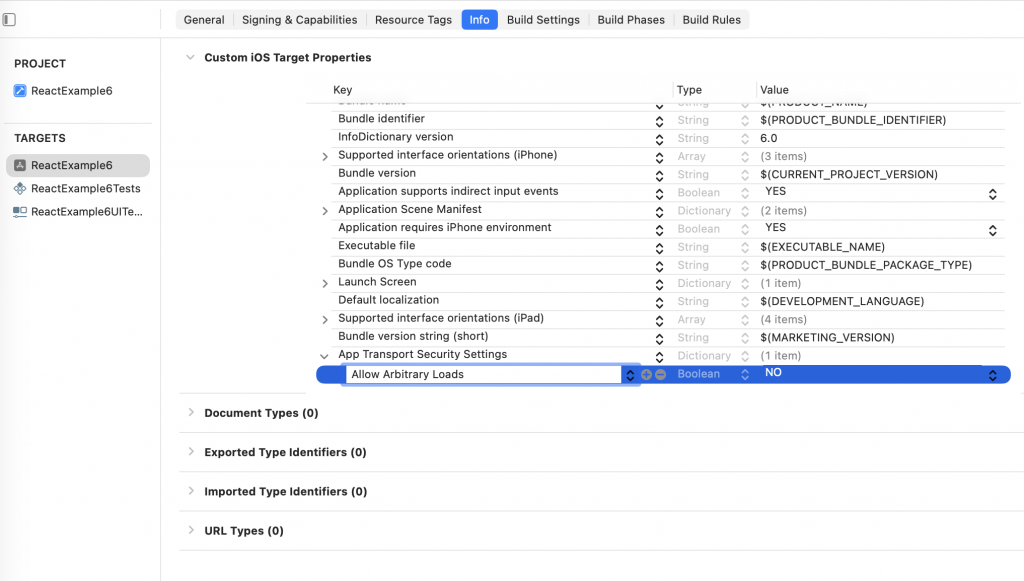
http환경에서 사용하려면 xcode에서 별도의 설정을 해줘야합니다.(아래의 이미지를 참조하세요)
To use it in an http environment, you need to make separate settings in Xcode. (See the image below)
✔️ Xcode -> 프로젝트선택->TARGETS선택 -> info 선택
Xcode ->Select project -> Select TARGETS -> Select info
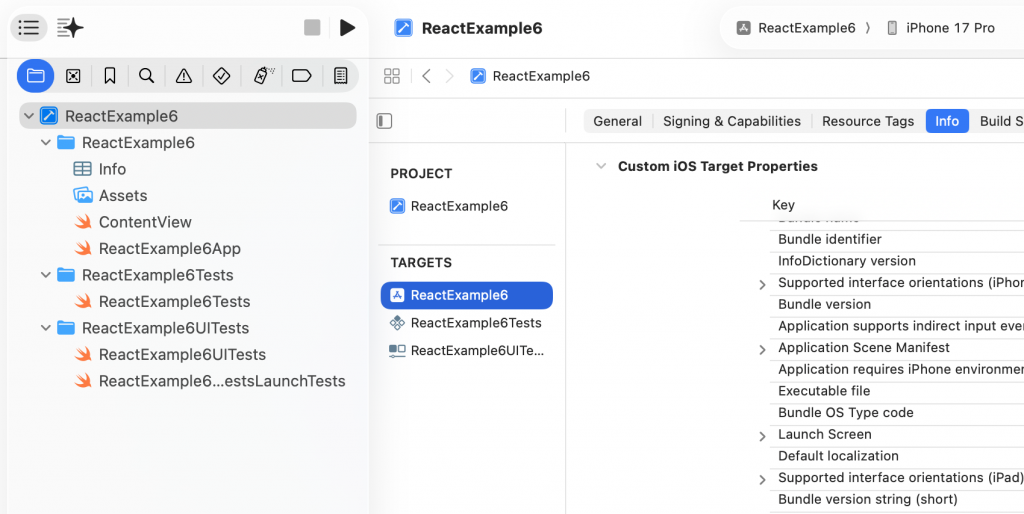
✔️ 마우스 우클릭 -> Add Row 선택
Right click -> Select Add Row
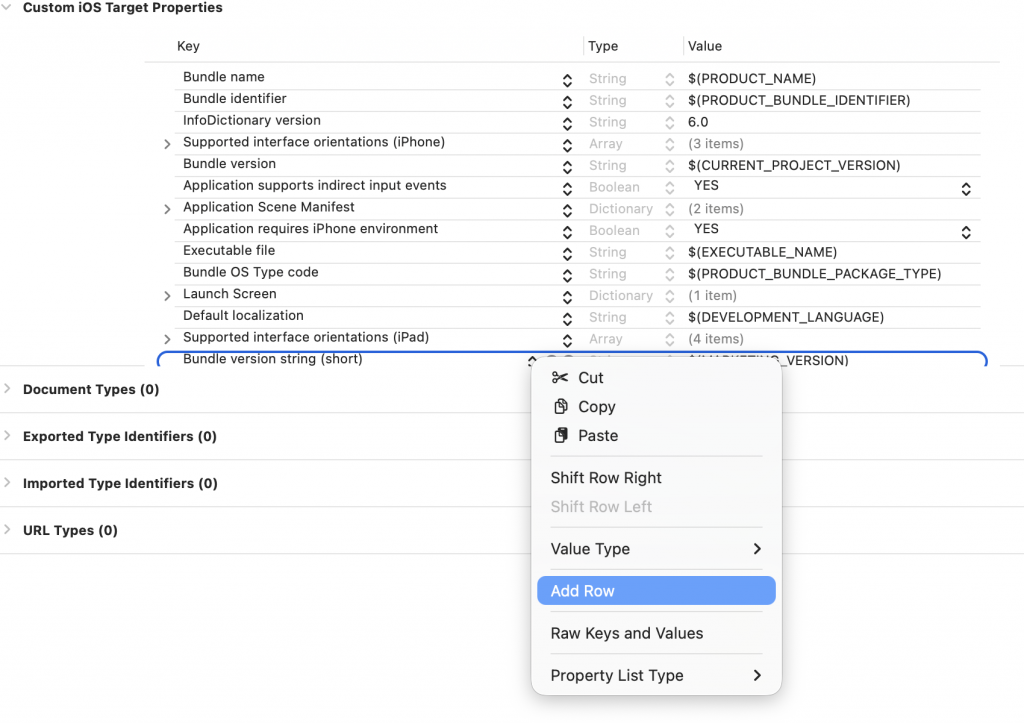
✔️ App Transport Security Settings 선택
Select App Transport Security Settings
✔️ 좌측 화살표 아래로 확장
Expand left arrow down
✔️ 마우스 우클릭해서 Add Row선택
Right-click and select Add Row
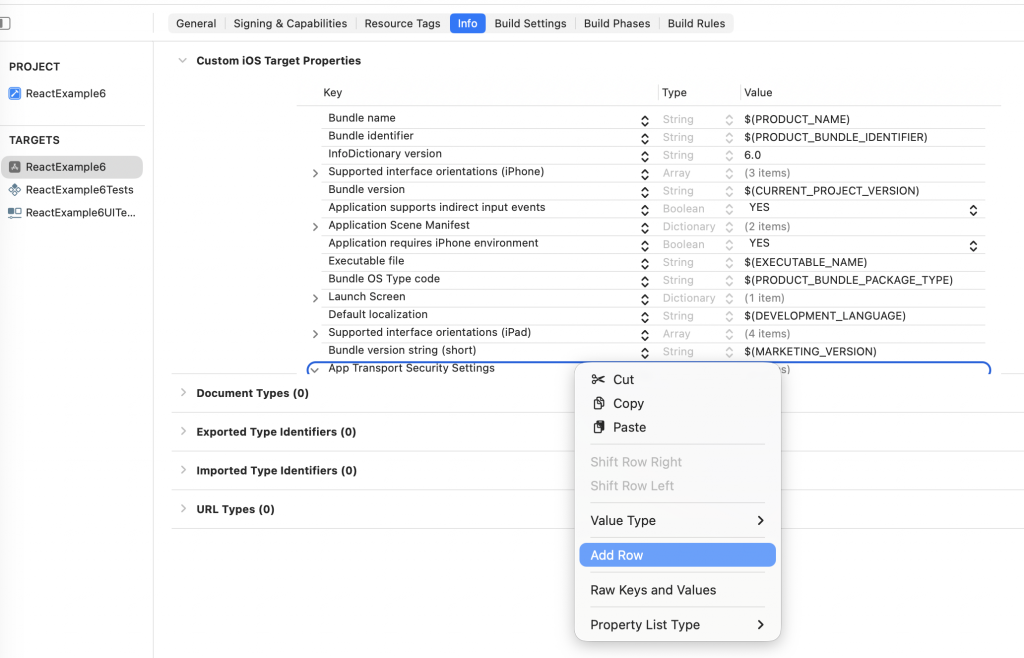
✔️ Allow Arbitray Loads 입력
Enter Allow Arbitray Loads
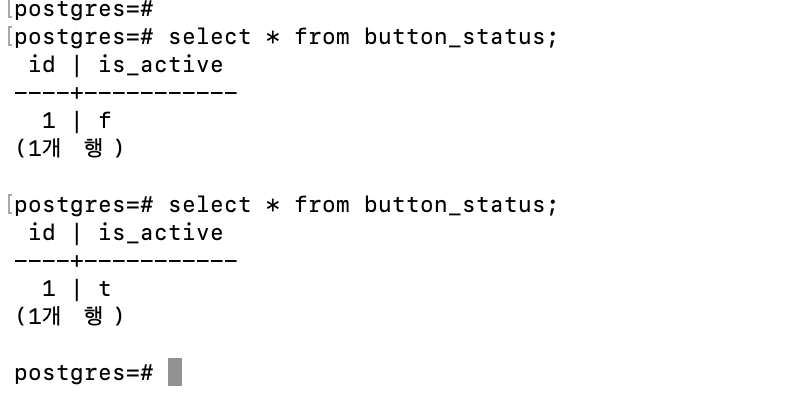
👉🏻 스크린샷/ScreenShot
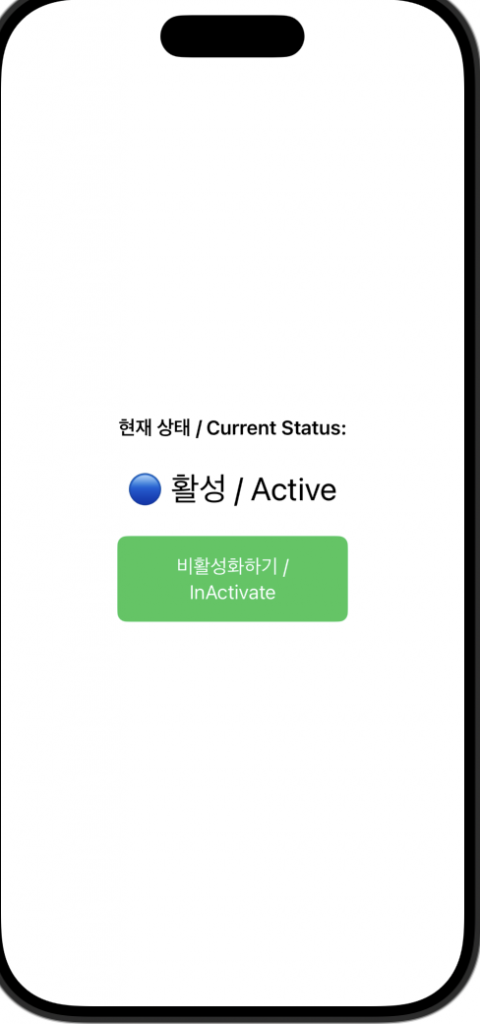
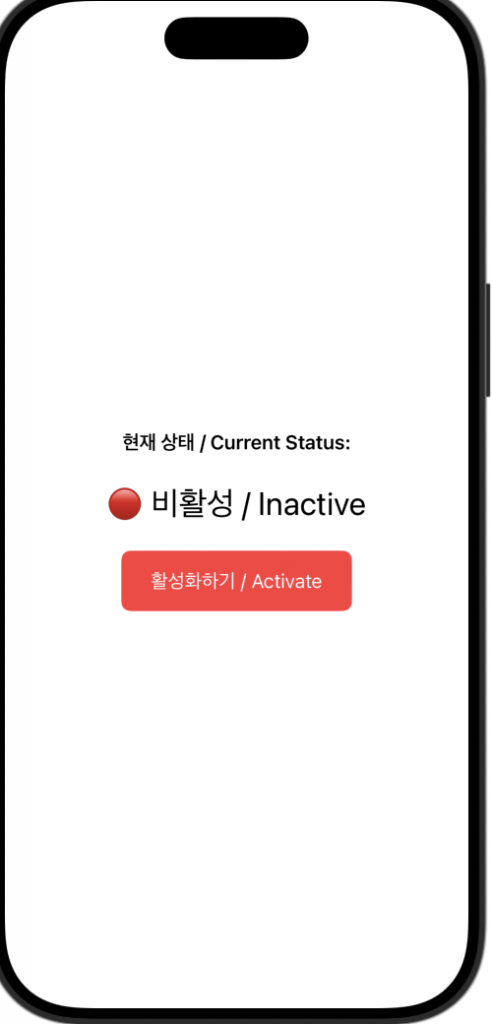
✔️ Xcode Simulator
✔️ Postgresql