👉🏻 이전 포스트 상태를 그대로 두고 진행하면됩니다.
You can proceed by leaving the previous post status as is.
👉🏻 쿠버네티스 간단한 개념 / Simple Kubernetes Concepts
1. Cluster (클러스터) : 컴퓨터(또는 가상 머신)들의 모임
Cluster: A group of computers (or virtual machines)
2. Nodes (노드) : 컴퓨터나 가상머신 자체
Nodes: The computer or virtual machine itself
3. Pods (파드) : 컨테이너들의 묶음 단위
Pods: A group of containers
4. Deployments (디플로이먼트) : 파드를 자동으로 생성·유지·업데이트·삭제해주는 관리 도구
Deployments: A management tool that automatically creates, maintains, updates, and deletes pods.
5. Services (서비스) :
-도커컴포즈 내의 service와 부분적으로 유사함
Partially similar to a service in Docker Compose
-Pod 그룹에게 안정적인 네트워크 주소(IP + DNS 이름 + 포트)를 주는 추상화 레이어
An abstraction layer that gives a group of Pods a stable network address (IP + DNS name + port).
-주로 IP 주소 기반 (IP + 포트로 접근)
Primarily IP address based (access via IP + port)
6. Ingresses (인그레스) :
-도메인(호스트) 기반 + 경로 기반 라우팅 (HTTP/HTTPS에 특화)을 가능하게 해줌
Enables domain (host)-based + path-based routing (specific for HTTP/HTTPS)
-도메인을 보고 요청을 service로 보내는 역할
Role of reporting domains and sending requests to services
7. ConfigMaps and Secrets (컨피그맵과 시크릿) : .env와 유사한 개념
ConfigMaps and Secrets: Similar concepts to .env
8. Jobs and CronJobs (잡과 크론잡) : 리눅스 crontab과 유사한 개념
Jobs and CronJobs: Similar concepts to Linux crontab
⭐️ 테스트할때 도커 데스크탑을 보면서 테스트하면 편합니다.
It is convenient to test while looking at the Docker desktop.
👉🏻 로컬 호스트 포트 변경
Change localhost port
✔️ pod 정보 보기 / View pod information
kubectl get pods✔️ 8080을 80번 포트로 포워딩 / Forward 8080 to port 80
— 로컬 접속 : ⭐️8080으로 접속되지 않으면 포트번호를 바꿉니다.
Local connection: ⭐️If you can’t connect to 8080, change the port number.
kubectl port-forward deployment/nginx-test 8080:80— 다른 기기에서도 접속 / Access from other devices
kubectl port-forward deployment/nginx-test 8080:80 --address 0.0.0.0
# Pod 이름 확인 / Check Pod Name
% kubectl get pods
NAME                         READY   STATUS    RESTARTS   AGE
nginx-test-b548755db-hwmfq   1/1     Running   0          12m

# -----------------------

# TEST1 - 8080포트로 로컬 호스트에서 접속
# TEST1 - Connect to local host via port 8080
% kubectl port-forward deployment/nginx-test 8080:80

# 실행결과 / Execution result
Forwarding from 127.0.0.1:8080 -> 80
Forwarding from [::1]:8080 -> 80


# 브라우저에서 테스트 할경우 http://localhost:8080
# 또는 http://127.0.0.1:8080

# If you want to test in a browser, go to http://localhost:8080
# or http://127.0.0.1:8080

# 터미널에서 테스트할 경우curl http://127.0.0.1:8080
# If you want to test it in the terminal, curl http://127.0.0.1:8080

# -----------------------

# TEST2 - 다른 기기에서 접속 가능하게 하려면 아래와 같이 실행
# TEST2 - To enable access from other devices, run as follows:

kubectl port-forward deployment/nginx-test 8080:80 --address 0.0.0.0

# 내 컴퓨터 IP로도 접근 가능
# 예: http://192.168.1.101:8080
# Also accessible via my computer's IP address
# Example: http://192.168.1.101:8080
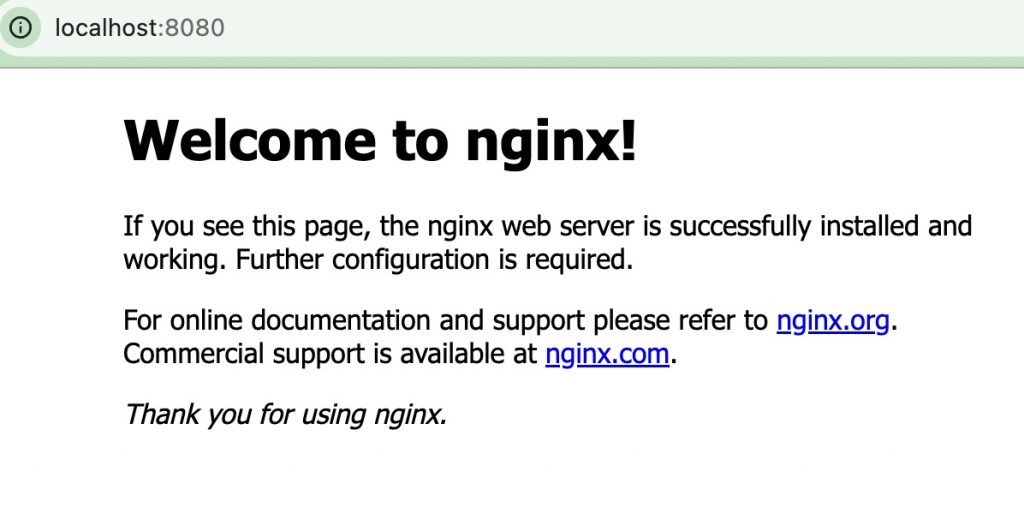
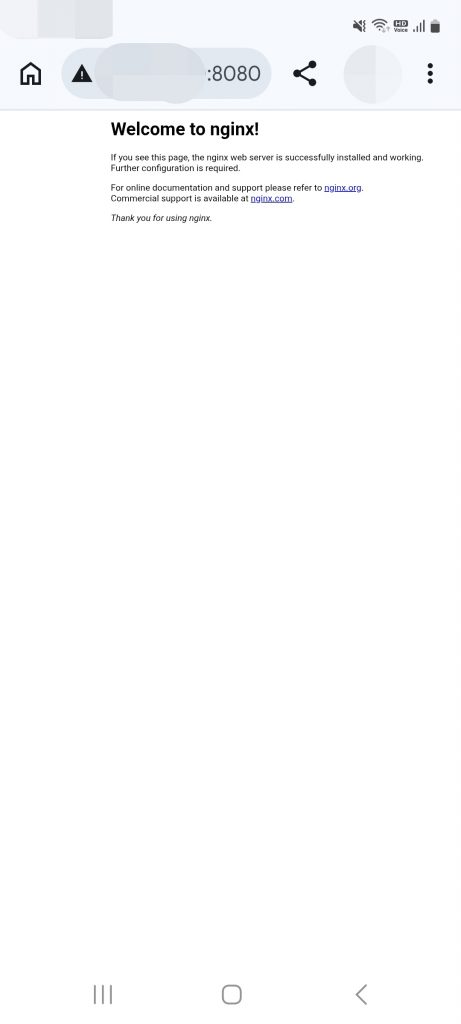
👉🏻 스크린샷/ScreenShot
✔️ PC
✔️ Mobile
👉🏻 Node.js 앱 실행 / Running Node.js apps
✔️ 프로덕션 환경에서는 이 방법을 사용하지 않습니다.
This method is not used in production environments.
✔️ 테스트나 학습 단계에서 사용하는 방법입니다.
This is a method used in the testing or learning phase.
✔️ node:20-alpine이미지 설치
Installing the node:20-alpine image
kubectl create deployment node-test --image=node:20-alpine --replicas=1✔️ nodejs 서버실행
Running a nodejs server
kubectl patch deployment node-test --type='json' -p='[{"op":"replace","path":"/spec/template/spec/containers/0/command","value":["node","-e","require(\"http\").createServer((req,res)=>{res.end(\"Hello Johnny! in K8s\")}).listen(3000)"]}]'✔️ 포트노출 / Port exposure
kubectl expose deployment node-test --port=3000 --target-port=3000✔️pod 정보 확인(Running 될때까지 기다리기)
Check pod information (wait until running)
kubectl get pods -w ✔️ 포트포워딩 / port forwarding
kubectl port-forward deployment/node-test 3000:3000kubectl create deployment node-test --image=node:20-alpine --replicas=1
# command override (위 json patch 방식 사용)
kubectl patch deployment node-test --type='json' -p='[{"op":"replace","path":"/spec/template/spec/containers/0/command","value":["node","-e","require(\"http\").createServer((req,res)=>{res.end(\"Hello Johnny! in K8s\")}).listen(3000)"]}]'
# 포트 expose
kubectl expose deployment node-test --port=3000 --target-port=3000
# Pod 기다리기, Running 될 때까지
kubectl get pods -w
# 포트 포워딩
kubectl port-forward deployment/node-test 3000:3000⭐️ 이미지 설치 확인 / Verify image installation
% docker images
                                                           i Info →   U  In Use
IMAGE                           ID             DISK USAGE   CONTENT SIZE   EXTRA
docker/desktop-kubernetes:kubernetes-v1.34.1-cni-v1.7.1-critools-v1.33.0-cri-dockerd-v0.3.20-1-debian
                                12d6673564e0        552MB          169MB
docker/desktop-storage-provisioner:v3.0
                                57d2b6ad1c6f       75.4MB         21.9MB    U
docker/desktop-vpnkit-controller:v4.0
                                bdaff3408b1c         50MB         10.7MB    U
nginx:latest                    0236ee02dcbc        258MB         64.1MB    U
node:20-alpine                  09e2b3d97260        193MB           49MB
registry.k8s.io/coredns/coredns:v1.11.3
⭐️ 삭제할 경우 / When to delete
# node-test 서비스 삭제
# Delete the node-test service
kubectl delete service node-test

# deployment 삭제
# delete deployment
kubectl delete deployment node-test

# pod 삭제
# delete pod
kubectl delete pod node-test-d7794f4f7-zbmqq
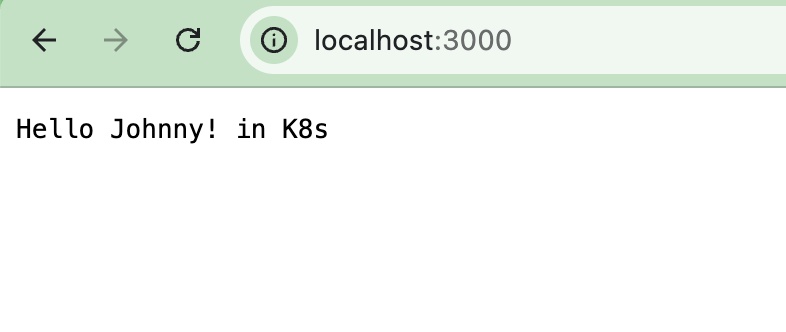
👉🏻 스크린 샷 / ScreenShot