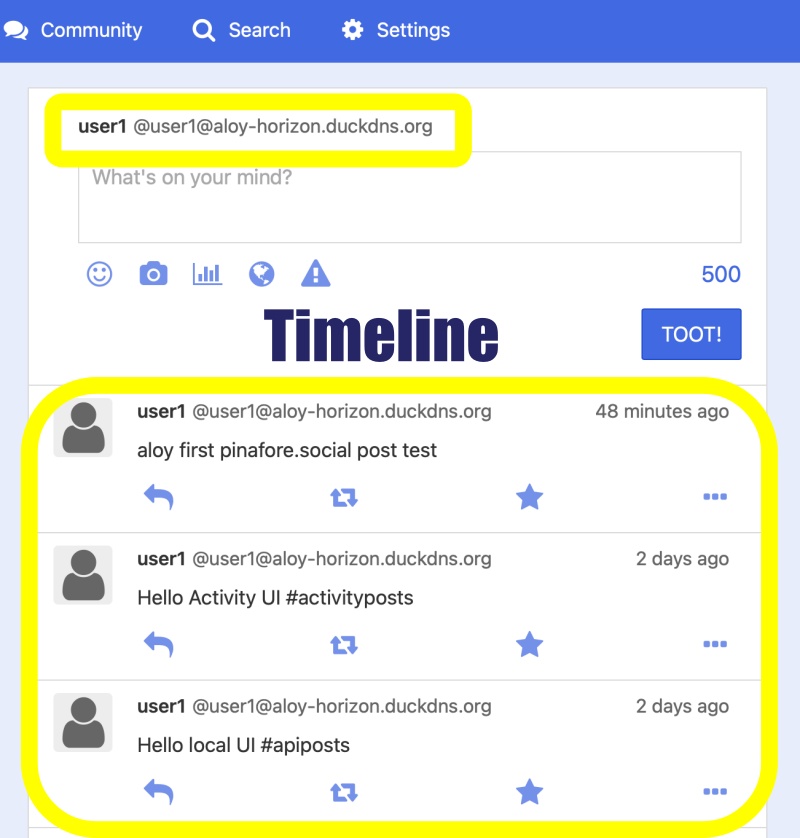
👉🏻 myapp29에는 좋아요 버튼을 추가합니다.
Add a “Like” button to myapp29.
👉🏻 기존의 부스트와 좋아요 부분의 버튼 오류로 버튼 실행정보를 DB검색정보를 활용하도록 바꿨습니다.
To resolve button errors in the existing “Boost” and “Like” features, I modified the implementation to utilize database search information for button actions.
👉🏻 전체 코드는 깃허브에서 확인 할 수 있습니다.
You can find the full code on GitHub.
https://github.com/gideonslife01/flm-nextjs
📁 전체 프로젝트 구조 / Overall Project Structure
myapp29/
├── app/  (Next.js App Router)
│   ├── .well-known/webfinger/route.ts  -> webfinger
│   ├── api/follow/route.ts    -> Follow API(temporary)
│   ├── api/announce/route.ts  -> Boost(Announcement)
│   ├── api/like/route.ts.     -> Like API
│   ├── api/posts/route.ts     -> Writing API
│   ├── api/timeline/route.ts  -> Timeline API
│   ├── users/[username]/
│   │   ├── statuses/[id]/route.ts -> Indivisual Post
│   │   ├── route.ts               -> Acotr Information
│   │   ├── followers/route.ts     -> Followers List
│   │   ├── following/route.ts     -> Following List
│   │   ├── inbox/route.ts         -> Inbox
│   │   └── outbox/route.ts        -> outbox
│   ├── usersui/[username]/
│   │   ├── page.tsx               -> Timeline UI
│   │   └── _components/themes/
│   │       ├── themeex/ThemeexTheme.tsx   -> Example Theme
│   │       ├── pinafore/PinaforeTheme.tsx -> Theme 1
│   │       ├── mastodon/MastodonTheme.tsx -> Theme 2
│   │       └── minimal/MinimaltTheme.tsx  -> Theme 3
│   ├── layout.tsx, page.tsx, globals.css
│   └── favicon.ico
├── lib/
│   ├── theme.tsx              -> Theme Provider
│   ├── watchThemes.ts         -> Check real-time theme changes
│   ├── ap.ts                  -> Follow Accept
│   └── db.ts                  -> DB connection
├── data/
│   └── keys/                  -> private.pem, public.pem
├── data.sqlite                -> Database
├── Caddyfile                  -> https
├── instrumentation.ts         -> Background Server
└── package.json
📁 프로젝트 시작(myapp29)
Project Start (myapp29)
npx create-next-app@latest📁 SQLite설치 / Installing SQLite
cd ~/myapp29
npm install better-sqlite3
npm install -D @types/better-sqlite3
📁 chokidar 설치 / Installing chokidar
— 실시간 파일 및 폴더변경 감시기능
Real-time file and folder change monitoring function
npm install -D chokidar📁 DDNS,https설정 / DDNS,https settings
📁 도메인허용, @userid 사용하기
Allowing domains, using @userid
— next.config.ts
import type { NextConfig } from "next";

const nextConfig: NextConfig = {
  /* allow domain*/
  allowedDevOrigins: ['aloy-horizon.duckdns.org', '*.duckdns.org'],

  /* host.domain.org/@userid */
  async rewrites() {
    return [
      {
        source: '/@:username',
        destination: '/usersui/:username',
      },
    ]
  }
};


export default nextConfig;
📁 이전 프로젝트에서 신규 프로젝트로 복사할 파일
Files to copy from the previous project to the new project
myapp project/
├── app/  (Next.js App Router)
│   ├── .well-known/webfinger/route.ts  -> webfinger
│   ├── api/                  -> API
│   ├── users/                -> Inbox,Outbox,Post,Actor
│   ├── usersui/              -> Timeline UI,Theme
│   ├── layout.tsx            -> Privoder
├── lib/
├── data/                     -> Key
├── data.sqlite               -> Database
├── Caddyfile                 -> https
├── next.config.ts            -> DDNS,@
└── instrumentation.ts        -> Background Server
📁 테이블 수정 / Modify Table
✔️ announces 테이블에 actor필드를 추가합니다.
Add an ‘actor’ field to the ‘announces’ table.
ALTER TABLE announces ADD COLUMN actor TEXT;
CREATE INDEX IF NOT EXISTS idx_announces_actor ON announces(actor);
CREATE UNIQUE INDEX IF NOT EXISTS idx_announces_actor_object ON announces(actor, object);
📁 코드 수정 / Code Modification
✔️ lib/db.ts
... ...
db.exec(`
... ...
  CREATE TABLE IF NOT EXISTS users (
-- myapp29 ✅  Boost(Announcement)
  CREATE TABLE IF NOT EXISTS announces (
    id TEXT PRIMARY KEY,
    username TEXT,
    object TEXT,
    created_at DATETIME DEFAULT CURRENT_TIMESTAMP,
    actor TEXT
  );
`);
db.exec(`
  ... ...
    -- myapp29 ✅
  CREATE INDEX IF NOT EXISTS idx_announces_actor ON announces(actor);
  CREATE UNIQUE INDEX IF NOT EXISTS idx_announces_actor_object ON announces(actor, object);
`);
✔️ app/api/timeline/route.ts
— boost는기존 코드유지, 아래코드는 좋아요 부분 코드 수정
The ‘boost’ option preserves the existing code, while the code below modifies the ‘like’ section.
export async function GET(req: Request) {
... ...
// 내 Like - actor 정확히 / Accurate actor for my Like
  const myActor = `https://${DOMAIN}/users/${username}`;
  const myLikes = db.prepare(`SELECT object FROM likes WHERE actor =?`).all(myActor) as any[];
... ...
    // ✅ shortId 안전하게! / shortId safely!
    const shortId = getShortId(fullId);
    if (!shortId) {
      return {...p, fullId, isMyBoost: false, boostCount: 0, isMyLike: false, likeCount: 0 };
    }
... ...
   // ✅ 좋아요 - shortId 기반 / Like - based on shortId
    const isMyLike = likedSet.has(shortId);

    const likeCount = (db.prepare(
      `SELECT COUNT(*) as c FROM likes WHERE object LIKE '%' ||? || '%'`
    ).get(shortId) as any)?.c || 0;
}
✔️ app/api/like/route.ts
— 좋아요 버튼 누를때 데이터베이스에 저장된 값을 기존으로 설정
Set the initial value based on the data stored in the database when the “Like” button is clicked.
  // ✅ DB 체크: 내가 이미 눌렀으면 1 더하지 않음! / DB check: If I already liked, do not add 1!
  const existing = db.prepare(`SELECT id FROM likes WHERE actor =? AND object LIKE '%' ||? || '%'`).get(myActor, shortId) as any;
  if (existing) {
    const likeCount = (db.prepare(`SELECT COUNT(*) as c FROM likes WHERE object LIKE '%' ||? || '%'`).get(shortId) as any).c;
    return NextResponse.json({ ok: true, alreadyLiked: true, isMyLike: true, likeCount });
  }
✔️ usersui/[username]/page.tsx
— 전체 DB 기준으로 수정
Modified based on the entire database
const handleBoost = async (post: any) => { ... ... }
const handleLike = async (post: any) => { ... ...}
✔️app/api/inbox/route.ts
— act필드 빠진것 추가, Undo 두개 있는것 수정,actor + shortId로 삭제 하도록 수정
Added the missing ‘act’ field, fixed the duplicate ‘Undo’ entry, and modified the deletion logic to use ‘actor’ + ‘shortId’.
export async function POST(req: Request, { params }: { params: Promise<{ username: string }> }) {

... ...
if (body.type === 'Undo') { ... ...}
if (body.type === 'Create') { ... ... }
if (body.type === 'Like') { ... ... }
if (body.type === 'Announce') { ... ...

            db.prepare(`INSERT OR IGNORE INTO inbox_posts (id, actor, content, username, original_id, created_at) VALUES (?,?,?,?,?,?)`)
              .run(shortId, actorId, content, username, longId, body.published || new Date().toISOString());
          }
if (body.type === 'Follow') { ... ... }
... ...
 }

}
✔️ usersui/[username]/theme/pinafore/PinaforeTheme.tsx
— 버튼 및 카운터 추가 / Add buttons and counters
<button onClick={() => onBoost(p)} className={p.isMyBoost? 'boosted' : ''}>🔁 {p.boostCount || ''}</button>
<button onClick={() => onLike(p)} className={p.isMyLike? 'liked' : ''}>⭐ {p.likeCount || ''}</button>
📁 테스트 / Test
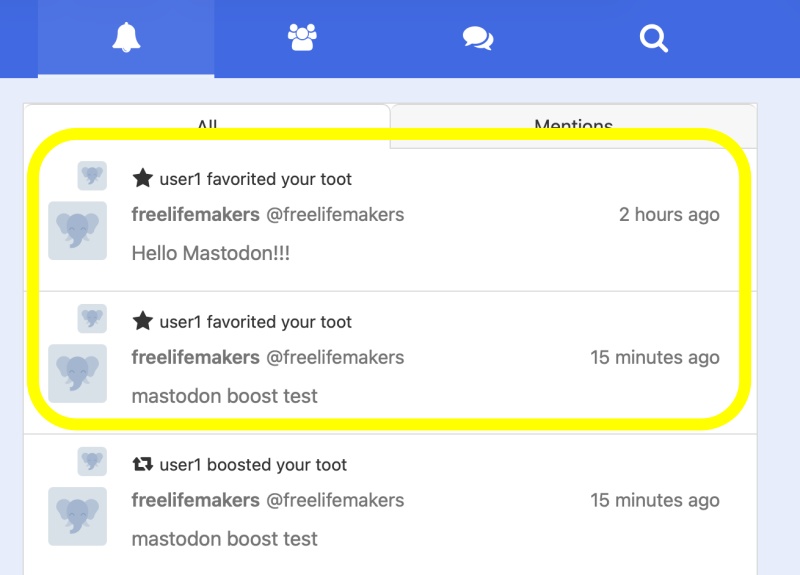
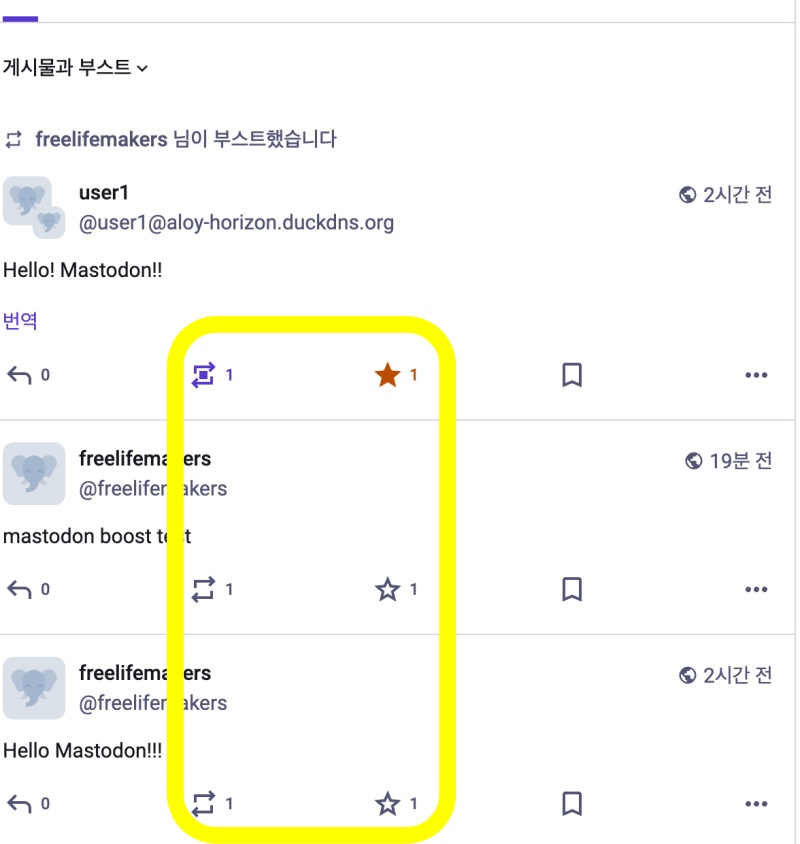
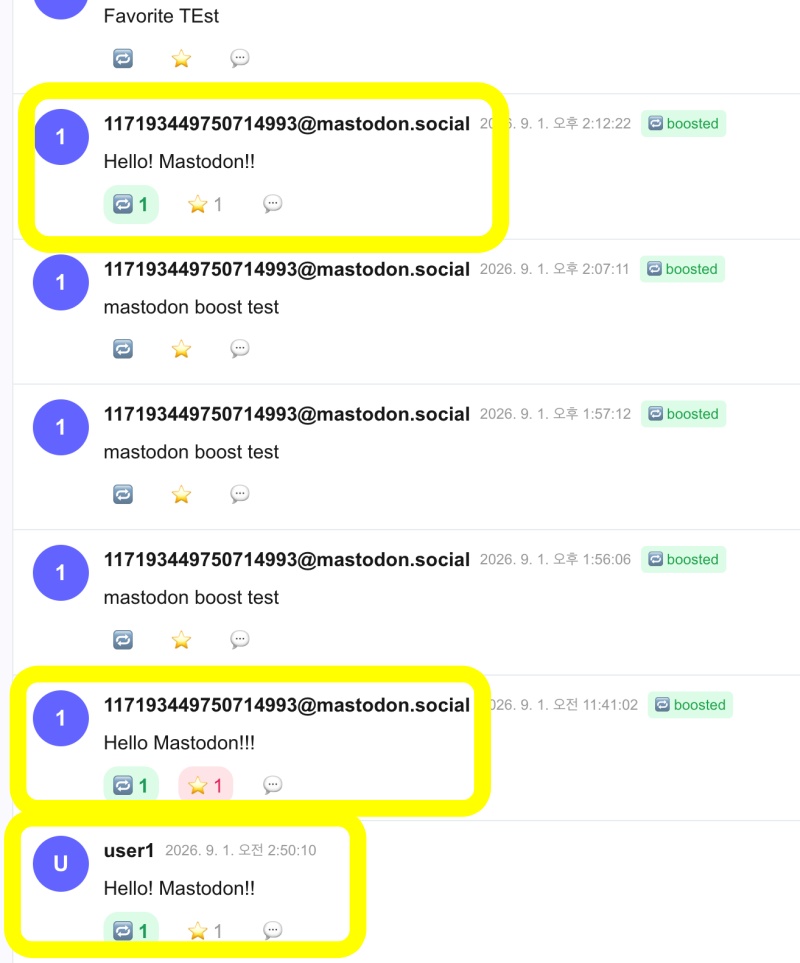
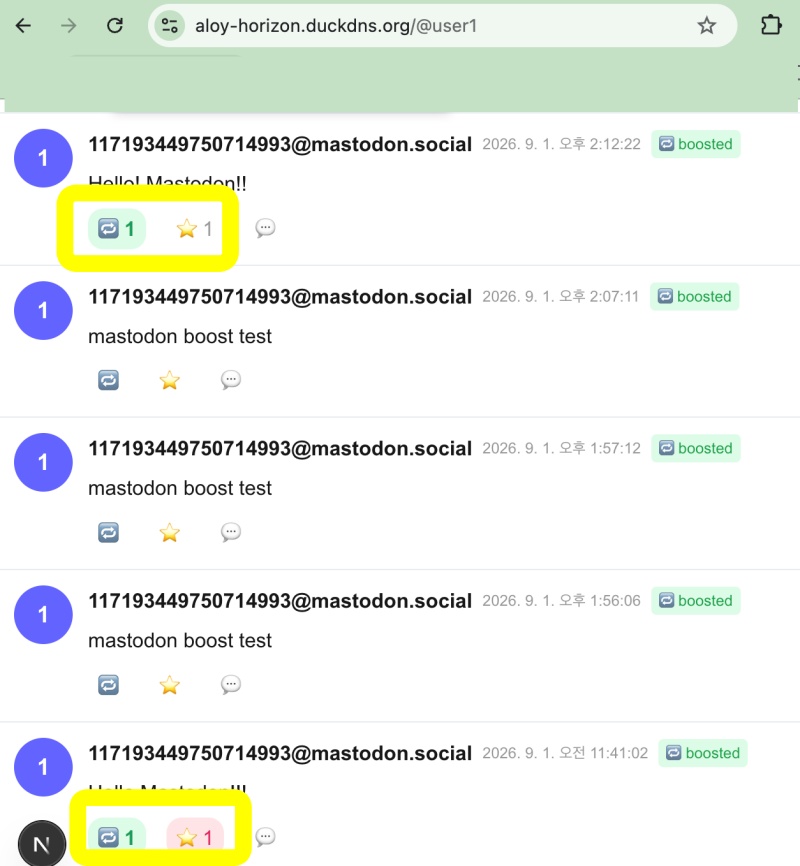
✔️ 테스트는 마스토돈 서버에서 계정생성해서 테스트했습니다.
The testing was conducted by creating an account on a Mastodon server.
✔️ 라우트 / route
✔️ 마스토돈 계정 주소
https://mastodon.social/@freelifemakers
✔️ pinafore
✔️ mastodon
✔️ aloy-horizon.duckdns.org
요한복음 8장 32절 / John 8:32
“그리고 너희는 진리를 알게 될 것이며, 진리가 너희를 자유롭게 할 것이다.”
“Then you will know the truth ,and the truth will set you free”