👉🏻 가상호스트 / VirtualHost
👉🏻 가상호스트는 하나의 물리적인 서버에 여러개의 웹사이트를 운영하는 것을 의미합니다.
A virtual host refers to running multiple websites on a single physical server.
👉🏻 보통 www.domain.com www2.domain.com또는 www.secdomain.org등으로 도메인이나 호스트 이름으로 구분합니다.
They are usually distinguished by domain or host names, such as www.domain.com, www2.domain.com, or www.secdomain.org.
👉🏻 기본적으로 dns서버에 호스트,도메인에 대한 레코드 설정이 되어 있어야합니다.
Basically, records for the host and domain must be configured on the DNS server.
👉🏻 방화벽 설정 부분 설명은 이전 게시물을 참조하세요
Please refer to the previous post for the explanation of the firewall settings.
👉🏻 httplib.h 다운로드 / download
✔️ httplib.h버전이 0.42.0으로 업데이트 되었습니다.
httplib.h version has been updated to 0.42.0.
curl -L https://raw.githubusercontent.com/yhirose/cpp-httplib/master/httplib.h -o httplib.h👉🏻 https설정 / https settings
✔️ https인증서 재발급 / HTTPS certificate reissuance
— 기존에 host1.freelifemakers.org의 인증서를 받았어도 silverhand.freelifemakers.org에 대한 인증서가 없다면 재발급 받아야합니다.
Even if you have previously obtained a certificate for host1.freelifemakers.org, if you do not have a certificate for silverhand.freelifemakers.org, you must obtain a new one.
— 하나의 인증서에 도매인을 더 추가할 수 있습니다.
You can add more domains to a single certificate.
— 인증서 경로는 다음과 같습니다. / The certificate path is as follows.
/etc/letsencrypt/live/host1.domain.org/fullchain.pem
~/http_lib_server_virtual$ sudo certbot certonly --standalone \
  -d host1.domain.org \
  -d silverhand.domain.org
Saving debug log to /var/log/letsencrypt/letsencrypt.log

- - - - - - - - - - - - - - - - - - - - - - - - - - - - - - - - - - - - - - - -
You have an existing certificate that contains a portion of the domains you
requested (ref: /etc/letsencrypt/renewal/host1.domain.org.conf)

It contains these names: host1.domain.org

You requested these names for the new certificate:
host1.domain.org, silverhand.domain.org.

Do you want to expand and replace this existing certificate with the new
certificate?
- - - - - - - - - - - - - - - - - - - - - - - - - - - - - - - - - - - - - - - -
(E)xpand/(C)ancel: e
Renewing an existing certificate for host1.domain.org and silverhand.domain.org

Successfully received certificate.
Certificate is saved at: /etc/letsencrypt/live/host1.domain.org/fullchain.pem
Key is saved at:         /etc/letsencrypt/live/host1.domain.org/privkey.pem
This certificate expires on 2028-10-10.
These files will be updated when the certificate renews.
Certbot has set up a scheduled task to automatically renew this certificate in the background.

- - - - - - - - - - - - - - - - - - - - - - - - - - - - - - - - - - - - - - - -
If you like Certbot, please consider supporting our work by:
 * Donating to ISRG / Let's Encrypt:   https://letsencrypt.org/donate
 * Donating to EFF:                    https://eff.org/donate-le
- - - - - - - - - - - - - - - - - - - - - - - - - - - - - - - - - - - - - - - -
— 인증서를 현재 디렉토리에 복사합니다.
Copy the certificate to the current directory.
$ sudo cp /etc/letsencrypt/live/host1.domain.org/fullchain.pem ./
$ sudo cp /etc/letsencrypt/live/host1.domain.org/privkey.pem ./
# 내 계정으로 소유권 변경 / Change ownership to my account
$ sudo chown username:username *.pem
👉🏻Https 서버(리눅스에서 테스트) / HTTPS server (tested on Linux)
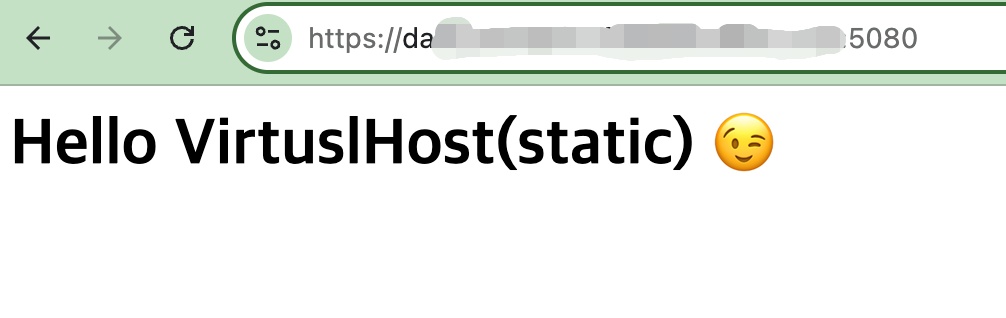
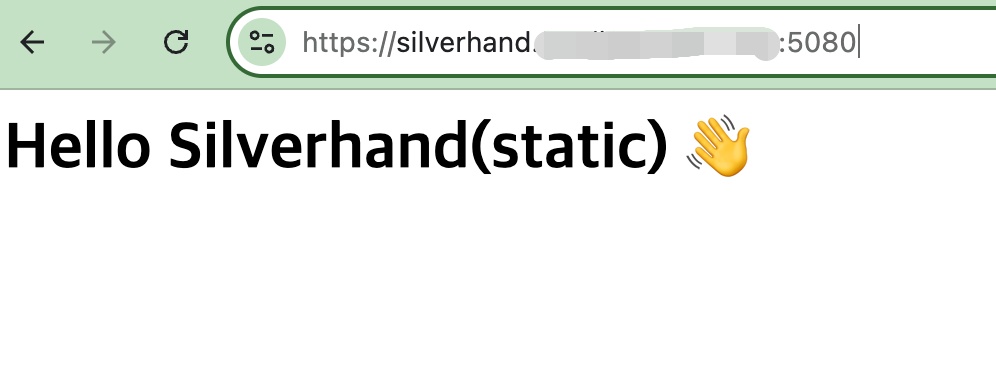
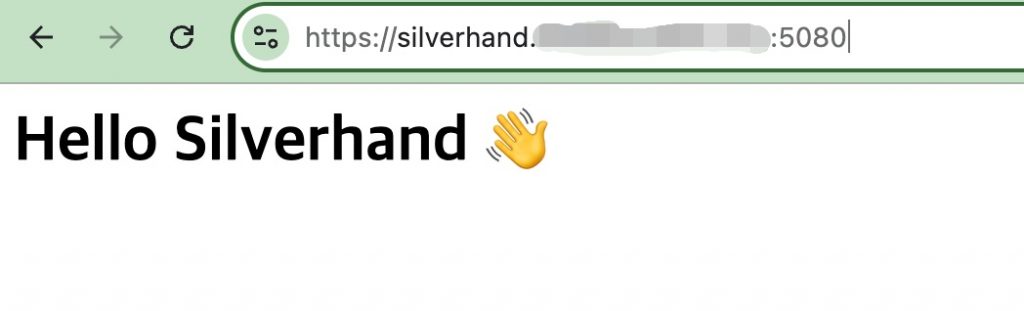
✔️ 가상호스트별 다른 메세지 보여주기
Show different messages per virtual host
✔️ server.cpp 코드/code
#define CPPHTTPLIB_OPENSSL_SUPPORT
#include "httplib.h"
#include <iostream>
#include <unordered_map>

int main() {
    // https setting
    httplib::SSLServer svr("./fullchain.pem", "./privkey.pem");

    if (!svr.is_valid()) {
        std::cerr << "SSL server setup failed\n";
        return 1;
    }

    // 가상호스트 라우팅 / Virtual Host Routing
    svr.set_pre_routing_handler([&](const auto& req, auto& res) {

        std::string host = req.get_header_value("Host");  // Host 기준
        if (auto pos = host.find(':'); pos != std::string::npos) {
            host = host.substr(0, pos);
        }

        if (host == "host1.domain.org") {
            res.set_content("Hello VirtuslHost 😉", "text/plain; charset=utf-8"");
            return httplib::Server::HandlerResponse::Handled;
        }
        if (host == "silverhand.domain.org") {
            res.set_content("Hello Silverhand 👋", "text/plain; charset=utf-8"");
            return httplib::Server::HandlerResponse::Handled;
        }
        return httplib::Server::HandlerResponse::Unhandled;
    });

    // 공통 라우트 (호스트 못 맞춘 경우) / Common route (if host does not match)
    svr.Get("/", [](const auto& req, auto& res) {
        res.set_content("Default vhost", "text/plain");
    });

    std::cout << "Server Listening: https://0.0.0.0:5080" << std::endl;
    svr.listen("0.0.0.0", 5080);
}
✔️ 컴파일 / Compiling
— 컴파일시 httplib.h (v0.42.0)버전의 업데이트로 인해 c++17로 컴파일해야 경고나 오류가 없습니다.
Due to the update of httplib.h (v0.42.0) during compilation, you must compile in C++17 to avoid warnings or errors.
g++ -o server server.cpp -std=c++17 -pthread -lssl -lcrypto✔️ 실행 / Run
./server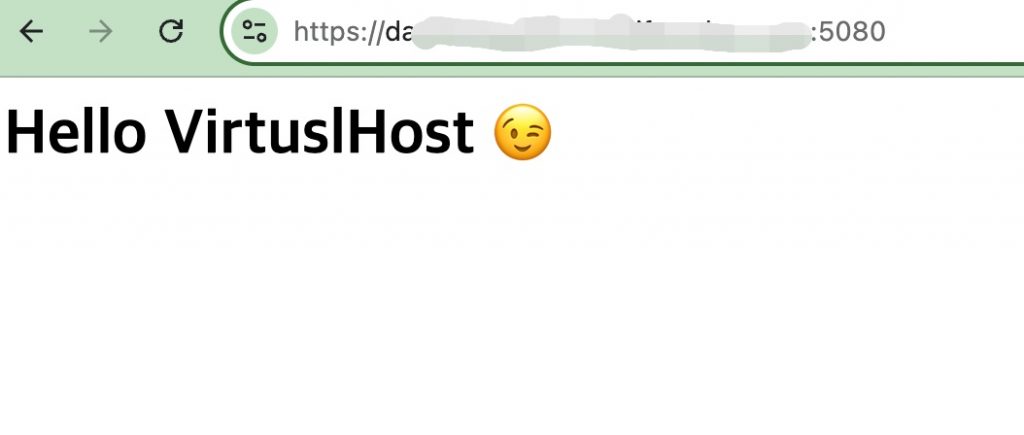
✔️ 호스트별 정적파일 서빙 / Serving static files per host
✔️server_static.cpp 코드 / code
#define CPPHTTPLIB_OPENSSL_SUPPORT
#include "httplib.h"
#include <iostream>
#include <fstream>
#include <sstream>
#include <unordered_map>

static std::string read_file(const std::string& path) {
    std::ifstream ifs(path, std::ios::binary);
    if (!ifs) return {};
    std::ostringstream ss;
    ss << ifs.rdbuf();
    return ss.str();
}

static std::string sanitize_path(const std::string& raw) {
    if (raw.empty() || raw[0] != '/') return "/index.html";
    if (raw.find("..") != std::string::npos) return "/index.html";
    if (raw.find('\\') != std::string::npos) return "/index.html";
    if (raw.back() == '/') return raw + "index.html";
    if (raw == "/") return "/index.html";
    return raw;
}

static std::string mime_type(const std::string& path) {
    auto pos = path.find_last_of('.');
    if (pos == std::string::npos) return "application/octet-stream";
    auto ext = path.substr(pos + 1);
    if (ext == "html") return "text/html; charset=utf-8";
    if (ext == "css") return "text/css; charset=utf-8";
    if (ext == "js") return "application/javascript; charset=utf-8";
    if (ext == "json") return "application/json; charset=utf-8";
    if (ext == "png") return "image/png";
    if (ext == "jpg" || ext == "jpeg") return "image/jpeg";
    if (ext == "svg") return "image/svg+xml";
    if (ext == "ico") return "image/x-icon";
    if (ext == "txt") return "text/plain; charset=utf-8";
    return "application/octet-stream";
}

int main() {
    // 인증서 경로 / certificate path
    httplib::SSLServer svr("./fullchain.pem", "./privkey.pem");

    if (!svr.is_valid()) {
        std::cerr << "SSL server setup failed\n";
        return 1;
    }

    // 호스트별 루트 폴더 매핑 (절대경로 권장)
    // Mapping root folders by host (absolute paths recommended)
    std::unordered_map<std::string, std::string> roots = {
        {"host1.domain.org", "/home/username/http_lib_server_virtual/www"},
        {"silverhand.domain.org", "/home/username/http_lib_server_virtual/www2"}
    };

    svr.set_pre_routing_handler([&](const auto& req, auto& res) {
        std::string host = req.get_header_value("Host");
        if (auto pos = host.find(':'); pos != std::string::npos) {
            host = host.substr(0, pos);
        }

        auto it = roots.find(host);
        if (it == roots.end()) {
            res.status = 404;
            res.set_content("Unknown host", "text/plain; charset=utf-8");
            return httplib::Server::HandlerResponse::Handled;
        }

        std::string rel = sanitize_path(req.path);
        std::string full = it->second + rel;

        auto body = read_file(full);
        if (body.empty()) {
            res.status = 404;
            res.set_content("Not Found", "text/plain; charset=utf-8");
        } else {
            res.set_content(body, mime_type(full).c_str());
        }
        return httplib::Server::HandlerResponse::Handled;
    });

    std::cout << "Listening on https://0.0.0.0:5080\n";
    svr.listen("0.0.0.0", 5080);
}
✔️ 컴파일 / Compiling
g++ -o server_static server_static.cpp -std=c++17 -pthread -lssl -lcrypto✔️ 실행 / Run
./server_static