👉🏻 httplib 웹서버에서 multipart 파일 업로드를 구현하는 설명입니다.
This is a description of implementing multipart file uploads on an httplib web server.
👉🏻 프로젝트 디렉토리내에 httplib.h파일을 다운 받습니다.
Download the httplib.h file into the project directory.
✔️ httplib.h(0.42.0)
curl -L https://raw.githubusercontent.com/yhirose/cpp-httplib/master/httplib.h -o httplib.h👉🏻Http server basic (upload_server.cpp)
✔️ 아래는 cpp 클라이언트에서 로컬 서버로 파일을 업로드 하는 설명입니다.
The following is an explanation of uploading files from a C++ client to a local server.
✔️ 깃허브에서 파일 다운로드시 basic 디렉토리 내에 있는 파일 입니다.
This is the file located in the basic directory when downloading from GitHub.
✔️ 코드 / Code
— upload_server.cpp
#include "../httplib.h"
#include <fstream>
#include <iostream>

int main() {
    httplib::Server svr;

    svr.Post("/upload", [&](const httplib::Request& req, httplib::Response& res,
                            const httplib::ContentReader& content_reader) {
        if (!req.is_multipart_form_data()) {
            res.status = 400;
            res.set_content("Not multipart/form-data", "text/plain");
            return;
        }

        std::string filename;
        std::ofstream ofs;

        content_reader(
            [&](const httplib::FormData& item) {
                if (item.name != "file") return true;

                filename = httplib::sanitize_filename(item.filename);
                if (filename.empty()) {
                    res.status = 400;
                    res.set_content("Invalid filename", "text/plain");
                    return false;
                }
                // file upload directory
                ofs.open("../uploads/" + filename, std::ios::binary);
                if (!ofs) {
                    res.status = 500;
                    res.set_content("Failed to open file", "text/plain");
                    return false;
                }
                return true;
            },
            [&](const char* data, size_t len) {
                if (ofs) ofs.write(data, len);
                return true;
            }
        );

        if (ofs) ofs.close();

        res.set_content("Upload OK", "text/plain");
    });

    std::cout << "Upload server listening on http://0.0.0.0:5080\n";
    svr.listen("0.0.0.0", 5080);
}
— upload_client.cpp
#include "../httplib.h"
#include <fstream>
#include <iostream>

int main() {
    httplib::Client cli("http://localhost:5080");

    // 업로드 항목 / upload
    httplib::UploadFormData item;
    item.name = "file";
    item.filename = "test.txt";
    item.content_type = "text/plain";

    // 파일 읽기 / read file
    std::ifstream ifs("test.txt", std::ios::binary);
    if (!ifs) {
        std::cerr << "cannot open file\n";
        return 1;
    }
    item.content.assign((std::istreambuf_iterator<char>(ifs)),
                         std::istreambuf_iterator<char>());

    httplib::UploadFormDataItems items;
    items.push_back(item);

    httplib::Headers headers;

    if (auto res = cli.Post("/upload", headers, items)) {
        std::cout << "status: " << res->status << "\n";
        std::cout << res->body << "\n";
    } else {
        std::cerr << "request failed\n";
    }
}
✔️ 컴파일 / Compiling
g++ upload_server.cpp -o upload_server -std=c++11✔️ 서버 실행 / Run Server
./upload_server
✔️ 컴파일 / Compiling
g++ upload_client.cpp -o upload_client -std=c++11✔️ 클라이언트 실행 / Run Client
./upload_client
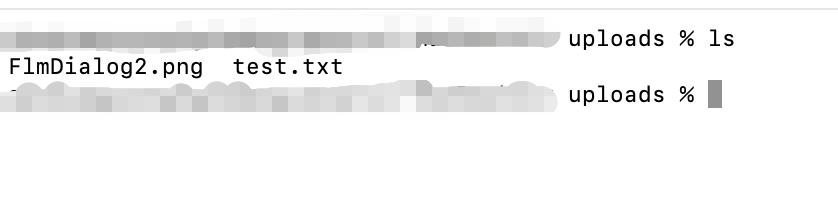
✔️ 파일 업로드 상태 확인 / Check file upload status

👉🏻Http server html (upload_server.cpp)
✔️ 아래는 html파일에서 파일을 업로드 하는 설명입니다.
Below is an explanation of how to upload a file in an HTML file.
✔️ 깃허브에서 파일 다운로드시 uploads_html 디렉토리 내에 있는 파일 입니다.
This is the file located in the uploads_html directory when downloading from GitHub.
✔️ www 디렉토리가 없으면 디렉토리를 만듦니다.
If the www directory does not exist, create the directory.
✔️ www 디렉토리 안에 간단한 index.html파일을 만듦니다.
Create a simple index.html file inside the www directory.
✔️ index.html
<!doctype html>
<html lang="ko">
    <head>
        <meta charset="utf-8" />
        <title>File Upload</title>
    </head>
    <body>
        <h1>파일 업로드/File Upload</h1>
        <form action="/upload" method="post" enctype="multipart/form-data">
            <input type="file" name="file" />
            <button type="submit">업로드/Upload</button>
        </form>
    </body>
</html>
✔️upload_server.cpp
#include "../httplib.h"
#include <fstream>
#include <iostream>
#include <sstream>

int main() {
    httplib::Server svr;

    // html upload form
    if (!svr.set_mount_point("/", "./www")) {
        std::cerr << "경로 폴더를 찾을 수 없습니다! 경로를 확인하세요./The path folder cannot be found! Please check the path." << std::endl;
        return 1;
    }

    // 업로드 처리 / Upload processing
    svr.Post("/upload", [&](const httplib::Request& req, httplib::Response& res,
                            const httplib::ContentReader& content_reader) {
        if (!req.is_multipart_form_data()) {
            res.status = 400;
            res.set_content("Not multipart/form-data", "text/plain");
            return;
        }

        std::string filename;
        std::ofstream ofs;

        content_reader(
            [&](const httplib::FormData& item) {
                if (item.name != "file") return true;

                filename = httplib::sanitize_filename(item.filename);
                if (filename.empty()) {
                    res.status = 400;
                    res.set_content("Invalid filename", "text/plain");
                    return false;
                }

                ofs.open("../uploads/" + filename, std::ios::binary);
                if (!ofs) {
                    res.status = 500;
                    res.set_content("Failed to open file", "text/plain");
                    return false;
                }
                return true;
            },
            [&](const char* data, size_t len) {
                if (ofs) ofs.write(data, len);
                return true;
            }
        );

        if (ofs) ofs.close();
        res.set_content("Upload OK", "text/plain");
    });

    std::cout << "Server listening on http://0.0.0.0:5080\n";
    svr.listen("0.0.0.0", 5080);
}
✔️ 컴파일 / Compiling
g++ upload_server.cpp -o upload_server -std=c++11✔️ 서버실행 / Run Server
./upload_server✔️ 브라우저 접속 / Browser access
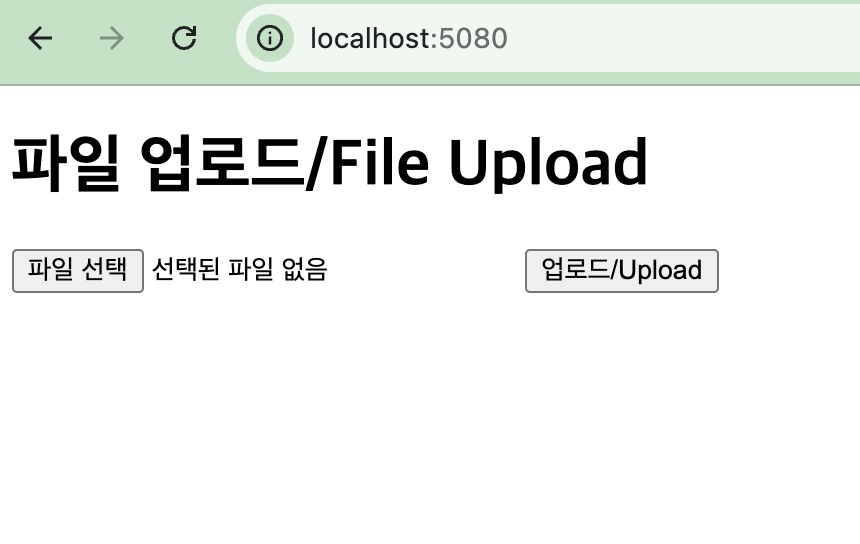
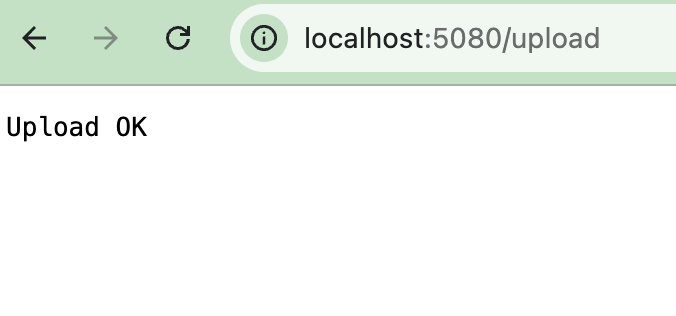
upload ok