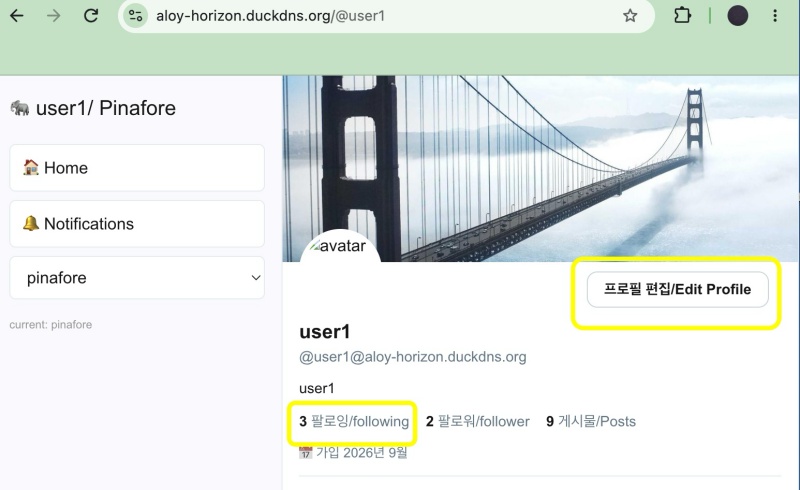
👉🏻 이 프로젝트 요약은 myapp30부터 적용됩니다.
This project summary applies starting from myapp30.
👉🏻 전체 코드는 깃허브에서 확인 할 수 있습니다.
You can find the full code on GitHub.
https://github.com/gideonslife01/flm-nextjs
📁 전체 프로젝트 구조 / Overall Project Structure
myapp project/
├── app/  (Next.js App Router)
│   ├── .well-known/webfinger/route.ts  -> webfinger
│   ├── hooks/useCursorPagination.ts    -> Pagination Hook
│   ├── api/follow/route.ts    -> Follow API(temporary)
│   ├── api/announce/route.ts  -> Boost(Announcement)
│   ├── api/like/route.ts.     -> Like API
│   ├── api/posts/route.ts     -> Writing API(deprecated)
│   ├── api/timeline/route.ts  -> Timeline API
│   ├── api/followinglist/route.ts  -> followinglist API
│   ├── api/followerslist/route.ts  -> followerslist API
│   ├── api/v1/instance/route.ts -> auth
│   ├── api/v1/apps/route.ts.    -> auth
│   ├── api/v1/accounts/verify_credentials/route.ts -> auth
│   ├── api/v1/statuses/route.ts -> Write Post
│   ├── api/v1/timelines/_home_back/route.ts -> timeline(Depreacted)
│   ├── api/v1/media/route.ts -> Image upload
│   ├── api/v1/media/[id]/route.ts  -> Image Delete
│   ├── api/v1/instance/rules/route.ts -> Feature not implemented.
│   ├── api/v1/instance/domain_blocks/route.ts -> Feature not implemented.
│   ├── api/v1/filters/route.ts -> Feature not implemented.
│   ├── api/v1/lists/route.ts -> Feature not implemented.
│   ├── api/v1/announcements/route.ts -> Feature not implemented.
│   ├── api/v1/timelines/_public_back/route.ts -> Feature not implemented.(Deprecated)
│   ├── api/v1/timelines/[type]/route.ts -> Timeline API
│   ├── api/v1/statuses/[id]/context/route.ts -> Post Check,Delete
│   ├── oauth/authorize/route.ts -> auth
│   ├── oauth/token/route.ts -> auth
│   ├── oauth/login-and-authorize/route.ts -> Tursky,Pinafore login processing
│   ├── oauth/revoke/route.ts -> Feature not implemented.
│   ├── api/v1/search/home/route.ts -> search
│   ├── api/v2/search/home/route.ts -> search
│   ├── api/v2/notifications/policy/route.ts-> Feature not implemented.
│   ├── api/v1/accounts/[id]/followers/route.ts -> followers
│   ├── api/v1/accounts/[id]/following/route.ts -> following
│   ├── api/v1/statuses/[id]/route.ts -> -> Post delete(pinafore)
│   ├── api/auth/signup/route.ts        -> Website Signup
│   ├── api/auth/login/route.ts         -> Website Login
│   ├── api/auth/logout/route.ts        -> Website Logout
│   ├── api/auth/refresh/route.ts       -> Refresh Token
│   ├── api/cleanup-orphan/route.ts     -> post,outbox clean up
│   ├── api/auth/me/route.tsx           -> Login Check
│   ├── auth/signup/page.tsx            -> Signup UI
│   ├── auth/signup/page.tsx            -> Login UI
│   ├── users/[username]/
│   │   ├── statuses/[id]/route.ts -> Indivisual Post
│   │   ├── route.ts               -> Acotr Information
│   │   ├── followers/route.ts     -> Followers List
│   │   ├── following/route.ts     -> Following List
│   │   ├── inbox/route.ts         -> Inbox
│   │   └── outbox/route.ts        -> outbox
│   ├── usersui/[username]/
│   │   ├── page.tsx               -> Timeline UI(Server, 404)
│   │   ├── ClientPage.tsx.        -> Timeline UI(Client,Call Active Themes)
│   │   └── _components/themes/
│   │       ├── themeex/ThemeexTheme.tsx      -> Example Theme
│   │       ├── themeex/FollowersList.tsx     -> Theme Example, FollowersList
│   │       ├── themeex/FollowingList.tsx     -> Theme Example, FollowingList
│   │       ├── themeex/NotificationsList.tsx -> Theme Example, NotificationsList
│   │       ├── themeex/TimelineList.tsx      -> Theme Example, TimelineList
│   │       ├── pinafore/PinaforeTheme.tsx -> Theme 1
│   │       ├── pinafore/FollowersList.tsx -> Theme 1, FollowersList
│   │       ├── pinafore/FollowingList.tsx -> Theme 1, FollowingList
│   │       ├── pinafore/NotificationsList.tsx -> Theme 1, NotificationsList
│   │       ├── pinafore/TimelineList.tsx  -> Theme 1, TimelineList
│   │       ├── mastodon/MastodonTheme.tsx -> Theme 2
│   │       └── minimal/MinimaltTheme.tsx  -> Theme 3
│   ├── layout.tsx, page.tsx, globals.css
│   └── favicon.ico
├── lib/
│   ├── theme.tsx              -> Theme Provider
│   ├── watchThemes.ts         -> Check real-time theme changes
│   ├── auth.ts                -> Authentication, User Management
│   ├── ap.ts                  -> Follow,Undo,Create,Likes,Announce
│   ├── visibility.ts          -> Visibility(Public,Unlisted,Private,Direct)
│   └── db.ts                  -> DB connection
├── data/
│   ├── keys/userIDs/          -> private.pem, public.pem(New)
│   └── keys/                  -> private.pem, public.pem(legacy)
├── data.sqlite                -> Database(1/3)
├── data.sqlite-wal            -> Database(2/3)
├── data.sqlite-shm            -> Database(3/3)
├── Caddyfile                  -> https
├── instrumentation.ts         -> Background Server
├── proxy.ts                   -> middleware.ts - >proxy.ts(for Nextjs16)
├── postcss.config.mjs         -> for Nextjs16
└── package.json
📁 프로젝트 시작(myapp)
Project Start (myapp)
npx create-next-app@latest📁 SQLite설치 / Installing SQLite
cd ~/myapp project
npm install better-sqlite3
npm install -D @types/better-sqlite3
📁 chokidar 설치 / Installing chokidar
— 실시간 파일 및 폴더변경 감시기능
Real-time file and folder change monitoring function
npm install -D chokidar📁 bcrypt설치 / Installing bcrypt(myapp31+)
— 비밀번호 암호화 / Password encryption
npm install bcrypt jsonwebtoken
npm install -D @types/bcrypt @types/jsonwebtoken
📁 tailwindcss/postcss 설치 / Installing tailwindcss/postcss
npm install -D @tailwindcss/postcss
# or
npm install -D tailwindcss @tailwindcss/postcss
📁 DDNS,https설정 / DDNS,https settings
📁 도메인허용, @userid 사용하기
Allowing domains, using @userid
— next.config.ts
import type { NextConfig } from "next";

const nextConfig: NextConfig = {
  /* allow domain*/
  allowedDevOrigins: ['aloy-horizon.duckdns.org', '*.duckdns.org'],

  /* host.domain.org/@userid */
  async rewrites() {
    return [
      {
        source: '/@:username',
        destination: '/usersui/:username',
      },
    ]
  }
};


export default nextConfig;
📁 myapp58 이전 코드에서 middlware.ts가 있는 경우 proxy.ts로 파일이름을 바꾸고 코드를 아래와 같이 수정합니다.(Nextjs16 부터 proxy.ts사용함)
If your existing myapp58 code contains a middleware.ts file, rename it to proxy.ts and modify the code as shown below (starting with Next.js 16, proxy.ts is used).
# middleware.ts파일을 proxy.ts로 이름을 바꾸고 코드를 아래처럼 수정
# Rename the `middleware.ts` file to `proxy.ts` and modify the code as shown below.

//export function middleware(req: NextRequest) {

// ✅ myapp58
export default function proxy(req: NextRequest) { ... ...}
📁 Tailwind error
✔️ Nextjs16부터 아래처럼 Tailwind 오류가 발생하면 다음과 같이 진행합니다.
Starting with Next.js 16, if a Tailwind error occurs as shown below, proceed as follows.
✔️ 아래와 같은 오류 발생시 프로젝트 루트에 postcss.config.mjs 파일을 만들고 코드를 입력합니다.
If an error like the one below occurs, create a postcss.config.mjs file in the project root and enter the code.
— Error
Unknown at rule: @theme

Generated code of PostCSS transform of file content of app/globals.css:
./app/globals.css:8:7
   6 | }
   7 |
>  8 | @theme inline {
     |       ^
   9 |   --color-background: var(--background);
  10 |   --color-foreground: var(--foreground);
  11 |   --font-sans: var(--font-geist-sans);

Import trace:
  Client Component Browser:
    ./app/globals.css [Client Component Browser]
    ./app/layout.tsx [Server Component]
— 코드 / Code
# postcss.config.mjs
const config = {
  plugins: {
    "@tailwindcss/postcss": {},
  },
};

export default config;
✔️ 모듈을 다시 설치합니다.
Reinstall the module.
npm install -D @tailwindcss/postcss
# or
npm install -D tailwindcss @tailwindcss/postcss
✔️ 공식 문서 / Official Documentation (tailwindcss for nextjs)
https://tailwindcss.com/docs/installation/framework-guides/nextjs
https://www.npmjs.com/package/@tailwindcss/postcss
📁 이전 프로젝트에서 신규 프로젝트로 복사할 파일
Files to copy from the previous project to the new project
myapp project/
├── app/  (Next.js App Router)
│   ├── .well-known/webfinger/route.ts  -> webfinger
│   ├── api/                  -> API
│   ├── users/                -> Inbox,Outbox,Post,Actor
│   ├── usersui/              -> Timeline UI,Theme
│   └──layout.tsx             -> Privoder
├── public/uploads.           -> Image file upload(myapp50+)
├── lib/
├── data/                     -> Key
├── .env.local                -> Environment Variables
├── data.sqlite               -> Database(WAL)
├── data.sqlite-wal           -> Database(WAL)
├── data.sqlite-shm           -> Database(WAL)
├── Caddyfile                 -> https
├── next.config.ts            -> DDNS,@
├── proxy.ts(middleware.ts)   -> middleware(for Nextjs16)
├── postcss.config.mjs        -> tailwindcss(for Nextjs16)
└── instrumentation.ts        -> Background Server
1)데이터베이스 파일은 3개 모두 옮깁니다.
Move all three database files.
2) 아래의 명령을 실행하면 파일을 data.sqlite하나로 병합하면 data.sqlite파일하나만 옮길 수 있습니다.
If you run the command below to merge the files into a single data.sqlite file, you only need to move that one file.
sqlite3 data.sqlite "PRAGMA wal_checkpoint(TRUNCATE);"📁 프로젝트 실행 / Project Execution
npm run dev📁 디렉토리 구조 및 파일 상세 설명
Detailed Description of Directory Structure and Files
✔️ app/.well-known/webfinger/route.ts
– 다른서버에서 내 서버를 검색 / Search for my server on another server
- `acct:user1@aloy-horizon.duckdns.org` 검색하면 내 actor 주소 알려줌
Searching for `acct:user1@aloy-horizon.duckdns.org` returns my actor address.

- Mastodon에서 `@user1@aloy-horizon.duckdns.org` 검색할 때 사용함.
Use this when searching for `@user1@aloy-horizon.duckdns.org` on Mastodon.

- 없으면 다른 서버에서 내 서버를 못 찾음.
Without it, other servers won't be able to find your server.

- 테스트/Test: https://aloy-horizon.duckdns.org/.well-known/webfinger?resource=acct:user1@aloy-horizon.duckdns.org
✔️ app/api/follow/route.ts – 내가 다른 서버 팔로우 / I follow other servers.
- POST: 팔로우 시작 -> sendFollow()함수로 상대 inbox에 Follow 전송
Start following -> Send a follow request to the recipient's inbox using the sendFollow() function.

- DELETE: 언팔로우 -> sendUndoFollow()함수로 상대 inbox로 Undo Follow 전송
Unfollow -> Send an "Undo Follow" to the other party's inbox using the `sendUndoFollow()` function.
✔️ app/api/like/route.ts – 좋아요 / Likes
- POST: 좋아요/Like -> sendLike()
- DELETE: 좋아요 취소/Cancle Like -> sendUndoLike()✔️app/api/posts/route.ts – 글 조회,쓰기,수정,삭제 / View, write, edit, and delete posts
- GET: 내 글만 조회/View only my posts (SELECT * FROM posts WHERE username = ?)

- POST: 글 쓰기 -> DB 저장 + followers에게 sendNote()로 배달!
Write a post -> Save to DB + Deliver to followers via sendNote()

- PUT: 글 수정 -> DB만 수정
Edit post -> Update DB only

- DELETE: 글 삭제 -> DB 삭제 + followers에게 sendDelete()로 삭제 전파
Delete post -> Delete from DB + propagate deletion to followers via sendDelete()
✔️ app/api/timeline/route.ts – posts(outbox) + inxbox_posts(inbox)
 - GET: posts(내 글) + inbox_posts(남이 쓴 글) 최신순으로 최신순으로 검색
Search posts (my posts) + inbox_posts (posts by others) by recency.

- /usersui/user1 타임라인 UI가 이 API를 호출함
/usersui/user1 The timeline UI calls this API.
✔️ app/users/[username]/route.ts – Actor 프로필 / Actor Porfile
- GET: 내 프로필 정보 (publicKey, inbox, outbox, followers, following URL 알려줌)
My profile information (provides publicKey, inbox, outbox, followers, and following URLs)

- 상대 서버가 내 서버를 조회할 때 사용함.
Used when a remote server queries my server.

- 테스트/Test: https://aloy-horizon.duckdns.org/users/user1

- 없으면 연방 자체가 안 됨!
Without it, the federation itself cannot function!
✔️ app/users/[username]/statuses/[id]/route.ts – 개별 글 / Individual Posts
- GET: 글 1개 상세보기 / View post details

- 역할/Role:
    1. posts 테이블에서 내 글 찾기
       Find my posts in the 'posts' table
    2. inbox_posts 테이블에서 남의 글 찾기
       Finding posts by others in the inbox_posts table
    3. Note JSON으로 반환 (to, cc, content 등)
       Note: Returned as JSON (to, cc, content, etc.)

- 테스트/Test: /users/user1/statuses/e6c99652-572f-491a-9e61-05e67b0d58fc

- 없으면 Mastodon에서 내 글 클릭하면 404에러 발생함.
Without it, clicking on my post in Mastodon results in a 404 error.
✔️ app/users/[username]/following/route.ts
– 내가 팔로우 하는 사람 목록 / List of people I follow
GET: 내가 팔로우하는 사람들 목록
List of people I follow
✔️ app/users/[username]/inbox/route.ts
- POST: 상대 서버에서 오는 모든 Activity 받는 곳
Endpoint for receiving all activities from the remote server.

    -- Follow 받음 -> following 테이블 추가 + sendAccept()로 수락
       Upon receiving a follow request -> Add to the 'following' table + accept via `sendAccept()`.

    -- Accept 받음 -> followers 테이블 추가!
       Accept received -> Added to the 'followers' table!

    -- Create(Note) 받음 -> inbox_posts 테이블에 저장(타임라인에 뜸)
       Receive Create(Note) -> Save to `inbox_posts` table (appears on the timeline)

    -- Like 받음 -> likes 테이블 저장
       "Like" received -> Save to the 'likes' table

    -- Announce(Boost) 받음 -> announces 테이블 저장
       'Announce(Boost)' received -> Save to the 'announces' table!

    -- Delete 받음 -> inbox_posts에서 삭제
       Delete 'Received' -> Delete from inbox_posts

    -- Undo 받음 -> 해당 데이터 삭제
       Undo received -> Corresponding data deleted

- ActivityPub 연방 수신의 핵심 / The core of ActivityPub federal receiving
✔️ /users/[username]/outbox/route.ts – 내가 쓴 글 목록 / List of posts I’ve written
- GET: 내 글 목록을 ActivityPub 표준(OrderedCollection)으로 반환
Return the list of my posts in the ActivityPub standard (OrderedCollection) format.

- POST : ActivityPub표준 pinafore등에서 글 작성할 때 사용
Used when composing posts in ActivityPub-compliant applications such as Pinafore.

- /api/posts랑 비슷하지만 outbox는 표준 포맷, /api/posts는 내 UI용
It's similar to /api/posts, but outbox is the standard format, while /api/posts is for my UI.
✔️ /usersui/[username]/page.tsx – 타임라인 UI / Timeline UI
- 브라우저에서 보는 타임라인 화면(테마를 파일을 불러옴)
Timeline view in the browser (loading the theme file)

- /api/timeline 호출해서 글 보여줌
Calls /api/timeline to display posts.

- themes/ - Pinafore, Mastodon, Minimal 테마 3개
themes/ - 3 themes: Pinafore, Mastodon, and Minimal
✔️ app/api/v1/accounts/[id]/followers/route.ts – pinafore 팔로워 리스트 / Pinafore follower list
https://aloy-horizon.duckdns.org/api/v1/accounts/user1/followers✔️ app/api/v1/accounts/[id]/following/route.ts – pinafore 팔로잉 리스트 / Pinafore following list
https://aloy-horizon.duckdns.org/api/v1/accounts/user1/following✔️ app/api/v1/timelines/home/route.ts – pinafore 홈 타임라인 라우트 / pinafore home timeline
https://aloy-horizon.duckdns.org/api/v1/timelines/home/✔️ app/api/v1/notifications – pinafore 알림 라우트 / Pinafore Notification route
https://aloy-horizon.duckdns.org/api/v1/notifications✔️ 파일 추가된것 나중에 따로 추가 예정
I plan to add the attached files separately later.
✔️ lib/ap.ts
- 중요함수 모음
Collection of Important Functions

- getPrivateKey(): username별 개인키 로드
getPrivateKey(): Load private key by username

- signAndSend(): 모든 Activity 서명 + 전송
signAndSend(): Sign and send all activities.

- sendFollow, sendAccept, sendNote, sendLike, sendAnnounce, sendDelete...
— lib/ap.ts 전체 함수 / full function
1)공용함수 / Common function
| 함수 / Functions | 기능 / Features | 사용처 / Usage |
|---|---|---|
getPrivateKey(username) | – username별 개인키 로드data/keys/{username}/private.pem 우선(Load private key by username Prioritize ) data/keys/{username}/private.pem,– 없으면 (If there isn’t one) data/keys/private.pem fallback | signAndSend, signedFetch 서명할 때(When signing with signAndSend or signedFetch) |
getPublicKey(username) | –username별 공개키 로드(Load public keys by username) data/keys/{username}/public.pemdata/keys/public.pem (legacy)data/keys/{username}.pub.pemDB users.public_key fallback | Actor JSON 만들 때, 내 공개키 노출할 때 (When creating an Actor JSON or exposing your public key) |
signAndSend(inbox, doc, username) | Activity JSON 서명 (SHA-256 + RSA) + POST 전송 모든 sendXXX가 이거 사용함Accept, Follow, Create, Like, Announce 등Activity JSON signing (SHA-256 + RSA) + POST transmission Used by all sendXXX methodsAccept, Follow, Create, Like, Announce, etc. | sendAccept, sendCreate, sendLike 등 모든 발송All outgoing actions such as sendAccept, sendCreate, and sendLike |
signedFetch(url, username) | GET 요청에 HTTP Signature 붙여서 가져오기 상대방 actor 정보 조회할 때 사용 Retrieving data by attaching an HTTP Signature to a GET request Used when fetching information about a remote actor | fetchActorPublicKey에서 Mastodon actor 가져올 때 필수!Essential when retrieving a Mastodon actor in fetchActorPublicKey! |
verifyHttpSignature(req, publicKeyPem) | 상대방이 보낸 HTTP Signature 검증Signature 헤더 파싱signingString 재구성(request-target) host date digest공개키로 검증Verifying the HTTP Signature sent by the other party: parsing the Signature header, reconstructing the signingString, and verifying using the public key. (request-target) host date digest | inbox/route.ts에서 모든 요청 검증!Validate all requests in inbox/route.ts! |
fetchActorPublicKey(actorUrl, username) | Actor URL에서 publicKey 가져오기signedFetch 시도 (Mastodon 필수!)실패 시 Plain fetch fallbackusername undefined면 user1 fallbackAttempt signedFetch to retrieve the publicKey from the Actor URL (required for Mastodon); fall back to plain fetch on failure; fall back to user1 if the username is undefined. | verifyHttpSignature 검증 전에 키 가져올 때When retrieving the key before verifying the HTTP signature |
2)Activity 전용 함수 / Activity-specific function
| 함수/Functions | 전송/Transmission | 사용/Use |
|---|---|---|
sendAccept(toInbox, followActivity, username) | Accept | 다른 사람이 날 팔로우했을 때, 팔로우 수락 When someone follows me, accept the follow |
sendNote(toInbox, note, username, postId, content) | Create + Note | 내가 글 썼을 때, 팔로워 inbox로 글 배달 When I write a post, it gets delivered to my followers’ inboxes. |
sendFollow(toInbox, targetActor, username) | Follow | 내가 다른 사람 팔로우할 때 When I follow someone else |
sendUndoFollow(targetActor, username) | Undo + Follow | 내가 언팔로우할 때 When I unfollow |
sendLike(toInbox, postId, username) | Like | 내가 다른 사람 글 좋아요할 때 When I ‘like’ someone else’s post |
sendUndoLike(toInbox, likeId, postId, username) | Undo + Like | 좋아요 취소할 때 When cancelling a ‘Like’ |
sendAnnounce(toInbox, postId, username) | Announce | 부스트/리포스트 할 때 When boosting/reposting |
sendUndoAnnounce(toInbox, announceId, postId, username) | Undo + Announce | 부스트 취소할 때 When canceling the boost |
sendDelete(toInbox, postId, username) | Delete | 내 글 삭제했을 때 팔로워들에게 삭제 전파(myapp30) Notify followers when my post is deleted (myapp30) |
3) inbox 주소추출 / Extract email addresses from the inbox
| 함수 / function | 기능/features |
|---|---|
getActorData(actorUrl, username) | 상대방 https://mastodon.social/users/xxx 정보 가져와서 inbox 주소 추출Retrieve information for the user at https://mastodon.social/users/xxx and extract the inbox address. |
4) 공개 키 가져오기 및 캐싱
Public Key Fetching and Caching
| 함수/Functions | 전송/Transmission | 사용/Use |
|---|---|---|
| fetchActorPublicKeyCached() | Inbox 전용(받는 쪽 검증) Inbox-only (recipient-side verification) | – 캐시에서 publicKey 가져오기! CACHE_TTL 유효하면 ⚡️ Cache hit! 즉시 리턴! 없거나 만료면 🔑 No cache -> fetchActorPublicKey()로 Mastodon에서 가져와서 set!Retrieve the public key from the cache! If the CACHE_TTL is valid -> ⚡️ Cache hit! Return immediately! If missing or expired -> 🔑 No cache -> fetch it from Mastodon via fetchActorPublicKey() and set it! |
| fetchActorPublicKeyWithRetry() | Inbox 전용! (받는 쪽 검증 재시도) Inbox Only! (Retry recipient verification) | – Inbox 검증 전체 흐름! 1. Cached()로 먼저 검증! 2. verifyHttpSignature() 실패하면 ⚠️ Cache failed -> 캐시 delete! 3. fresh fetch! 4. 재검증 성공하면 재캐시!Inbox verification workflow! 1. Verify using Cached() first! 2. If verifyHttpSignature() fails ⚠️ Cache failed -> delete cache! 3. Fresh fetch! 4. Re-cache upon successful re-verification! |
✔️lib/db.ts
- 데이터베이스 연결 ,테이블 및 인덱스 초기화
Database connection, table and index initialization
📁 컨텍스트 프로바이더 적용 부분
Implementation of the Context Provider
myapp project/
├── lib/
│   ├── theme.tsx              -> Theme Provider (Context)
│   ├── watchThemes.ts         -> Check real-time theme changes
│   ├── ap.ts                  -> Follow Accept
│   └── db.ts                  -> DB connection
└── app/
    ├── usersui/[username]/
    │   ├── page.tsx           -> Timeline UI (Use Provider)
    │   └── _components/themes/
└── layout.tsx -> Apply the provider to the project✔️/lib/theme.tsx – 테마 컨텍스트 프로바이더 / Theme context provider
- 테마 상태 전역 저장
Globally store the theme state. (useContext)

    - currentTheme
      /app/usersui/[username]/_components/themes/themeNames.tsx

    - localStorage에 저장해서 새로고침해도 테마 유지
      Save to localStorage to maintain the theme even after refreshing.
✔️ /lib/watchThemes.ts – 실시간 테마 감지 / Real-time theme detection
- 테마를 서버 재시작 없이 적용하기 위해서 사용함.
Used to apply the theme without restarting the server.

- /app/usersui/[username]/_components/themes/ 폴더 파일 변경 실시간 감지
Real-time detection of file changes in the /app/usersui/[username]/_components/themes/ folder

- chokidar로 파일 변경 감지
Detect file changes with chokidar

- instrumentation.ts에서 백그라운드로 실행
Run in the background in instrumentation.ts

- app/usersui/[username]/ 디렉토리내 index.ts 및 themeNames.ts파일 생성 및 업데이트
Create and update the index.ts and themeNames.ts files in the app/usersui/[username]/ directory.

- index.ts 및 themeNames.ts는 usersui/[username]/page.tsx에서 불러올 테마파일 경로가 기록됨.
`index.ts` and `themeNames.ts` contain the file paths for the themes to be imported in `usersui/[username]/page.tsx`.
✔️ /app/layout.tsx – 프로바이더 루트 / Provider root
— <ThemeProvider>로 전체 앱 감싸서 모든 곳에 theme변수 적용
Wrap the entire app with <ThemeProvider> to apply the theme variable everywhere.
import { ThemeProvider } from "@/lib/theme"; // ✅ myapp26
... ...
return (
    <html
      lang="en"
      className={`${geistSans.variable} ${geistMono.variable} h-full antialiased`}
    >
      <body className="min-h-full flex flex-col">
        <ThemeProvider>
          {children}
        </ThemeProvider>
        </body>
    </html>
  );
✔️ /app/usersui/[username]/page.tsx – 테마호출 페이지 / Theme Call Page
- /api/timeline 호출해서 글도 가져오고, 테마도 적용
Call /api/timeline to fetch posts and apply the theme.

- 프로바이더에서 주입된 theme변수로 테마파일을 불러옵니다.
Load the theme file using the `theme` variable injected by the provider.

- 또는 pinafore디렉토리나 자동생성된 index.ts에서 테마파일을 불러옵니다.
Alternatively, import the theme file from the `pinafore` directory or the automatically generated `index.ts`.


- Code

  const props = { timeline, username, onBoost: handleBoost, onLike: handleLike };

  // getThemeComponent : import { themeRegistry, getThemeComponent } from './_components/themes'; --> index.ts
  const ActiveTheme = getThemeComponent(theme as any) || themeRegistry.pinafore?.component || themeRegistry[themeNames[0]]?.component;
  if (!ActiveTheme) return <div>No themes found</div>;

  return <ActiveTheme {...props} />;
✔️ /app/usersui/[username]/_components/themes/ – 테마 / Theme
- 테마 파일이 있는 디렉토리
Directory containing theme files

1) themeex/ThemeexTheme.tsx -> Example Theme (예제/example)
2) pinafore/PinaforeTheme.tsx -> Theme 1 (Pinafore Style)
3) mastodon/MastodonTheme.tsx -> Theme 2 (Mastodon Style)
4) minimal/MinimaltTheme.tsx -> Theme 3 (Minimal Style)
✔️ /app/usersui/[username]/_components/themes/pinafore/PinaforeTheme.tsx
— 테마파일 중 하나입니다.
It is one of the theme files.
- select메뉴에서 테마를 선택해서 테마 변경
1) select 메뉴에서 메뉴를 선택
2) theme.tsx 파일에서 주입된 setTheme(newTheme); 함수실행
3) 로컬스토리지에 theme 이름을 저장하고
✔️ /instrumentation.ts – 백그라운드 서버 / Background Server
- Next.js 서버 시작 시 watchThemes.ts 실행
Execute watchThemes.ts when the Next.js server starts.
📁 전체 라우트 / Full Route
✔️ 브라우저에서 테스트 할 수 있는 라우트
Routes that can be tested in a browser
# 1. WebFinger
https://aloy-horizon.duckdns.org/.well-known/webfinger?resource=acct:user1@aloy-horizon.duckdns.org

# 2. Actor (프로필 / Profile)
https://aloy-horizon.duckdns.org/users/user1

# 3. Followers (남이 나 팔로우 / Someone follows me)
https://aloy-horizon.duckdns.org/users/user1/followers

# 4. Following (내가 남을 팔로우 / I follow others)
https://aloy-horizon.duckdns.org/users/user1/following

# 5. Outbox (내 글 목록 / My post list)
https://aloy-horizon.duckdns.org/users/user1/outbox

# 6. 타임라인 / Timeline

# - 타임라인UI / Timeline UI
https://aloy-horizon.duckdns.org/usersui/user1
# or
https://aloy-horizon.duckdns.org/@user1

# - 타임라인API / Timeline API
https://aloy-horizon.duckdns.org/api/timeline?username=user1

# 7. 개별 글(글 상세) / indivisual posts(Post Details)[posts, inbox_posts]
https://aloy-horizon.duckdns.org/users/user1/statuses/[ID]

# ex)
# posts table
https://aloy-horizon.duckdns.org/users/user1/statuses/e6c99652-572f-491a-9e61-05e67b0d58fc

# inbox_posts table
https://aloy-horizon.duckdns.org/users/user1/statuses/01M0P8VYEQTFW28N97W6MG8PY5
✔️ 터미널에서만 테스트 가능한 라우트
Routes that can only be tested in the terminal
— 팔로우,언팔로우 / Follow,Unfollow
# 팔로우 (following 1로 증가)
# Follow (following increased to 1)

curl -X POST https://aloy-horizon.duckdns.org/api/follow \
  -H "Content-Type: application/json" \
  -d '{"username":"user1","target":"https://freelifemakers.com/users/user1"}'

# 언팔로우 (following 0으로 감소)
# Unfollow (following count reduced to 0)

curl -X DELETE https://aloy-horizon.duckdns.org/api/follow \
  -H "Content-Type: application/json" \
  -d '{"username":"user1","target":"https://freelifemakers.com/users/user1"}'
— 글 쓰기, 글 수정, 글 삭제
Write, Edit, Delete Post
💡  https://aloy-horizon.duckdns.org/api/posts 이 라우트는 기능 중복으로 삭제 될 수 있음
The route https://aloy-horizon.duckdns.org/api/posts may be removed due to functional redundancy.

# 글 쓰기 - 로컬 (로컬 서버 UI전용 ,outbox 7로 증가 + 팔로워들에게 배달)
# Write Post - Local (Local server UI only; increment outbox to 7 + deliver to followers)

curl -X POST https://aloy-horizon.duckdns.org/api/posts \
  -H "Content-Type: application/json" \
  -d '{"username":"user1","content":"Hello local UI #apiposts"}'

# 글쓰기 - ActivityPub 표준(pinafore에서 사용하는 라우트)
# Writing - ActivityPub Standard (routes used in Pinafore)

  curl -X POST https://aloy-horizon.duckdns.org/users/user1/outbox \
  -H "Content-Type: application/activity+json" \
  -d '{"type":"Create","object":{"content":"Hello Activity UI #activityposts "}}'

---

# myapp49부터 ActivityPub  글쓰기 라우트는 다음과 같이 수정되었습니다.
curl -s -X POST https://aloy-horizon.duckdns.org/api/v1/statuses \
 -H "Cookie: refresh_token=099b61b8616edcf48b ... ..." \
 -H "Content-Type: application/json" \
 -d '{"status":"refresh token","visibility":"public"}'

# myapp50부터 로컬서버 글쓰기 라우트는 다음과 같이 수정되었습니다.
curl -X POST https://aloy-horizon.duckdns.org/api/posts \
  -H "Cookie: refresh_token=099b61b8616edcf48b4... ..." \
  -H "Content-Type: application/json" \
  -d '{"content":"token present"}'

---

# 글 수정(로컬만가능, 구현예정, 라우트있음)
# Modify post (local-only, pending implementation, route exists)

curl -X PUT https://aloy-horizon.duckdns.org/api/posts \
  -H "Content-Type: application/json" \
  -d '{"username":"user1","id":"xxx","content":"수정된 내용/Revised content"}'

# ❗️연방 수정 추가하려면 위 sendUpdate 함수 추가,일단은 기능 보류,지원안되는 서버 많음.
# To add federal modifications, include the `sendUpdate` function mentioned above; however, this feature is currently on hold as many servers do not support it.
# - lib/ap.ts에 sendUpdate 함수추가
# Add the sendUpdate function to lib/ap.ts.
# - app/api/posts/route.ts의 PUT함수에 sendUpdate함수 추가
# Add the `sendUpdate` function to the `PUT` function in`app/api/posts/route.ts`.

# 글 삭제  / Delete Posts(myapp30)

# myapp30 부터 GET방식도 지원합니다.
# 1) POST

curl -X DELETE https://aloy-horizon.duckdns.org/api/posts \
 -H "Content-Type: application/json" \
 -d '{"username":"user1","id":"e6c99652-572f-491a-9e61-05e67b0d58fc"}'

# ---
myapp49부터 ActivityPub 글삭제 라우트는 다음과 같이 수정되었습니다.
Starting with myapp49, the ActivityPub post deletion route has been modified as follows.

curl -s -X DELETE https://aloy-horizon.duckdns.org/api/v1/statuses/9a9f4c12-265c-46ed-b956-f51a5e61fdb2 \
 -H "Authorization: Bearer 099b61b8616edcf48b4cf7260ef818b7a451... ..."

myapp50부터 로컬서버 글 삭제 라우트는 다음과 같이 수정되었습니다.
Starting with myapp50, the route for deleting posts on the local server has been modified as follows.

curl -s -X DELETE https://aloy-horizon.duckdns.org/api/posts \
 -H "Cookie: refresh_token=099b61b8616edcf48b4 ... ...." \
 -H "Content-Type: application/json" \
 -d '{"username":"user1","id":"f0cba853-5fa3-4f28-bc44-6a367a78d0b3"}'

# ---

# 2) GET

curl -X DELETE "https://aloy-horizon.duckdns.org/api/posts?id=117204066261760455&username=user1"
💡 위의 라우트는
— 좋아요 실행, 좋아요 취소 / Likes, Undo Likes
# 좋아요 실행 / Likes
curl -X POST https://aloy-horizon.duckdns.org/api/like \
 -H "Content-Type: application/json" \
 -d '{"username":"user1","target":"https://freelifemakers.com/users/user1/statuses/01M0XT1VBF23F8Y5EXAPK1VY56"}'

# 좋아요 취소하기 / Undo Likes
curl -X DELETE https://aloy-horizon.duckdns.org/api/like \
 -H "Content-Type: application/json" \
 -d '{"username":"user1","target":"https://mastodon.social/@Gargron/114559081070832514"}'
— 부스트 실행, 부스트 취소 / Boost, Cancle Boost
# 부스트 실행 / Boost
curl -X POST https://aloy-horizon.duckdns.org/api/announce \
 -H "Content-Type: application/json" \
 -d '{"username":"user1","target":"https://freelifemakers.com/@user1/statuses/01M10AHFHCKGF9BY5G4H50VSHG"}'

# 부스트 취소 / Cancle Boost
curl -X DELETE https://aloy-horizon.duckdns.org/api/announce \
 -H "Content-Type: application/json" \
 -d '{"username":"user1","target":"https://freelifemakers.com/@user1/statuses/01M10AHFHCKGF9BY5G4H50VSHG"}'
✔️ 인증관련 라우트 / Authentication-related routes
# pinafore 인증 - pinafore가 가져갈 내 서버 정보
# Pinafore Authorization – Server information accessed by Pinafore
curl https://aloy-horizon.duckdns.org/api/v1/instance

# pinafore 인증 - 앱등록,pinafore를 앱으로 내 서버에 등록하기
# Pinafore Authentication – App Registration: Registering Pinafore as an App on My Server
curl -X POST https://aloy-horizon.duckdns.org/api/v1/apps \
  -H "Content-Type: application/json" \
  -d '{
    "client_name": "Pinafore",
    "redirect_uris": "urn:ietf:wg:oauth:2.0:oob",
    "scopes": "read write follow push",
    "website": "https://pinafore.social"
  }'

# pinafore 인증 -  Pinafore에서 아래의 라우트 실행해서 브라우저 승인화면 팝업
# Pinafore Authentication - Run the route below in Pinafore to open the browser approval screen popup
curl -X POST https://aloy-horizon.duckdns.org/oauth/token \
  -H "Content-Type: application/x-www-form-urlencoded" \
  -d "client_id=bdbaf975-d04b-4dc6-8525-6b94e9d09752&client_secret=ee233e0e-a99f-4ca4-8487-09cce8219a1c4115f412-d65b-4268-944f-f0e6aed5199d&code=df066428-3240-45cf-aa2a-6c4f809f875c&grant_type=authorization_code&redirect_uri=urn:ietf:wg:oauth:2.0:oob"


# pinafore 인증 - Pinafore가 보는 내 서버정보,타임라인에 표시된는 정보
# Pinafore Authorization – Server information accessed by Pinafore and information displayed on the timeline
curl https://aloy-horizon.duckdns.org/api/v1/accounts/verify_credentials \
  -H "Authorization: Bearer 2f7f89d8-20e0-4e63-acac-5d3bea32deb11e323217-71b3-455a-8320-fc348e305611"

# pinafore 인증 - 로그인 후 타임라인
# Pinafore Authentication - Timeline after logging in
https://aloy-horizon.duckdns.org/v1/timelines/home/route.ts

# pinafore 인증 - 로그인 후 타임라인에 보이는 내가 작성한글
# pinafore verification - Posts I've written that appear on the timeline after logging in.
https://aloy-horizon.duckdns.org/v1/statuses/route.ts
✔️ 검색라우트 / Search route
— pinafore에서 서버 검색할때 사용
Used when searching for servers in pinafore
# 하위 호환 / Backward compatibility
curl "https://aloy-horizon.duckdns.org/api/v1/search?q=user1" -H "4847d5c9-efdd-450f-b724-01c28676d6ea433c1b89-a4ac-437b-a41a-39fc2e6bdfa6"

# 현재 사용되는 라우트 / Routes currently in use
curl "https://aloy-horizon.duckdns.org/api/v2/search?q=user1" -H "4847d5c9-efdd-450f-b724-01c28676d6ea433c1b89-a4ac-437b-a41a-39fc2e6bdfa6"
✔️ pinafore 팔로잉,팔로우 라우트
Pinafore Following/Follow Route
# followers
app/api/v1/accounts/[id]/followers/route.ts

# followiing
app/api/v1/accounts/[id]/following/route.ts
✔️ pinafore 홈 타임라인 라우트
Pinafore Home Timeline Route
curl "https://aloy-horizon.duckdns.org/api/v1/timelines/home" \
  -H "Authorization: Bearer YOUR_ACCESS_TOKEN" | jq
# app/api/v1/timelines/home/route.ts
# Browser
https://aloy-horizon.duckdns.org/api/v1/timelines/home/
# Terminal
curl "https://aloy-horizon.duckdns.org/api/v1/timelines/home" \
-H "Authorization: Bearer 4847d5c9-efdd-450f-b724-01c28676d6ea433c1b89-a4ac-437b-a41a-39fc2e6bdfa6" | jq
# Terminal - limite 5
curl "https://aloy-horizon.duckdns.org/api/v1/timelines/home?limit=5" \
-H "Authorization: Bearer 4847d5c9-efdd-450f-b724-01c28676d6ea433c1b89-a4ac-437b-a41a-39fc2e6bdfa6" | jq✔️ pinafore 알림 라우트 (Pinafore가 사용)
Pinafore notification route (used by Pinafore)
# app/api/v1/notifications
curl "https://aloy-horizon.duckdns.org/api/v1/notifications?limit=20"
✔️ Pinafore 글 삭제 라우트
Pinafore Post deletion route
api/v1/statuses/[id]/route.ts✔️ Signup 라우트 / Signup route
# api/auth/signup/route.ts
curl -X POST https://aloy-horizon.duckdns.org/api/auth/signup \
  -H "Content-Type: application/json" \
  -d '{"username":"testuser","email":"test@aloy-horizon.duckdns.org","password":"12345678"}' \
  -v
✔️ Login 라우트 / Login route
# api/auth/login/route.ts
# -c cookies.txt = 받은! 쿠키! 저장!  -b cookies.txt = 저장된! 쿠키! 보내기!
# -c cookies.txt = Save received cookies!  -b cookies.txt = Send saved cookies!

curl -X POST https://aloy-horizon.duckdns.org/api/auth/login \
  -H "Content-Type: application/json" \
  -d '{"email":"testuser","password":"12345678"}' \
  -c cookies.txt -b cookies.txt \
  -v

# 성공 하면 / If you succeed
# Set-Cookie: token=eyJhbG...; Path=/; SameSite=Lax
# {"ok":true,"username":"testuser","token":"eyJhbG..."}

# 쿠키 확인 / Check Cookies
cat cookies.txt
✔️ Logout 라우트 / Logout route
# api/auth/logout/route.ts

curl -X POST https://aloy-horizon.duckdns.org/api/auth/logout \
  -b cookies.txt -c cookies.txt \
  -v

# 쿠키 삭제 확인 / Confirm Cookie Deletion
cat cookies.txt

# 로그아웃 후 authorize 다시하면 로그인으로 이동
# After logging out, re-authorizing redirects you to the login page.

curl -I "https://aloy-horizon.duckdns.org/oauth/authorize?client_id=test" \
  -b cookies.txt \
  -v

# Location: /auth/login?next=... 나오면 로그아웃 성공!
# If # Location: /auth/login?next=... appears, logout was successful!
✔️ 로그인 확인 라우트 / Login verification route
app/api/auth/me/route.tsx ✔️ 리프레시토큰 갱신 라우트 / Refresh token renewal route
app/api/auth/refresh/route.ts ✔️ 팔로워 및 팔로잉 리스트 라우트 / Followers and Following List Routes
app/api/followlist/route.ts
app/api/followinglist/route.ts
✔️ cleanup-orphan 라우트 / route
# 토큰 먼저 확인 (브라우저 개발자도구 > Application > LocalStorage > refresh_token)
#
export TOKEN="your_refresh_token"

# 1. 전체 삭제 정보확인 / Check Bulk Deletion Information (GET)
curl "https://aloy-horizon.duckdns.org/api/cleanup-orphan" \
  -H "Authorization: Bearer $TOKEN"

# 단일 글 상태 확인 / Check single post status
curl "https://aloy-horizon.duckdns.org/api/cleanup-orphan?id=5a24536b-06ec-400c-8539-4c1350dd1d19" \
  -H "Authorization: Bearer $TOKEN"

# 2. 유령글 + 24시간 지난 미디어 고아만 삭제 / Delete only "ghost posts" and media items older than 24 hours.(POST)
curl -X POST https://aloy-horizon.duckdns.org/api/cleanup-orphan \
  -H "Authorization: Bearer $TOKEN" \
  -H "Content-Type: application/json"

# 응답 예 / Response Example:
{"orphans":3,"deleted":[...],"deletedFiles":2,"orphanMediasCleaned":2}

# 3. 리모트 + 로컬 + 미디어 전체 삭제 / Delete all remote, local, and media files (DELETE all)
curl -X DELETE "https://aloy-horizon.duckdns.org/api/cleanup-orphan?all=true" \
  -H "Authorization: Bearer $TOKEN"

# 4. 리모트 + 로컬 단일 글 삭제 / Delete single post (remote + local)(DELETE id)
curl -X DELETE "https://aloy-horizon.duckdns.org/api/cleanup-orphan?id=5a24536b-06ec-400c-8539-4c1350dd1d19" \
  -H "Authorization: Bearer $TOKEN"

# 응답 예 / Response Example:
# {"message":"✅ 5a24536b... 리모트+로컬 삭제 완료 / Remote and local deletion complete.료!","deletedId":"5a24536b...","deletedFiles":2,...}
# 💡 이 부분은 더이상 사용하지않습니다.
# 1. 전체 삭제 정보확인 (GET)
# Check Bulk Deletion Information (GET)
Check Bulk Deletion Information (GET)
curl "https://aloy-horizon.duckdns.org/api/cleanup-orphan?username=user1"
# 터미널에서 실행 예 / Example run in terminal
curl "https://aloy-horizon.duckdns.org/api/cleanup-orphan?id=5a24536b-06ec-400c-8539-4c1350dd1d19&username=user1"
# 2. 유령글만 삭제 (posts와 outbox 불일치 하는 경우)
# Delete only "ghost posts" (cases where there is a mismatch between `posts` and `outbox`)
curl -X POST https://aloy-horizon.duckdns.org/api/cleanup-orphan \
-H "Content-Type: application/json"
-d '{"username":"user1"}'
# 3. 리모트(GoToSocial, Mastodon) + 로컬 전체 삭제
# Delete all remote (GoToSocial, Mastodon) + local data
curl -X DELETE "https://aloy-horizon.duckdns.org/api/cleanup-orphan?username=user1&all=true"
# 리모트 + 로컬 글 직접삭제 / Directly delete remote + local posts
curl -X DELETE "https://aloy-horizon.duckdns.org/api/cleanup-orphan?id=5a24536b-06ec-400c-8539-4c1350dd1d19&username=user1"
# - 터미널에서 실행 / Run in the terminal
curl -X DELETE "https://aloy-horizon.duckdns.org/api/cleanup-orphan?id=5a24536b-06ec-400c-8539-4c1350dd1d19&username=user1"
# - 응답 / Response
{"message":"✅ 5a24536b-06ec-400c-8539-4c1350dd1d19 리모트+로컬 삭제 완료! 이제 410 Tombstone!","deletedId":"5a24536b-06ec-400c-8539-4c1350dd1d19","tombstoneUrl":"https://aloy-horizon.duckdns.org/users/user1/statuses/5a24536b-06ec-400c-8539-4c1350dd1d19","followersCount":2}
✔️ 이미지 업로드 라우트
# 터미널 테스트 금지 / Terminal testing prohibited
api/v1/media/route.ts
📁 관련 문서 / Related Documents
✔️ 1. 공식 스펙 (W3C)
Official Specification (W3C)
https://www.w3.org/TR/activitypub/
https://www.w3.org/TR/activitystreams-vocabulary/
✔️2.Mastodon 문서! (실질적 표준)
Mastodon Documentation! (De facto standard)
https://docs.joinmastodon.org/spec/activitypub/✔️3. Fediverse 개발자 위키 – 호환성 정보
Fediverse Developer Wiki – Compatibility Information
https://codeberg.org/fediverse/fep✔️ Mastodon 소스!(루비코드)
Mastodon source code! (Ruby code)
https://github.com/mastodon/mastodon/blob/main/app/lib/activitypub/activity/update.rb요한복음 8장 32절 / John 8:32
“그리고 너희는 진리를 알게 될 것이며, 진리가 너희를 자유롭게 할 것이다.”
“Then you will know the truth ,and the truth will set you free”


