👉🏻 로드 밸런서는 애플리케이션(웹 서비스 등)의 요청을 여러 서버로 분산(로드 밸런싱)하여, 특정 서버에 부하가 집중되지 않도록 하고 가용성과 안정성을 높이는 장치 또는 소프트웨어입니다.
A load balancer is a device or software that distributes requests from applications (such as web services) across multiple servers (load balancing) to prevent the load from being concentrated on a specific server and to increase availability and stability.
👉🏻 로드밸런싱의 방법은 여러가지가 있지만 여기서는 요청을 순차적으로 여러 서버에 분배하는 라운드 로빈방식을 구현합니다.
There are various load balancing methods, but here we implement the Round Robin method, which distributes requests sequentially to multiple servers.
👉🏻 즉 로드밸런서와 여러개의 웹서버에 동일한 웹사이트를 만들어서 실행해놓고 클라이언트가 접속하면 로드밸런서가 어떤 웹서버에 접속할지 결정해서 접속하도록 도와 줍니다.
In other words, the same website is created and run on multiple web servers along with a load balancer, and when a client connects, the load balancer determines which web server to connect to and assists in the connection.
👉🏻 아래는 접속확인을 위해서 웹서버 화면에 각 구분 메세지가 추가되어 있습니다.
Below, each distinction message has been added to the web server screen to verify the connection.
👉🏻 터미널에 총 4개의 서버를 실행합니다.
Run a total of 4 servers in the terminal.
✔️ 로드밸런서 1개,웹서버용 3개
1 load balancer, 3 for web servers
👉🏻httplib.h(0.42.0) 다운로드 / download
curl -L https://raw.githubusercontent.com/yhirose/cpp-httplib/master/httplib.h -o httplib.h👉🏻 로드밸런서 / Load Balancer
✔️ 코드 / code
#include "httplib.h"
#include <atomic>
#include <iostream>
#include <string>
#include <vector>

struct Backend {
    std::string host;
    int port;
};

static void copy_response(const httplib::Result& r, httplib::Response& res) {
    if (!r) {
        res.status = 502;
        res.set_content("Bad Gateway", "text/plain; charset=utf-8");
        return;
    }

    res.status = r->status;
    for (const auto& h : r->headers) {

        if (h.first == "Connection" || h.first == "Keep-Alive" ||
            h.first == "Proxy-Authenticate" || h.first == "Proxy-Authorization" ||
            h.first == "TE" || h.first == "Trailers" ||
            h.first == "Transfer-Encoding" || h.first == "Upgrade") {
            continue;
        }
        res.set_header(h.first.c_str(), h.second.c_str());
    }
    res.body = r->body;
}

int main() {
    httplib::Server lb;

    std::vector<Backend> backends = {
        {"127.0.0.1", 3001},
        {"127.0.0.1", 3002},
        {"127.0.0.1", 3003}
    };

    std::atomic<size_t> rr{0};

    auto next_backend = [&]() -> Backend {
        size_t idx = rr.fetch_add(1, std::memory_order_relaxed) % backends.size();
        return backends[idx];
    };

    auto proxy = [&](const httplib::Request& req, httplib::Response& res) {
        Backend b = next_backend();
        httplib::Client cli(b.host, b.port);

        httplib::Headers headers = req.headers;
        headers.erase("Host");

        std::cout << "[LB] " << req.method << " " << req.path
                  << " -> " << b.host << ":" << b.port << "\n";

        if (req.method == "GET") {
            copy_response(cli.Get(req.path.c_str(), headers), res);
        } else if (req.method == "POST") {
            copy_response(cli.Post(req.path.c_str(), headers, req.body,
                                   req.get_header_value("Content-Type").c_str()), res);
        } else if (req.method == "PUT") {
            copy_response(cli.Put(req.path.c_str(), headers, req.body,
                                  req.get_header_value("Content-Type").c_str()), res);
        } else if (req.method == "PATCH") {
            copy_response(cli.Patch(req.path.c_str(), headers, req.body,
                                    req.get_header_value("Content-Type").c_str()), res);
        } else if (req.method == "DELETE") {
            copy_response(cli.Delete(req.path.c_str(), headers, req.body,
                                     req.get_header_value("Content-Type").c_str()), res);
        } else {
            res.status = 405;
            res.set_content("Method Not Allowed", "text/plain; charset=utf-8");
        }
    };

    lb.Get(R"(.*)", proxy);
    lb.Post(R"(.*)", proxy);
    lb.Put(R"(.*)", proxy);
    lb.Patch(R"(.*)", proxy);
    lb.Delete(R"(.*)", proxy);

    std::cout << "Round-robin LB listening on http://0.0.0.0:5080\n";
    lb.listen("0.0.0.0", 5080);
}
✔️ 로드밸런서 컴파일 / Load Balancer Compiling
g++ lb_server.cpp -o lb_server -std=c++17 -pthread✔️ 실행 / Run
./lb_server
👉🏻 타겟 웹서버 / Target Webserver
✔️ 코드 / Code
#include "httplib.h"
#include <atomic>
#include <iostream>
#include <string>

int main(int argc, char* argv[]) {
    if (argc < 3) {
        std::cerr << "usage: ./target_server <server_id> <port>\n";
        return 1;
    }

    const std::string server_id = argv[1];
    const int port = std::stoi(argv[2]);

    httplib::Server svr;
    std::atomic<unsigned long long> hit{0};

    svr.Get("/", [&](const httplib::Request&, httplib::Response& res) {
        auto n = ++hit;
        std::string html =
            "<!doctype html><html><head><meta charset='utf-8'><title>Target</title></head><body>"
            "<h1>Target Server: " + server_id + "</h1>"
            "<p>Port: " + std::to_string(port) + "</p>"
            "<p>Hit Count: " + std::to_string(n) + "</p>"
            "<p>브라우저에서 새로고침하면 LB가 다른 서버로 보낼 수 있습니다.</p>"
            "<p>If you refresh the browser, the LB may send it to a different server.</p>"
            "</body></html>";

        res.set_content(html, "text/html; charset=utf-8");
    });

    std::cout << "target " << server_id << " listening on http://0.0.0.0:" << port << "\n";
    svr.listen("0.0.0.0", port);
}
✔️ 웹서버 컴파일 / Webserver Compiling
g++ target_server.cpp -o target_server -std=c++17 -pthread✔️ 실행 / Run
— 터미널을 3개 실행해서 각 서버를 실행합니다.
Run three terminals and run each server.
./target_server A 3001
./target_server B 3002
./target_server C 3003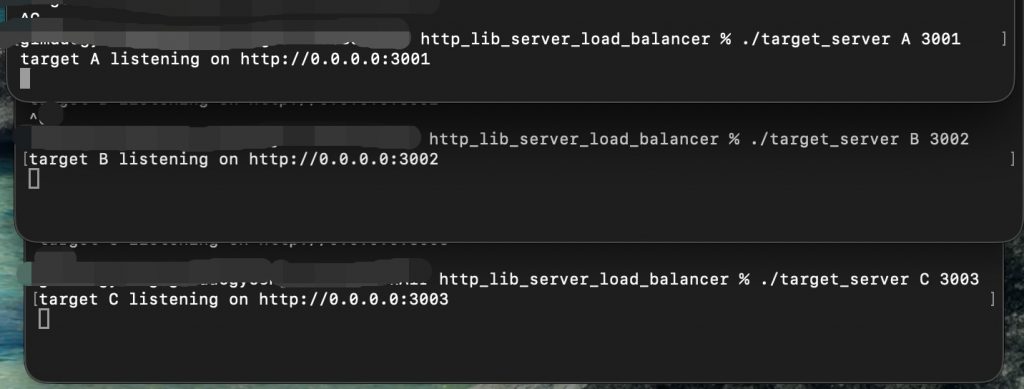
👉🏻 브라우저 접속 / Browser access
✔️http://localhost:5080으로접속합니다.
Connect to http://localhost:5080.
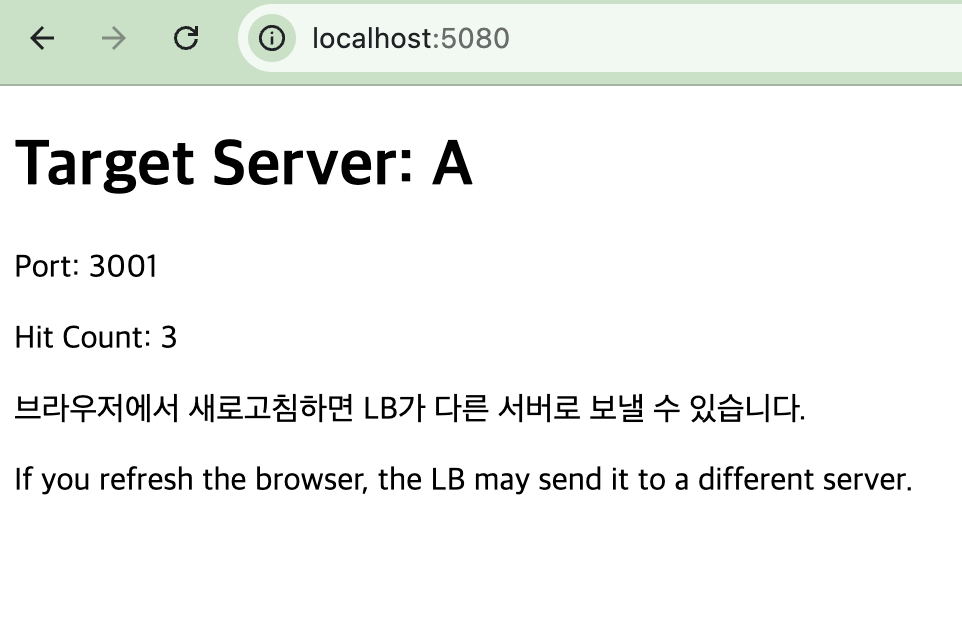
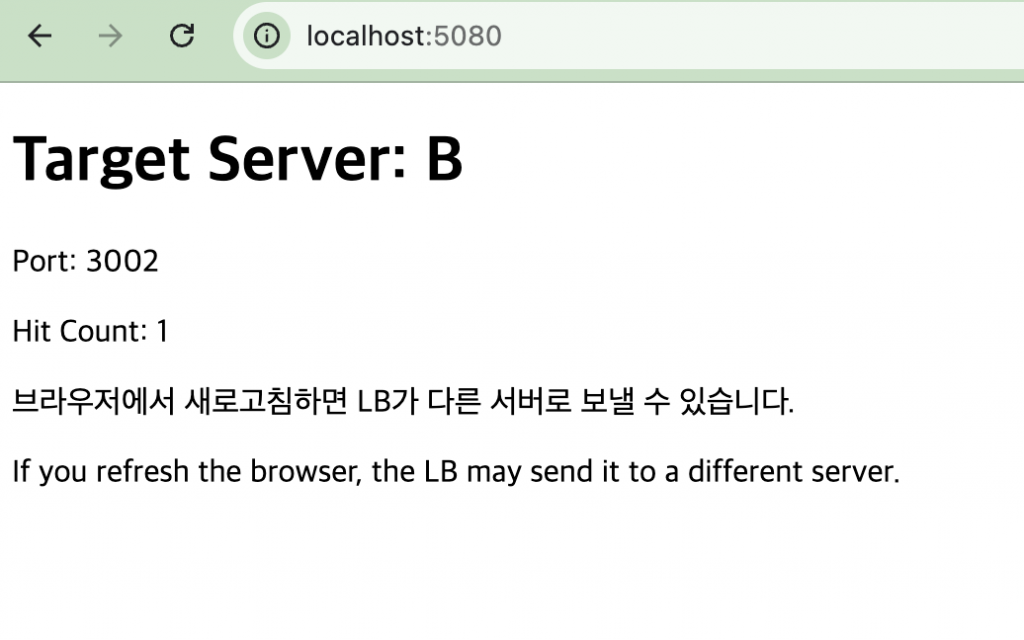
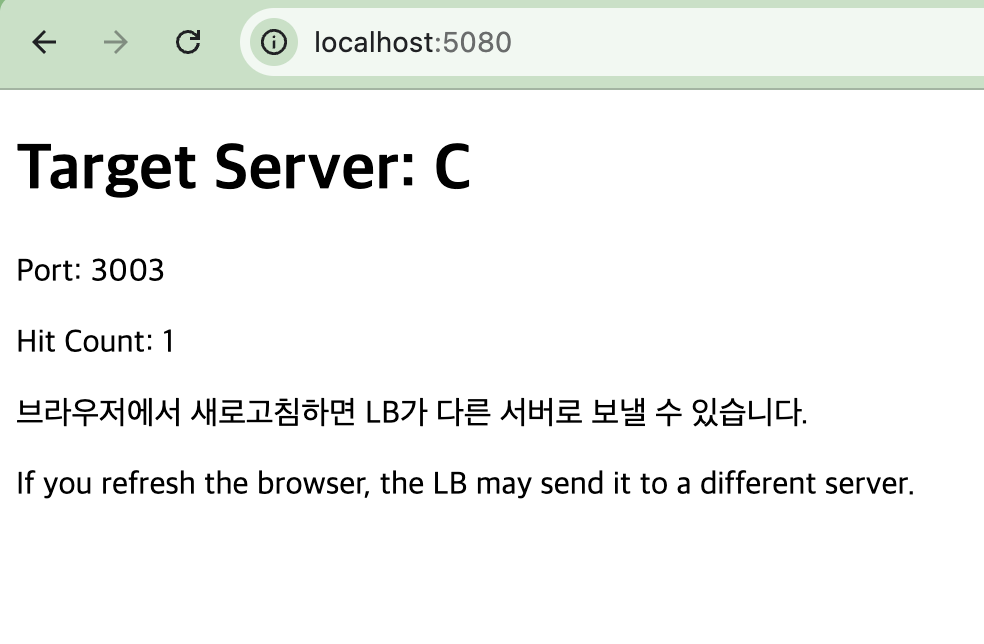
✔️ 브라우저를 새로고침하면 아래처럼 다른 서버로 접속되는것을 확인 할 수 있습니다.
If you refresh the browser, you can confirm that it connects to a different server as shown below.
⭐️ hit count는 그 타겟 서버 프로세스 하나 기준 접속 횟수입니다.
The hit count is the number of connections per target server process.