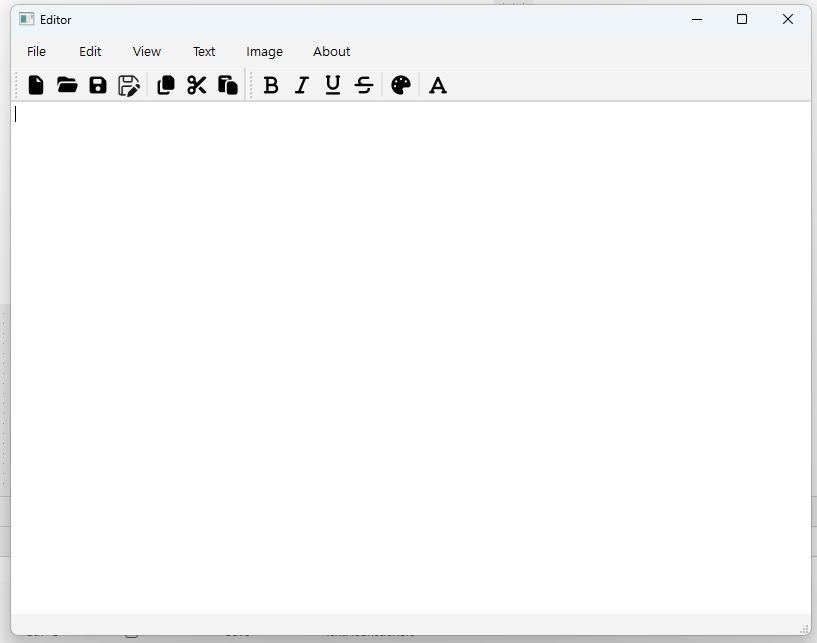
👉Rich Text Editor는 사용자가 텍스트 서식(formatting)을 쉽게 지정할 수 있도록 하는 소프트웨어 구성 요소나 위젯을 말합니다. 일반적인 텍스트 입력 필드와 달리, 텍스트를 굵게(Bold), 기울임꼴(Italic), 밑줄, 글꼴 변경, 크기 조정, 색상 변경, 목록 생성(글머리 기호 또는 번호), 링크 삽입, 이미지 삽입 등 다양한 서식을 적용하여 작성하고 편집할 수 있게 해줍니다.
A Rich Text Editor is a software component or widget that allows users to easily format text. Unlike a typical text input field, it allows users to write and edit text with a variety of formatting options, including bold, italic, underline, font change, resizing, color change, creating bulleted or numbered lists, inserting links, and inserting images.
1.디자인만들기 / Create a design
Rich Text Editor(original souce code) : https://github.com/Anchakor/MRichTextEditor
아이콘 다운로드 / Icon Download : https://fontawesome.com/start
✔️아래의 동영상강의는 모두 영어지만 영상만 봐도 이해할 수 있습니다.
The video lectures below are all in English, but you can understand them just by watching the videos.
✔️아래 영상의 에디터에 사용되는 동일한 아이콘은 찾기가 힘듭니다.
The same icon used in the editor in the video below is hard to find.
✔️그래서 아이콘은 아래의 링크에서 다운 받으시면 됩니다.
So, you can download the icon from the link below.
https://fontawesome.com/start
✔️아이콘으로 svg 파일을 사용 할 수 있습니다.
You can use svg files as icons.
2.실행 / Run