👉🏻 대용량 파일 업로드를 위한 설명입니다.
This is an explanation for uploading large files.
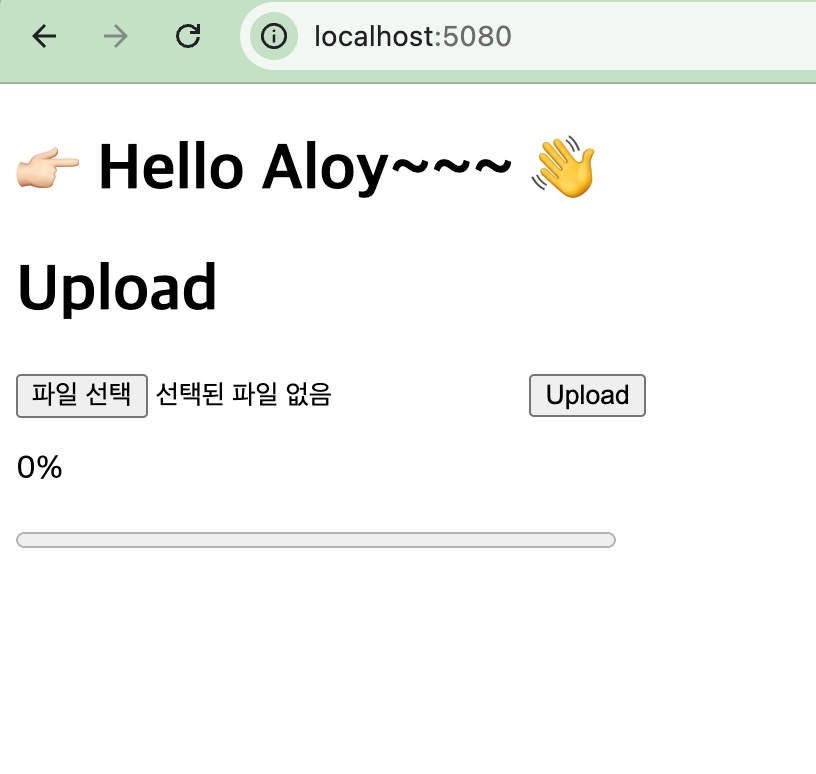
👉🏻 업로드 진행률을 확인을 할 수 있습니다.
You can check the upload progress.
👉🏻 테스트는 macOS에서 http로 테스트 했습니다.
The test was performed on macOS using http.
👉🏻 macOS에서 테스트 했지만 리눅스에서 사용해도 됩니다.
I tested it on macOS, but it can also be used on Linux.
👉🏻 리눅스에서 사용시 방화벽에서 5080포트 오픈되어야 합니다.(이전 게시물을 참조 하세요)
When using on Linux, port 5080 must be open in the firewall. (Please refer to the previous post.)
✔️ 코드 / Code
//#define CPPHTTPLIB_OPENSSL_SUPPORT // HTTPS
#include "httplib.h"
#include <filesystem>
#include <fstream>
#include <iostream>

int main() {
    // HTTP면 Server, HTTPS면 SSLServer 사용
    // Use Server for HTTP, SSLServer for HTTPS

    httplib::Server svr;

    // httplib::SSLServer svr("./fullchain.pem", "./privkey.pem"); // HTTPS

    std::filesystem::create_directories("./uploads");
    svr.set_payload_max_length(1024ULL * 1024 * 1024 * 10); // 10GB

    // Multipart 업로드 / Multipart Upload
    svr.Post("/upload/multipart", [&](const httplib::Request& req, httplib::Response& res,
                                      const httplib::ContentReader& reader) {
        if (!req.is_multipart_form_data()) {
            res.status = 400;
            res.set_content("not multipart", "text/plain");
            return;
        }

        std::ofstream ofs;
        bool ok = reader(
            [&](const httplib::FormData& part) {
                if (part.name == "file") {
                    std::string name = httplib::sanitize_filename(part.filename.empty() ? "upload.bin" : part.filename);
                    ofs.open("./uploads/" + name, std::ios::binary);
                    if (!ofs) return false;
                }
                return true;
            },
            [&](const char* data, size_t len) {
                if (ofs) ofs.write(data, static_cast<std::streamsize>(len));
                return true;
            });

        if (ofs) ofs.close();

        if (!ok) {
            res.status = 500;
            res.set_content("multipart stream failed", "text/plain");
            return;
        }

        res.set_content("multipart upload ok", "text/plain");
    });

    // 업로드 진행률 표시
    // HTML form displaying upload status
    svr.Get("/", [](const httplib::Request&, httplib::Response& res) {
        res.set_content(R"(
    <!doctype html>
    <html>
    <body>
      <h1>Upload</h1>

      <form id="uploadForm">
        <input type="file" id="file" name="file" required />
        <button type="submit">Upload</button>
      </form>

      <p id="percent">0%</p>
      <progress id="bar" value="0" max="100" style="width: 300px;"></progress>
      <pre id="result"></pre>

      <script>
        const form = document.getElementById('uploadForm');
        const bar = document.getElementById('bar');
        const percent = document.getElementById('percent');
        const result = document.getElementById('result');

        form.addEventListener('submit', (e) => {
          e.preventDefault();

          const fileInput = document.getElementById('file');
          if (!fileInput.files.length) return;

          const data = new FormData();
          data.append('file', fileInput.files[0]);

          const xhr = new XMLHttpRequest();
          xhr.open('POST', '/upload/multipart', true);

          xhr.upload.onprogress = (evt) => {
            if (evt.lengthComputable) {
              const p = Math.round((evt.loaded / evt.total) * 100);
              bar.value = p;
              percent.textContent = p + '%';
            }
          };

          xhr.onload = () => {
            result.textContent = 'status: ' + xhr.status + '\\n' + xhr.responseText;
          };

          xhr.onerror = () => {
            result.textContent = 'upload failed';
          };

          xhr.send(data);
        });
      </script>
    </body>
    </html>
    )", "text/html; charset=utf-8");
    });

    std::cout << "listen: http://0.0.0.0:5080\n";
    svr.listen("0.0.0.0", 5080);
}
✔️ 컴파일 / Compiling
g++ large_upload_server.cpp -o large_upload_server -std=c++17 -pthread ✔️ 서버 실행 / Run Server
./large_upload_server
✔️ 브라우저 접속 / Browser Access
— 파일 업로드 폼 / file upload form
–파일 업로드 완료 / File upload complete
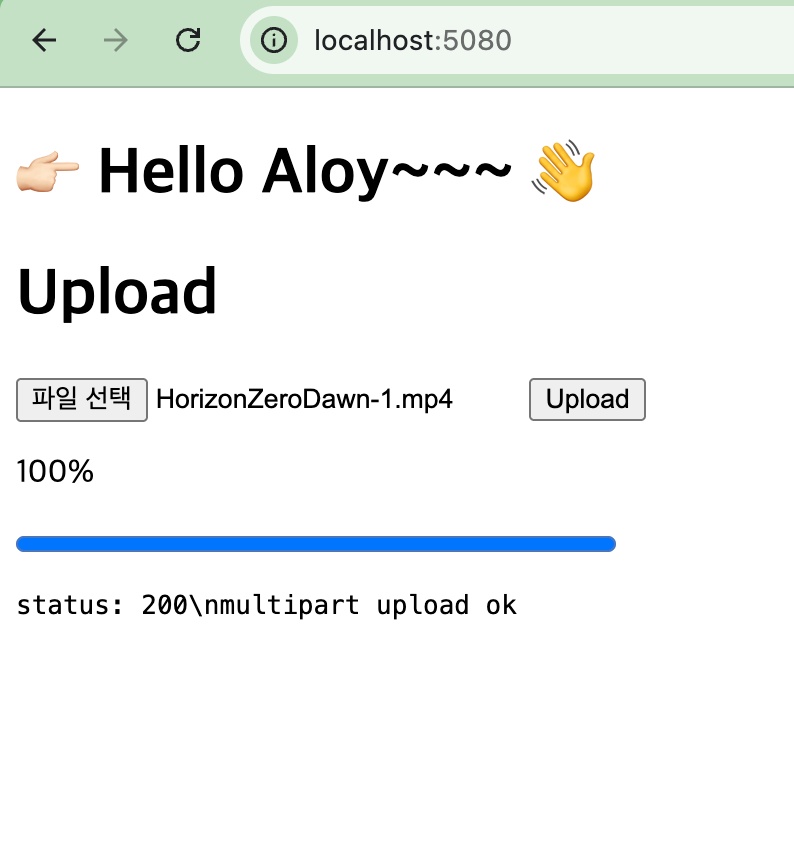
— 업로드 상태 확인 / Check upload status



