👉🏻 스위프트에서 ObservedObject와 StateObject를 사용하는 간단한 방법입니다.
This is a simple way to use ObservedObject and StateObject in Swift.
✔️ @StateObject와 @ObservedObject는 둘다 뷰에 바인딩하는 방법이지만, 둘은 약간의 차이가 있습니다.
Both @StateObject and @ObservedObject are methods for binding to a view, but there are slight differences between the two.
✔️ @StateObject
— 일반적으로 뷰에서 직접 상태 객체를 생성하고 관리할 때 사용합니다.
It is generally used when creating and managing state objects directly in the view.
— 뷰가 처음 생성될 때만 해당 ObservableObject 인스턴스를 초기화하고, 뷰가 다시 렌더링되거나 갱신될 때는 기존 인스턴스를 유지합니다.
Initialize the ObservableObject instance only when the view is first created, and maintain the existing instance when the view is re-rendered or updated.
— 뷰에서 직접 상태 관리를 할때 사용합니다.
It is used when managing state directly in the view.
— 아래의 코드가 이 부분에 해당합니다.
The code below corresponds to this part.
✔️ @ObservedObject
— 외부에서 이미 생성된 ObservableObject를 전달받아 사용합니다.
It receives and uses an ObservableObject that has already been created externally.
— 뷰가 다시 생성될 때마다 ObservableObject 인스턴스가 계속 새로 생성되는 경우가 있을 수 있습니다.
There may be cases where new ObservableObject instances are created every time the view is recreated.
— 그래서 부모뷰를 자식뷰에 전달할때 사용합니다.
So, it is used when passing a parent view to a child view.
👉🏻 코드 / Code
import SwiftUI
import Combine


class UserSettings: ObservableObject {
  @Published var username = "Anonymous"
}

struct ContentView: View {

    // @StateObject는 SwiftUI의 state storage(뷰의 라이프 싸이클 동안 보관되는 저장소)에
    // 인스턴스를 저장하고, 처음 뷰가 생성될 때만 초기화하도록 보장합니다.
    // @StateObject stores an instance in SwiftUI's state storage (which is kept throughout the view's lifecycle) and ensures that it is initialized only when the view is first created.

    @StateObject var settings = UserSettings()

    // @ObservedObject는 구조체의 초기화 시점에 계속해서UserSettings()를 다시 실행 합니다.
    // @ObservedObject will continually re-run UserSettings() at the time of initialization of the struct.

    //@ObservedObject var settings = UserSettings()

    var body: some View {
        VStack {
            Image(systemName: "globe")
                .imageScale(.large)

                .foregroundStyle(.tint)
            Text("User name:\(settings.username)")
                .padding()

            Button("John Doe"){
                settings.username = "Jhon Doe"
            }
            Button("Anonymous"){
                settings.username = "Anonymous"
            }

            Text("Child View")
        }
        .padding()
    }
}


#Preview {
    ContentView()
}
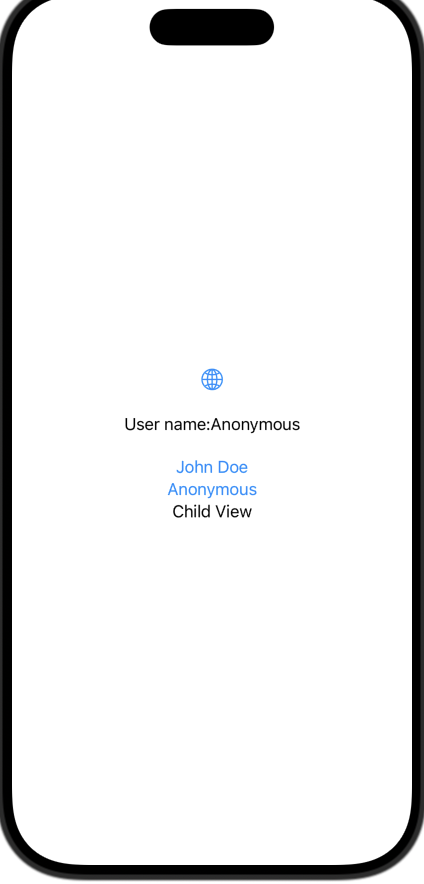
✔️ 스크린 샷 / ScreenShot