👉🏻 flux는 이미지 생성 AI 입니다.
Flux is an image generation AI.
👉🏻 로컬환경(맥북 환경)에서 이미지 생성하는 방법에 대한 설명입니다.
This is an explanation of how to create an image in a local environment (MacBook environment).
👉🏻설치 / Install
✔️ flux를 사용하기 위해서는 ollama가 설치되어야합니다. 이전포스트를 참조하세요
To use Flux, Ollama must be installed. Please refer to the previous post.
✔️ flux를 다음과 같이 터미널에서 설치합니다.
Install flux in the terminal as follows.
ollama run x/flux2-klein✔️ 위의 명령어를 실행하면 아래처럼 설치가 진행됩니다.
If you run the command above, the installation will proceed as shown below.
MacBookAir .ollama % ollama run x/flux2-klein
pulling manifest
pulling model: 100% ▕████████████████████████████████████████████▏ 5.7 GB
writing manifest
success
>>> Describe an image to generate (/help for commands)
👉🏻 이미지를 생성해봅니다. 터미널에서 이미지를 생성하는 방법입니다.
Let’s create an image. This is how to create an image in the terminal.
✔️ 프롬프트를 다음과 같이 입력했습니다.
I entered the prompt as follows.
— 아름다운 서울 야경, 한강 다리와 불꽃놀이, photorealistic
(Beautiful night view of Seoul, Han River bridges and fireworks,photorealistic)
MacBookAir .ollama % ollama run x/flux2-klein
>>> 아름다운 서울 야경, 한강 다리와 불꽃놀이, photorealistic
Image saved to: ------photorealistic-20260612-105824.png

>>> Describe an image to generate (/help for commands)
✔️ 그러면 다음과 같이 이미지가 생성된 것을 확인 할 수 있습니다.
Then you can confirm that the image has been generated as follows.
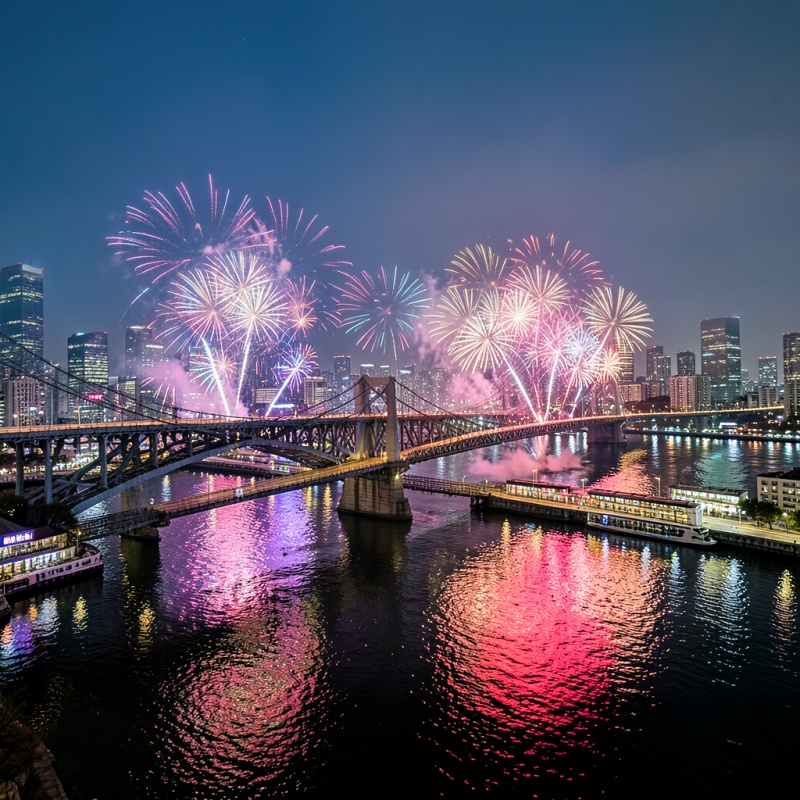
–아래와 같이 이미지 생성된경우 이름바꾸려면 mv ./imagename.png newimagename.png 이렇게 바꾸면됩니다.
If the image was created as shown below, to rename it, you can do so by changing it like this: mv ./imagename.png newimagename.png.
MacBookAir .ollama % ls -al
total 3848
-rw-r--r--   1 user  staff  1952015  6월 1 10:58 ------photorealistic-20260612-105824.png
drwxr-xr-x   9 user  staff      288  6월 1 12:58 .
drwxr-x---+ 61 user  staff     1952  6월 1 12:58 ..
-rw-------   1 user  staff      170  6월 1 12:58 history
-rw-------@  1 user  staff      387  6월 1 12:58 id_ed25519
-rw-r--r--@  1 user  staff       81  6월 1 12:58 id_ed25519.pub
drwxr-xr-x@ 14 user  staff      448  6월 1 12:58 logs
drwxr-xr-x   4 user  staff      128  6월 1 12:58 models
-rw-r--r--   1 user  staff       35  6월 1 12:58 server.json
👉🏻 추가로 이미지를 생성해 봅니다.
Let’s try creating an additional image.
✔️ 프롬프트를 다음과 같이 입력했습니다.
I entered the prompt as follows.
✔️ 프롬프트를 아래처럼 입력한 경우 생성된 이미지 입니다.
This is the image generated when the prompt was entered as shown below.
–Full body shot of Johnny Silverhand, Keanu Reeves, standing confidently, cybernetic arm visible, holding pistol, leather jacket and boots, Night City alley with heavy rain and neon signs, cyberpunk atmosphere, dramatic rim lighting
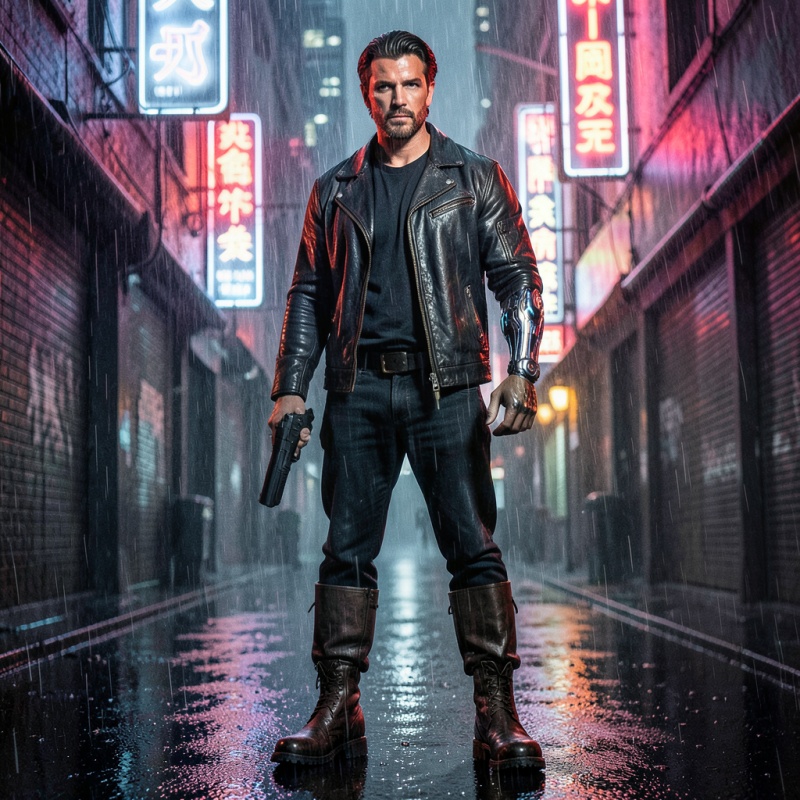
✔️ 프롬프트를 아래처럼 입력한 경우 생성된 이미지 입니다.
This is the image generated when the prompt was entered as shown below.
— Aloy from Horizon Zero Dawn, exact official game character, young woman with long bright red hair in intricate braids with beads, green eyes, freckles on face, athletic build, wearing Nora Brave outfit with tribal patterns and leather, holding a compound bow, confident and determined expression, Horizon Zero Dawn official game art style, in-game character render, detailed face, sharp textures, post-apocalyptic landscape with tall machines in background, cinematic lighting, high quality 3D render, unreal engine style
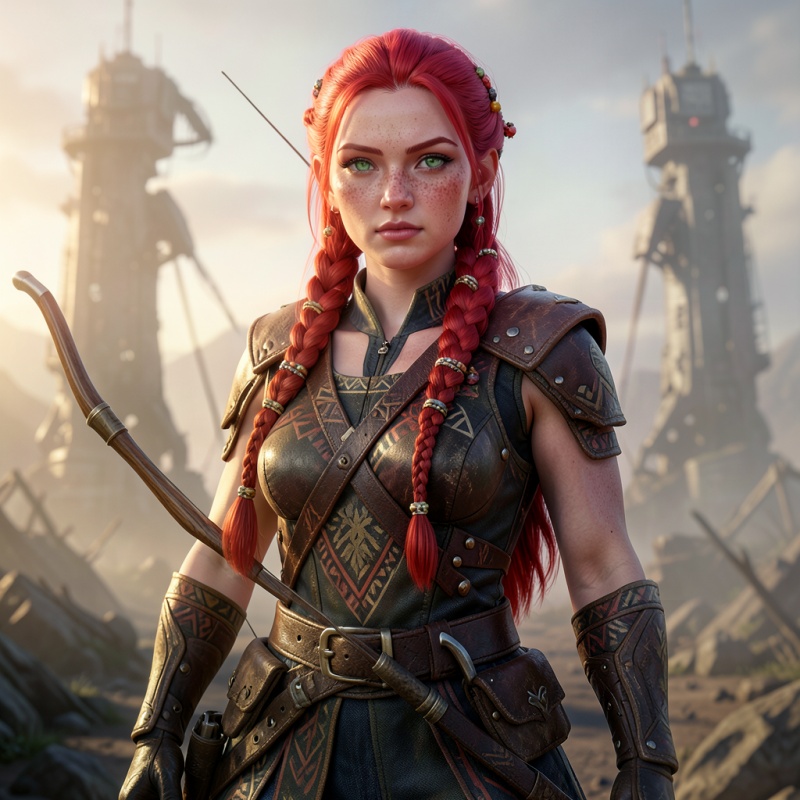
✔️ 프롬프트를 아래처럼 입력한 경우 생성된 이미지 입니다.
This is the image generated when the prompt was entered as shown below.
— Kratos from God of War Ragnarok, exact likeness to the reference image, full body standing pose, bald head with prominent red Spartan tattoo across face and scalp,
thick dark beard, calm and slightly relaxed expression, confident but not angry, thoughtful look,
heavily muscled body with white ashen skin covered in scars,
wearing detailed bear fur armor with leather straps and metal pauldrons,
bare chest with red tattoo stripe, thick leather belt,
holding Leviathan Axe casually in his right hand with the axe head pointing down,
powerful yet relaxed imposing stance,
background: beautiful snowy Nordic forest with ancient trees and soft falling snow,
misty atmosphere, dramatic cinematic lighting with soft volumetric light,
pure black background removed,
highly detailed 3D render, official God of War Ragnarok character model style,
sharp textures, cinematic composition, photorealistic game render, masterpiece, best quality
— 위처럼 터미널에 입력되는 프롬프트가 너무 길면 짤려서 입력됩니다.
As shown above, if the prompt entered into the terminal is too long, it will be cut off.
— 이런 경우 파일에 프롬프트를 입력하고 이 파일을 불러오면됩니다.
In this case, you can enter the prompt into the file and load it.
MacBookAir ~ % touch kratos.txt
MacBookAir ~ % nano kratos.txt

# ctrl + 0 로 파일 저장
# Save file with Ctrl + 0

MacBookAir ~ % ollama run x/flux2-klein "$(cat kratos.txt)" 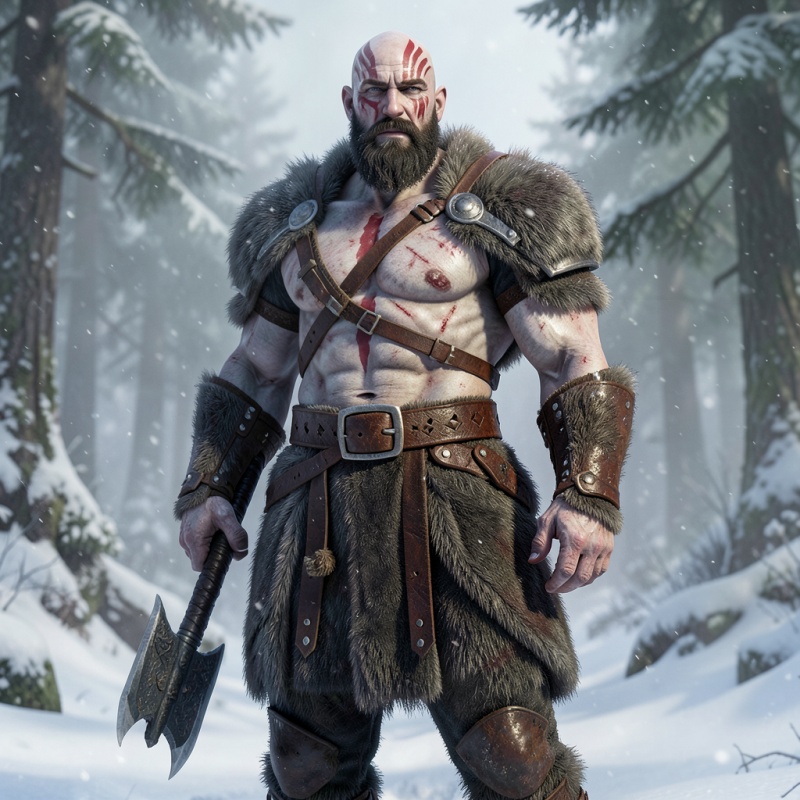
⭐️ x/flux2-klein는 ollama 앱 에서 실행시 오류가 발생할 수 있습니다.
x/flux2-klein may cause errors when run in the ollama app.


