✅ 코드 다운로드 / Code Download
https://github.com/gideonslife01/flm-js-nodejs
👉🏻 여기는 nodejs 서버와 모바일 앱 연동 부분입니다.
This section covers the integration between the Node.js server and the mobile app.
👉🏻 nodejs디렉토리 내에 package.json은 설치된 모듈 리스트입니다.
package.json in the nodejs directory is a list of installed modules.
👉🏻 server1.js는 nodejs서버 부분입니다.
server1.js is the nodejs server part.
👉🏻 public/login.ejs 파일은 ejs파일로 로그인 폼에 해당하는 부분입니다.
The public/login.ejs file is an ejs file that corresponds to the login form.
👉🏻1.모듈설치 / module install
✔️ nodejs디렉토리를 다운 받아서 쉘(또는 명령프롬프트)에서 nodejs디렉토리로 이동후에 package.json파일을 열고 모듈설치를 진행합니다.
Download the nodejs directory, move to the nodejs directory in the shell (or command prompt), open the package.json file, and proceed with module installation.
✔️ 굵은 글씨로 표시된 부분을 npm install bcrypt 이렇게 설치 하시면 됩니다.
You can install the part marked in bold by running npm install bcrypt.
{
  "name": "login",
  "version": "1.0.0",
  "description": "login array",
  "main": "server1.js",
  "scripts": {
    "test": "echo \"Error: no test specified\" && exit 1"
  },
  "author": "daekyeong kim",
  "license": "MIT",
  "dependencies": {
    "bcrypt": "^5.1.1",
    "express": "^5.1.0",
    "express-session": "^1.18.1"
  }
}
👉🏻2.서버실행 / Run Server
✔️ 해당 디렉토리 내에서 node server1.js를 실행합니다.
Run node server1.js inside that directory.
✔️ 브라우저에서 localhost:3000을 실행하면 다음과 같은 화면이 실행되면 정상 입니다.
If you run localhost:3000 from the browser and the following screen appears, it is normal.
✔️ id는 testuser이고 password는 11111111입니다.
id is testuser and password is 11111111.

👉🏻3.리액트네이티브 앱에서 로그인
Logging in in a React Native app
✔️ 프로젝트 디렉토리로이동 후 터미널에서 앱을 실행합니다.
Navigate to the project directory and run the app in the terminal.
# android
npm run android

# ios
npm run ios
✔️ 바로 위의 웹에서 실행한것처럼 앱에서 아이디는 testuser이고 패스워드는 11111111을 입력합니다.
Just as you did on the web above, enter ‘testuser’ as the ID and ‘11111111’ as the password in the app.
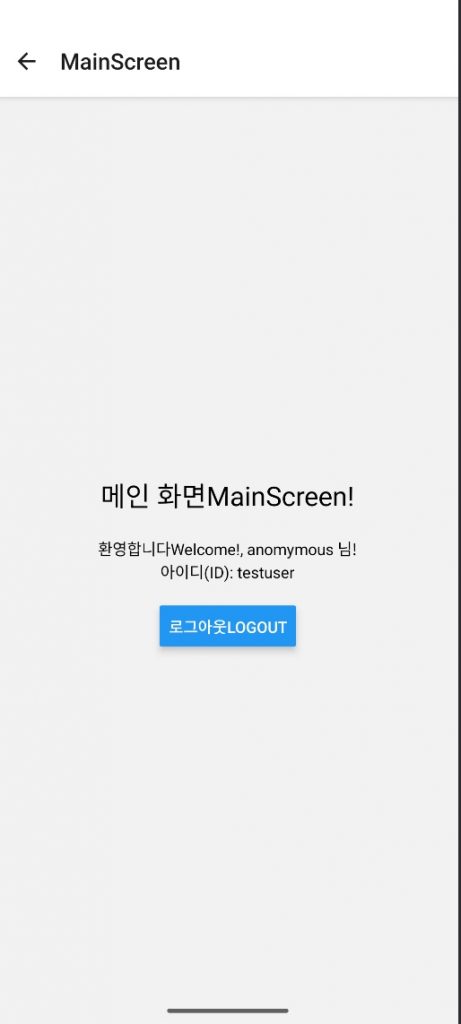
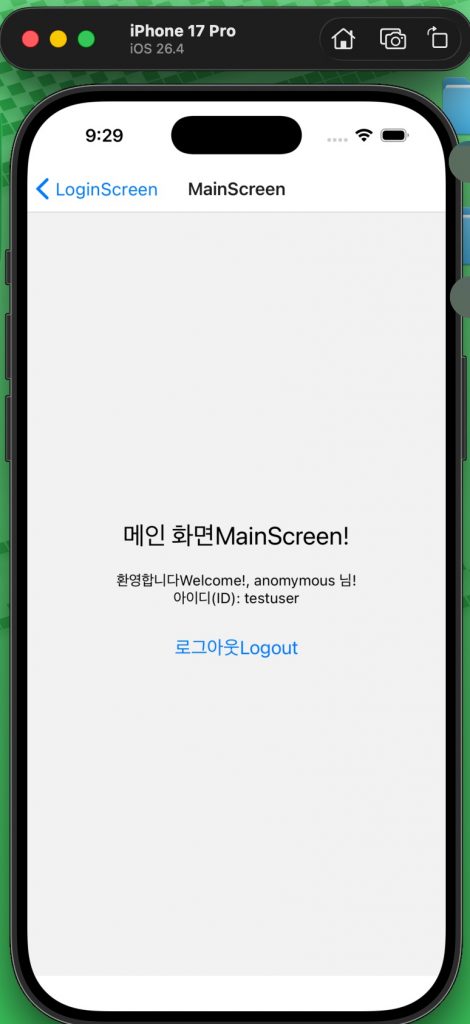
✔️ 로그인이 완료되면 아래와 같은 화면을 볼 수 있습니다.
Once logged in, you will see a screen like the one below.
— IOS
— Android