👉🏻 SMTP(Simple Mail Transfer Protocol) 메일 발송에 서비스 대해서 소개하고자 합니다.
I would like to introduce the SMTP (Simple Mail Transfer Protocol) email sending service.
👉🏻 앱으로 회원가입 기능을 만들거나 비지니스를 위해서 광고나 소식을 전달할경우 이메일이 필요합니다.
An email address is required when implementing a sign-up feature in an app or when delivering advertisements or news for business purposes.
👉🏻 그리고 지금 만들고 팔로우 기능을 만들고 있는 nextjs sns서비스에도 메일 서비스가 필요합니다.
Also, the Next.js-based social networking service I am currently building—which includes a follow feature—requires an email service.
👉🏻 이럴 경우 메일을 발송하기 위해서는 SMTP 서버가 필요하게됩니다.
In this case, an SMTP server is required to send emails.
👉🏻 SMTP서버는 간단히 직접 구축할 수 있습니다.
You can easily set up an SMTP server yourself.
👉🏻 하지만 요즘 스팸메일이 너무 많아서 웹 메일서비스를 제공하는 업체에서 스팸메일에 대한 정책이 매우 강하게 적용되고 있습니다.
However, due to the sheer volume of spam emails these days, webmail service providers are enforcing very strict policies regarding spam.
👉🏻 대부분의 메일서비스는 포털 사이트 메일을 많이 사용합니다.
Most people use email services provided by portal sites.
👉🏻 정확하게 포털 사이트 메일함에 내 메일이 도착하게 하기 위해서 설정에 많은 불편함이 있기 때문에 외부업체의 메일발송 서비스를 많이 사용합니다.
Configuring settings to ensure emails reliably reach the inboxes of major portal sites can be quite cumbersome, which is why many people use third-party email delivery services.
👉🏻 많은 대표적으로 사용할 수 있는 곳이 Breavo.com이란 곳이 있습니다.
One prominent example of a service you can use is Breavo.com.
👉🏻 무료 플랜으로 가입하면 하루에 300통의 메일을 무료로 전송할 수 있습니다.
If you sign up for the free plan, you can send 300 emails per day for free.
👉🏻 nodejs을 이용해서 제가 사용하는 포털 사이트의 메일함으로 메일을 보내봅니다.
I am using Node.js to send an email to the inbox of the portal site I use.
📁 Brevo.com 회원가입 및 설정
Brevo.com Sign-up and Setup
✔️ 저는 간단히 소셜 로그인을 이용해서 구글계정으로 가입했습니다.
I simply signed up using my Google account via social login.
✔️ 아래는 Breavo.com에서 smtp key를 받는 과정입니다.
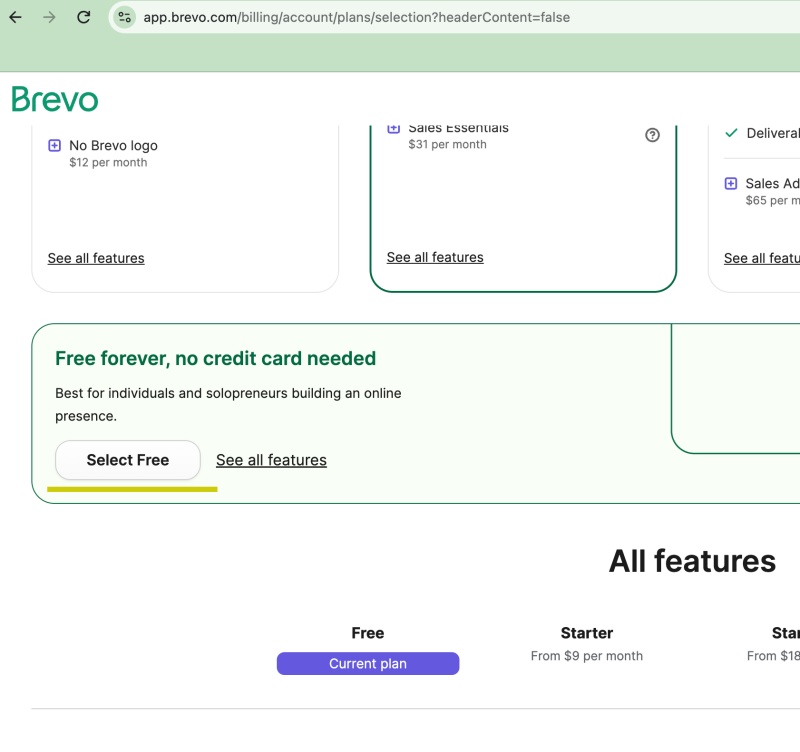
1) 브라우저 화면 아래로 내리면 Free Plan 을 선택 할 수 있습니다.
Scroll down the browser screen to select the Free Plan.
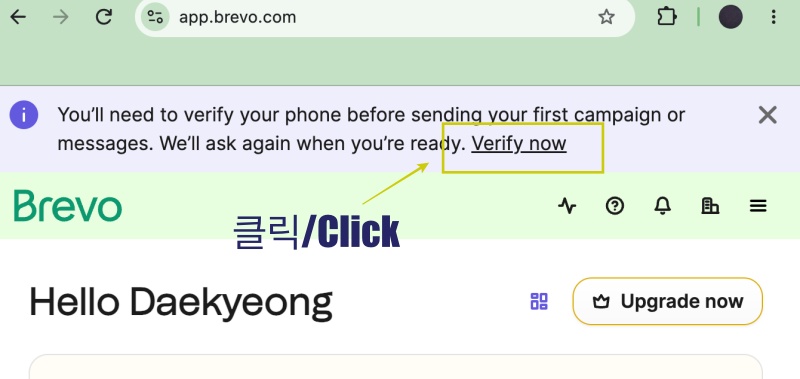
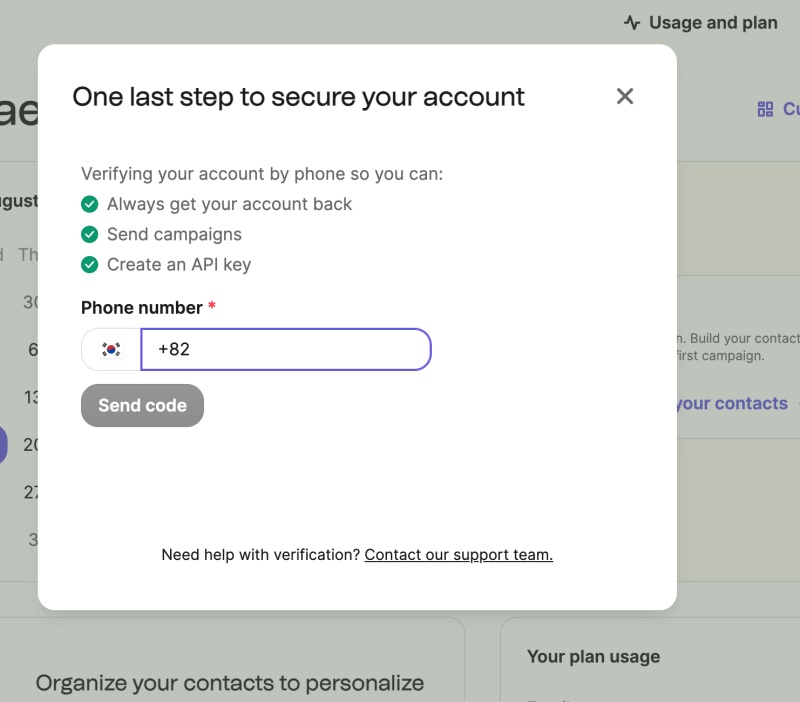
2) 모마일 폰 인증 / Mobile phone verification
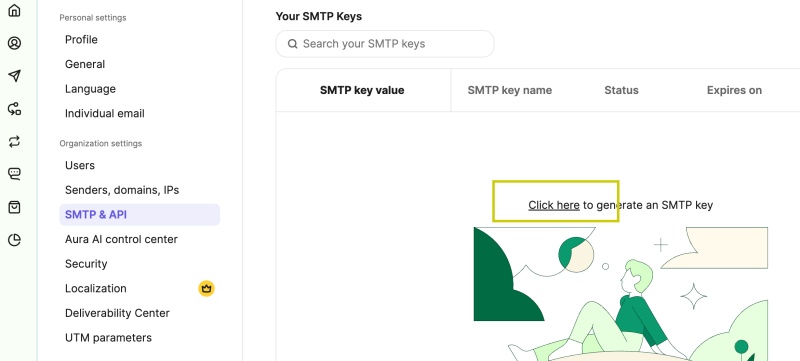
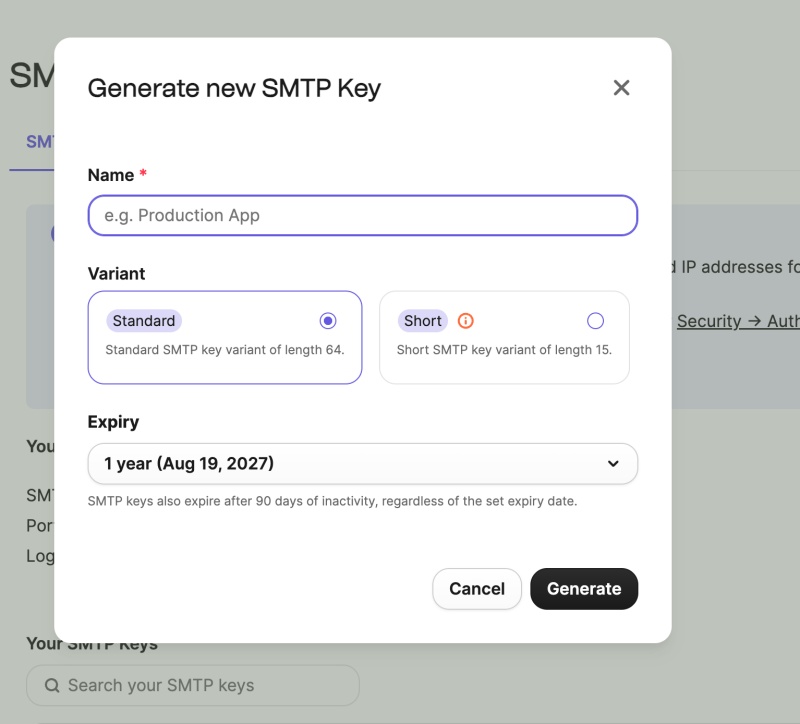
3)SMTP 키 생성 / Generate SMTP Key
3-1) 우측의 프로필 메뉴를 선택하면 왼쪽에 SMTP & API 메뉴를 볼 수 있습니다.
If you select the profile menu on the right, you can see the SMTP & API menu on the left.
📁 Nodejs 프로젝트 생성
Create a Node.js project
npm init -y📁 nodemailer 모듈 설치
Install the nodemailer module.
npm install nodemailer📁 package.json 코드 수정
Modify package.json code
✔️ import구문을 사용하기 위해서 type: “commonjs”를 type:”module”로 변경합니다.
To use the import statement, change type: "commonjs" to type: "module".
{
  "name": "breavo-smtp",
  "version": "1.0.0",
  "description": "",
  "main": "index.js",
  "scripts": {
    "test": "echo \"Error: no test specified\" && exit 1"
  },
  "keywords": [],
  "author": "",
  "license": "ISC",
  "type": "module",
  "dependencies": {
    "nodemailer": "^9.0.5"
  }
}
📁 send.js 코드작성 / Writing the send.js code
import nodemailer from "nodemailer";

const transporter = nodemailer.createTransport({
  host: "smtp.brevo.com",
  port: 587,
  secure: false, // 587 포트는 STARTTLS 방식을 쓰므로 false로 둡니다. / The 587 port uses STARTTLS, so set it to false.
  auth: {
    user: "본인의 Brevo 가입 이메일 주소 / Your Brevo account email address",
    pass: "64자리 비밀키 / Your 64-character secret key"
  }
});

const mailOptions = {
   // 발신자와 ID를 일치시켜 줍니다. / Make sure the sender matches the ID.
  from: "본인의 Brevo 가입 이메일 주소 / Your Brevo account email address",
  to: "확인해 볼 본인의 다른 개인 이메일 (지메일, 네이버,다음 등) / The other personal email you want to check (e.g., Gmail, Naver,Daum etc.)",
  subject: "Brevo SMTP 초간단 연동 테스트 / Simple Brevo SMTP Integration Test",
  text: "메일 발송 성공했습니다! / Email sent successfully!"
};

async function sendTest() {
  try {
    const info = await transporter.sendMail(mailOptions);
    console.log("✅ 발송 성공! 메시지 / Success! Message ID:", info.messageId);
  } catch (error) {
    console.error("❌ 발송 실패 에러 내용 / Error occurred while sending email:", error);
  }
}

sendTest();
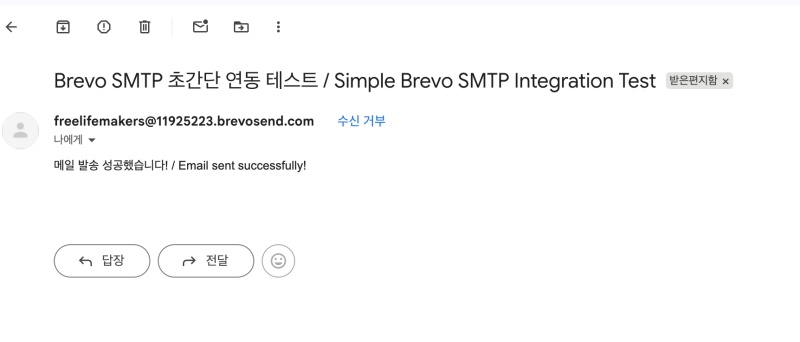
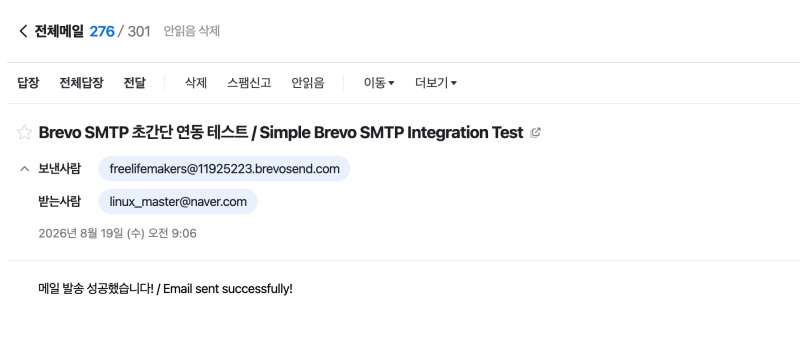
✔️ 메일 발송완료 / Email sent successfully.
node send.jsbreavo-smtp % node send.js
✅ 발송 성공! 메시지 / Success! Message ID: <fd1f1954-63e5-6502-1252-14a0ae09758a@gmail.com>1)테스트 결과 네이버,지메일은 정상적으로메일 도착확인했고 다음은 메일이 도착하지 않았습니다.
Test results showed that emails arrived normally for Naver and Gmail, but the email did not arrive for Daum.
2) 다음은 자체 메일 정책으로 인해 메일이 도착하지 않은 것 같습니다.
It appears that the email did not arrive due to internal email policies.
요한복음 8장 32절 / John 8:32
“그리고 너희는 진리를 알게 될 것이며, 진리가 너희를 자유롭게 할 것이다.”
“Then you will know the truth ,and the truth will set you free”