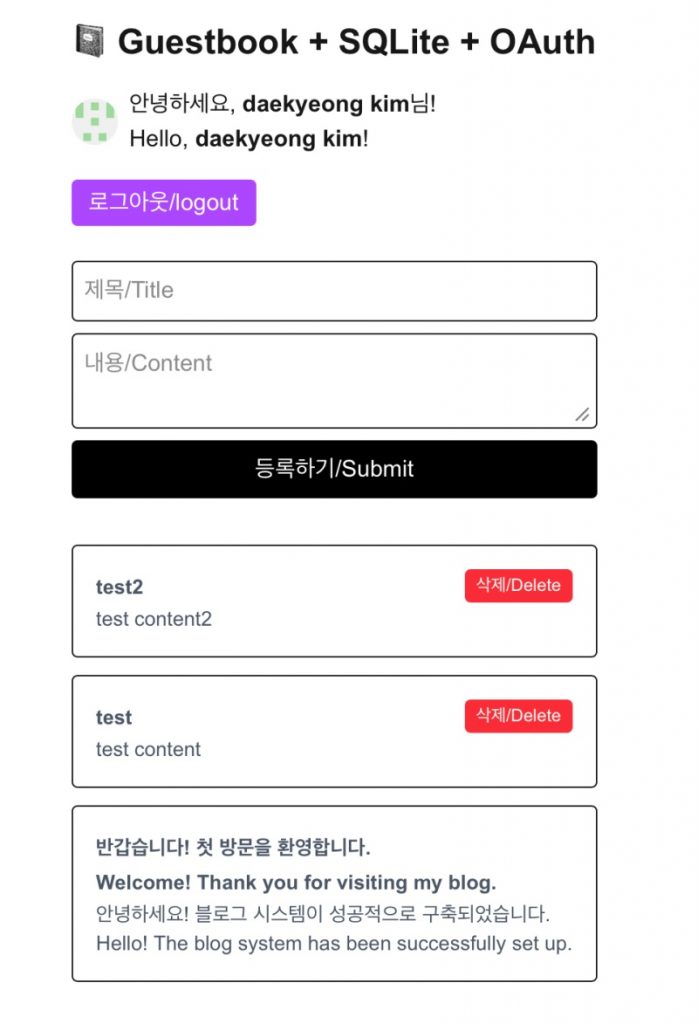
👉🏻 기존 프로젝트인 방명록 + sqlite에 깃허브 소셜로그인(깃허브) 기능을 추가했습니다.
I added a GitHub social login feature to the existing guestbook project (which uses SQLite).
👉🏻소셜로그인 기능과 SQLite에 글 입력하는 부분은 이전 포스트를 참조하세요
Please refer to the previous post for the social login feature and the section on saving posts to SQLite.
👉🏻 이전 포스트 / Previous post
📁 전체 프로젝트 구조 / Overall Project Structure
myapp7/
├── app/ (Next.js App Router)
│   ├── api/ (Backend API)
│   │   ├── auth/ (Oauth API)
│   │   │   └── [...nextauth]/
│   │   │       └── route.ts
│   │   └── guestbookapp/ (CRUD API)
│   │       ├── [id]/
│   │       │   └── route.ts
│   │       └── route.ts
│   ├── guestbookapp/ (FrontEnd)
│   │   ├── GuestbookClient.tsx (Component)
│   │   └── page.tsx (Main Page)
│   │
│   ├── auth.ts (NextAuth Login)
│   ├── favicon.ico
│   ├── globals.css
│   ├── layout.tsx
│   └── page.tsx (Project Main page)
├── .env.local(Environment variable)
└── local.db (SQLite Database)
📁 프로젝트 설치(myapp7)
Project Installation (myapp7)
npx create-next-app@latest📁 sqlite3 모듈 설치
Install the sqlite3 module.
npm install better-sqlite3📁 NextAuth 모듈 설치
Install the NextAuth module.
npm install next-auth@beta📁 서버실행 / Start Servr
npm run dev📁 서버 접속 및 테스트
Server Connection and Testing
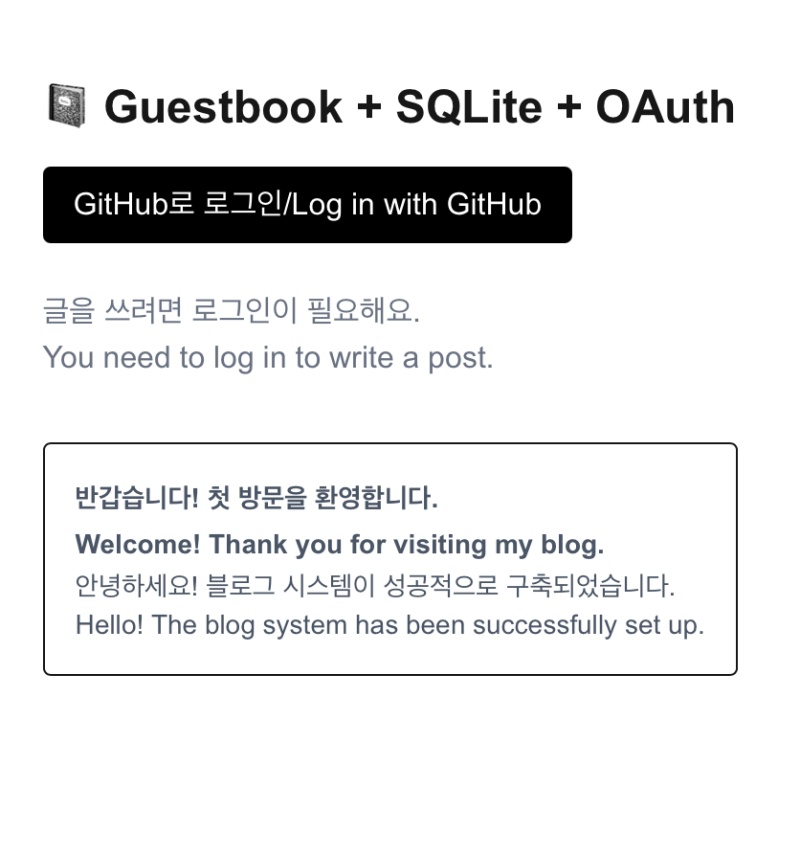
✔️ http://localhost:3000/guestbookapp 으로 브라우저에 접속합니다.
Access http://localhost:3000/guestbookapp in your browser.
📁 코드 설명 / Code Explanation
✔️ 메인 페이지 파일 분리 / Separate main page files
— 이전 프로젝트의 page.tsx에서 page.tsx와 GuestbookClient.tsx로 파일 분리 했습니다.
I split the page.tsx from the previous project into page.tsx and GuestbookClient.tsx.
1)기존의 Vite+React는 프론트엔드에서 Express서버로 값을 넘기면 서버에서 데이터를 처리합니다.
In a standard Vite+React setup, when values are passed from the frontend to an Express server, the server processes the data.
2)처리된 값을 프론트엔드로 넘기면 프론트엔드에서 값을 화면에 표시하고 UI를 다시 그립니다.
When the processed value is passed to the frontend, the frontend displays the value on the screen and re-renders the UI.
3)Nextjs에서는 따로 서버와 프론트엔드가 합쳐져 있습니다.
In Next.js, the server and the front-end are integrated.
4)하지만 서버에서 처리할 로직이 포함된 부분은 클라이언트 부분의기능을 같은 파일에 사용 할 수 없습니다.
However, for the part containing logic to be processed on the server, you cannot use client-side functionality within the same file.
5)그래서 파일을 분리합니다.
So, I am separating the files.
— 아래는 page.tsx에서 GuestbookClient.tsx를 컴포넌트 형식으로 호출 합니다.
Below, GuestbookClient.tsx is called as a component within page.tsx.
import GuestbookClient from "./GuestbookClient"

... 중략 / Omitted ...

<GuestbookClient
   isLoggedIn={!!session?.user}
   userEmail={session?.user?.email || ""}
/>
1) isLoggedIn은 로그인 여부를 확인하기 위해 사용됩니다.
isLoggedIn is used to check whether the user is logged in.
2)userEmail은 내가 쓴 글만 삭제하기 위해서 사용합니다.userEmail is used to ensure that only the posts I have written are deleted.
// GuestbookClient.tsx

{post.authorEmail === userEmail && (
     <button onClick={() => handleDelete(post.id)} className="bg-red-500 text-white px-2 py-1 rounded text-xs ml-4 shrink-0">
        삭제/Delete
     </button>
)}
3)isLoggedIn={!!session?.user}💡
3-1) 아래의 경우를 보면 name에 2b라는 값이 들어가 있고 session.user는 객체가 됩니다.
In the case below, the value '2b' is assigned to `name`, and `session.user` becomes an object.

3-2) !session?.user 이렇게 하면 session.user에 값이 있으면(true) false로 바꿉니다.
Using `!session?.user` like this flips the value to `false` if `session.user` has a value (i.e., is truthy).

3-3) !!session?.user 이렇게 하면 true->false->true로 바꿉니다.
Using `!!session?.user` toggles the value from true to false and back to true.

// ----------------------------------
  session?.user = { name: "2b"... }
  !session?.user = false
  !!session?.user = true
// ---------------------------------

3-4) 위와 같이 사용하는 이유는 GuestbookClient.tsx에서 isLoggedIn의 타입이 boolen이기 때문입니다.
The reason for using it this way is that the type of `isLoggedIn` in `GuestbookClient.tsx` is `boolean`.


export default function GuestbookClient({ isLoggedIn, userEmail }: { isLoggedIn: boolean, userEmail: string }) { ...}
✔️ 글 삭제 로직
Post deletion logic
— 로그인한 경우 로그인한 사용자와 글 작성자가 같은 경우 삭제 할 수 있습니다.
If logged in, you can delete the post if the logged-in user is the same as the author.
// GuestbookClient.tsx
// 56번째 줄

{posts.map((post) => (


            {post.authorEmail === userEmail && (
              <button onClick={() => handleDelete(post.id)} className="bg-red-500 text-white px-2 py-1 rounded text-xs ml-4 shrink-0">
                삭제/Delete
              </button>
            )}

))}
1)삭제버튼을 부르면 handleDelete함수를 호출합니다
Clicking the delete button calls the handleDelete function.
— handleDelete함수입니다.
This is the handleDelete function.
// GuestbookClient.tsx
// 37번째 줄

const handleDelete = async (id: number) => {
    if (!confirm("삭제할까요?/Are you sure you want to delete this post?")) return;
    await fetch(`/api/guestbookapp/${id}`, { method: "DELETE" });
    fetchPosts();
  }
1) 위의 코드에서 /api/guestbookapp/${id} 주소로 DELETE 요청을 합니다.
In the code above, a DELETE request is sent to the address /api/guestbookapp/${id}.
2) DELETE는 POST,GET과 같은 메소드로 이름을 바꿀 수 없습니다.
The DELETE method cannot be renamed to methods like POST or GET.
3)${id} 이 부분은 변수 부분으로 글번호가 들어갑니다.
The ${id} section is a variable placeholder where the post number is inserted.
4)id에 어떤 숫자가 오던 [id]디렉토리내의 route.ts실행하고 데이터베이스에서 글을 삭제합니다.
Regardless of the number for id, execute route.ts in the [id] directory and delete the post from the database.
import { NextResponse } from 'next/server';
import path from 'path';
import Database from 'better-sqlite3';

const dbPath = path.join(process.cwd(), 'local.db');

export async function DELETE(
  req: Request,
  { params }: { params: Promise<{ id: string }> }
) {
  try {
    const { id: idParam } = await params;
    const id = Number(idParam);

    console.log("삭제 요청 ID / Delete Request ID:", id);

    const db = new Database(dbPath);
    const stmt = db.prepare('DELETE FROM posts WHERE id = ?');
    const result = stmt.run(id);
    db.close();

    if (result.changes === 0) {
      return NextResponse.json({ message: "해당 글이 없습니다./The post does not exist." }, { status: 404 });
    }

    return NextResponse.json({ ok: true });
  } catch (error) {
    console.error("삭제 오류 / Delete Error:", error);
    return NextResponse.json({ message: "삭제 실패/The deletion failed." }, { status: 500 });
  }
}
5)[id]디렉토리의 위치는 아래와 같습니다.
The location of the [id] directory is as follows.
myapp7/app/api/guestbookapp/[id]/route.ts