👉🏻 Draw Things와 Flux2[klein] 4B를 이용해서 이미지를 생성하는 설명입니다.
This is a description of creating an image using Draw Things and Flux2[klein] 4B.
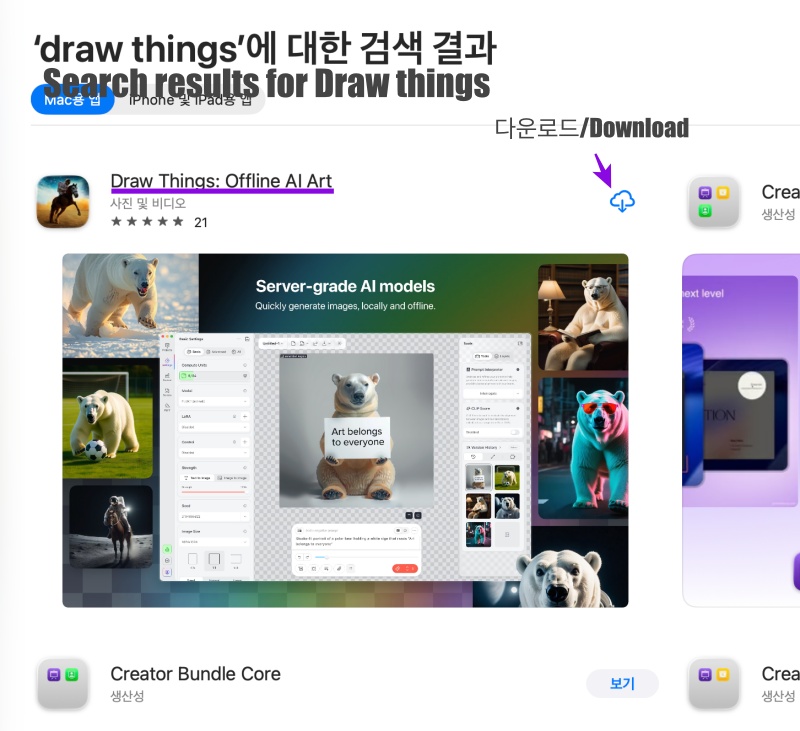
👉🏻 Draw Things는 맥에서만 사용가능하고 앱스토어에서 다운 받을 수 있습니다.
Draw Things is available only on Mac and can be downloaded from the App Store.
👉🏻 Draw Things는 인공지능을 사용하는 앱이고 이미지생성 Flux2[klein] 4B는 인공지능 모델입니다.
Draw Things is an app that uses artificial intelligence, and the image generation Flux2[klein] 4B is an artificial intelligence model.
👉🏻 설치 / Install
✔️ 앱스토어에서 Draw Things앱을 다운 받습니다.
Download the Draw Things app from the App Store.
✔️ 앱을 실행하고 Draw Things 통합 모델 다운로드를 선택합니다.
Launch the app and select Download Draw Things integration model.
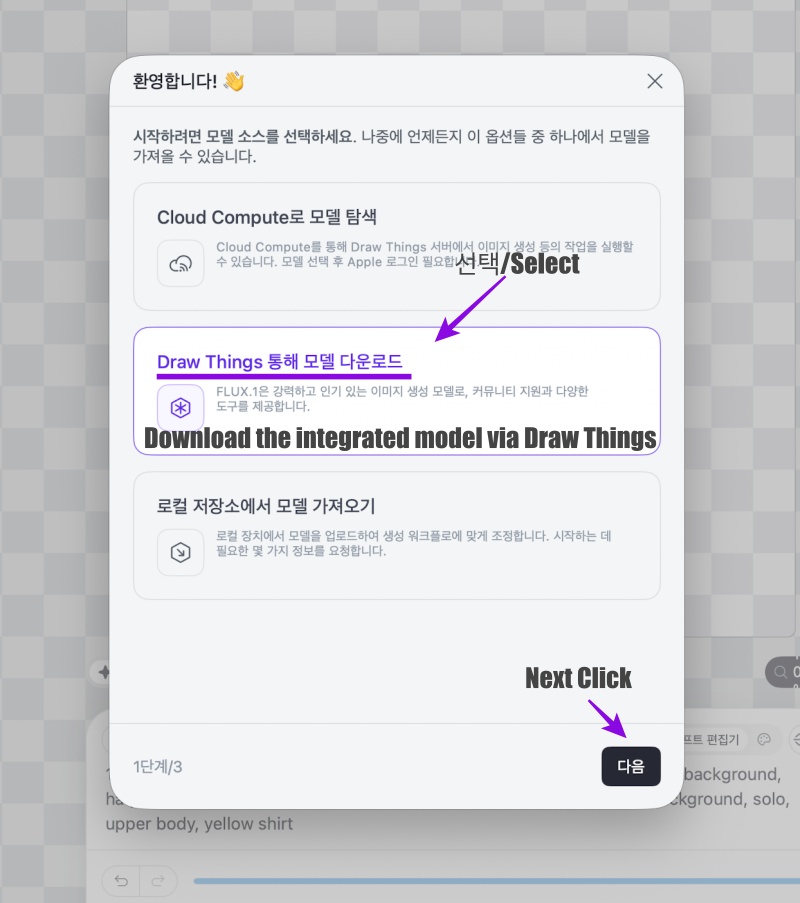
✔️ 인공지능 모델을 다운받습니다.
Download the AI model.
— 인공지능 모델은 FLUX.2[klein] 4B를 선택합니다.
The AI model selects FLUX.2[klein] 4B.
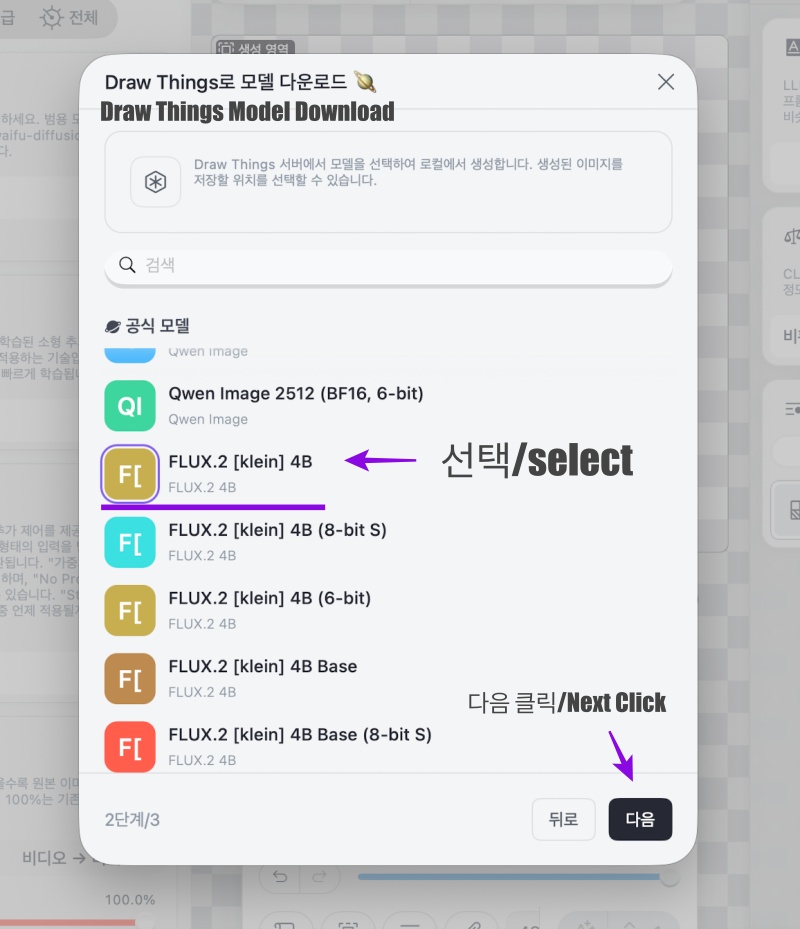
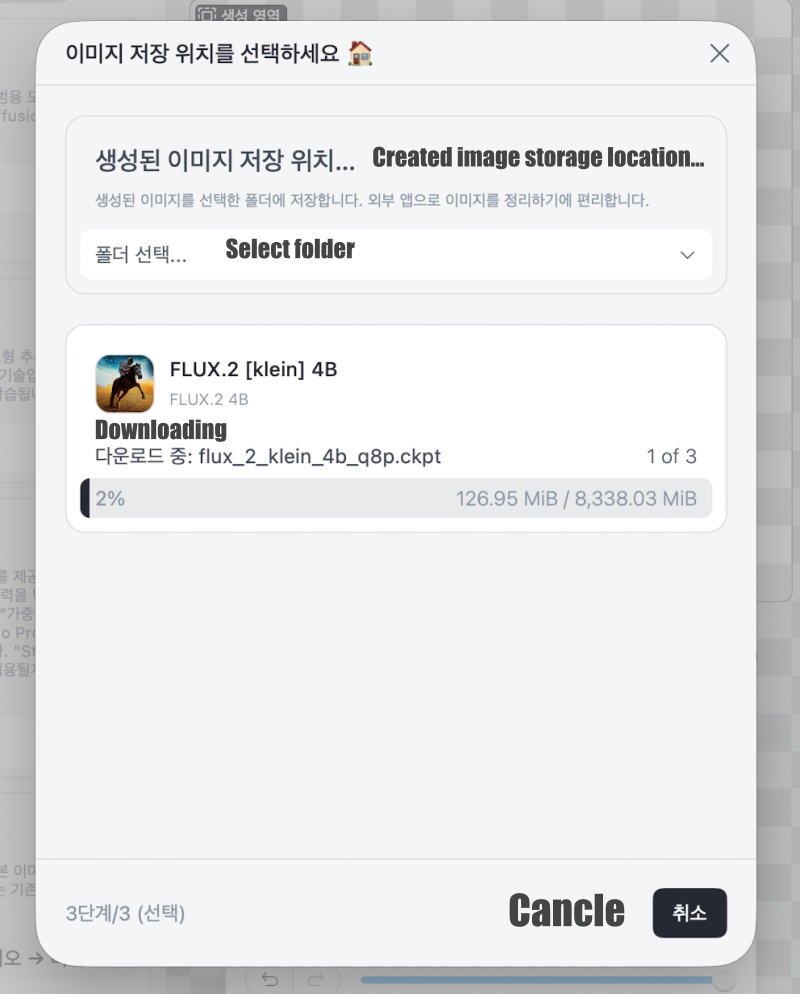
✔️ 다음버튼을 클릭하면 인공지능 모델을 다운로드 받습니다.
Click the next button to download the AI model.
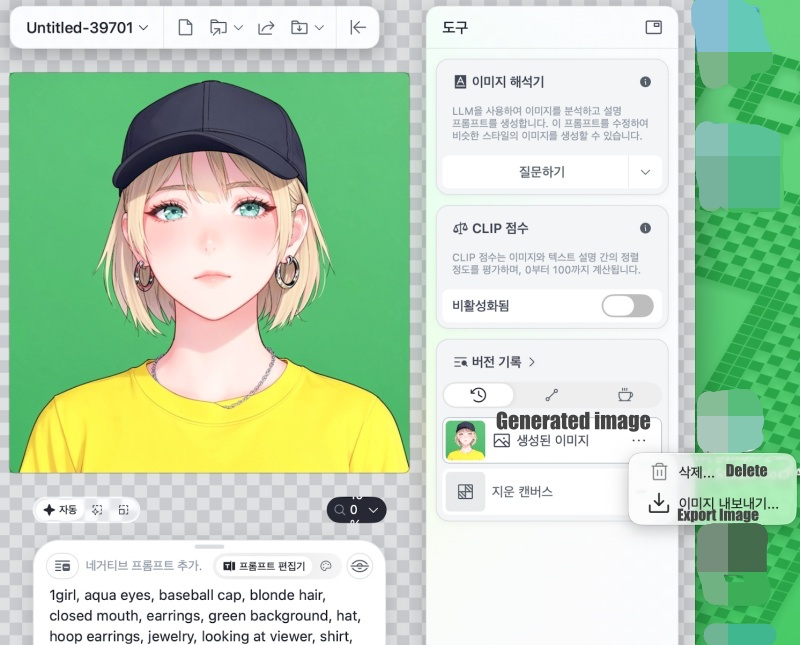
✔️ 앱을 실행하면 다음과 같은 화면을 볼 수 있습니다.
When you launch the app, you can see the following screen.
— 기본 값을 그대로 두고 주황색버튼을 클릭하면 이미지를 바로 생성할 수 있습니다.
You can generate an image immediately by leaving the default values and clicking the orange button.
— 다른 이미지를 생성하길 원하면 주황색 버튼 바로위의 프롬프트 편집기에서 프롬프트를 편집하면됩니다.
If you want to create a different image, you can edit the prompt in the prompt editor located just above the orange button.
— 기본 프롬프트는 다음과 같습니다.
The default prompt is as follows.
1girl, aqua eyes, baseball cap, blonde hair, closed mouth, earrings, green background, hat, hoop earrings, jewelry, looking at viewer, shirt, short hair, simple background, solo, upper body, yellow shirt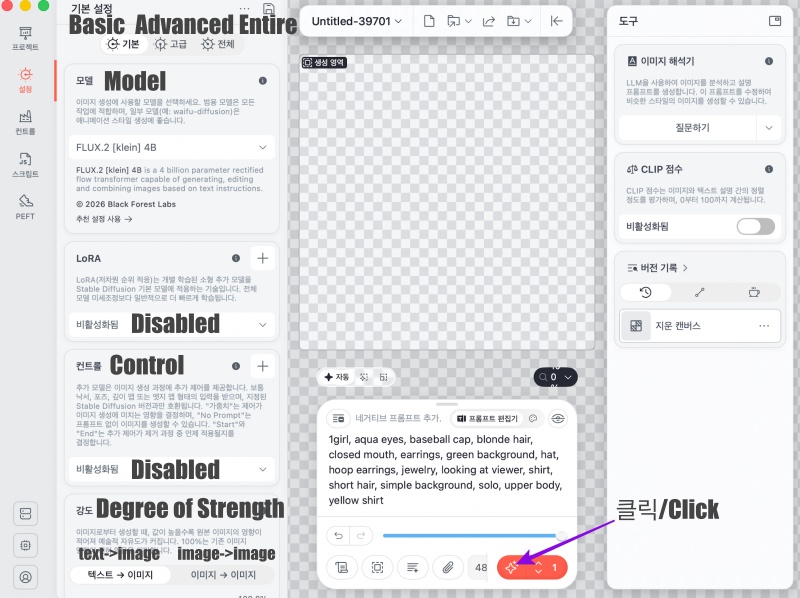
✔️ 그러면 다음과 같이 이미지가 생성됩니다.
Then, an image is generated as follows.
— 생성된 이미지는 우측의 “생성된 이미지 …”을 클릭하면 내보내기 할 수 있습니다.
You can export the generated image by clicking “Generated Image…” on the right.